Appendix C Connecting to the Internet 67
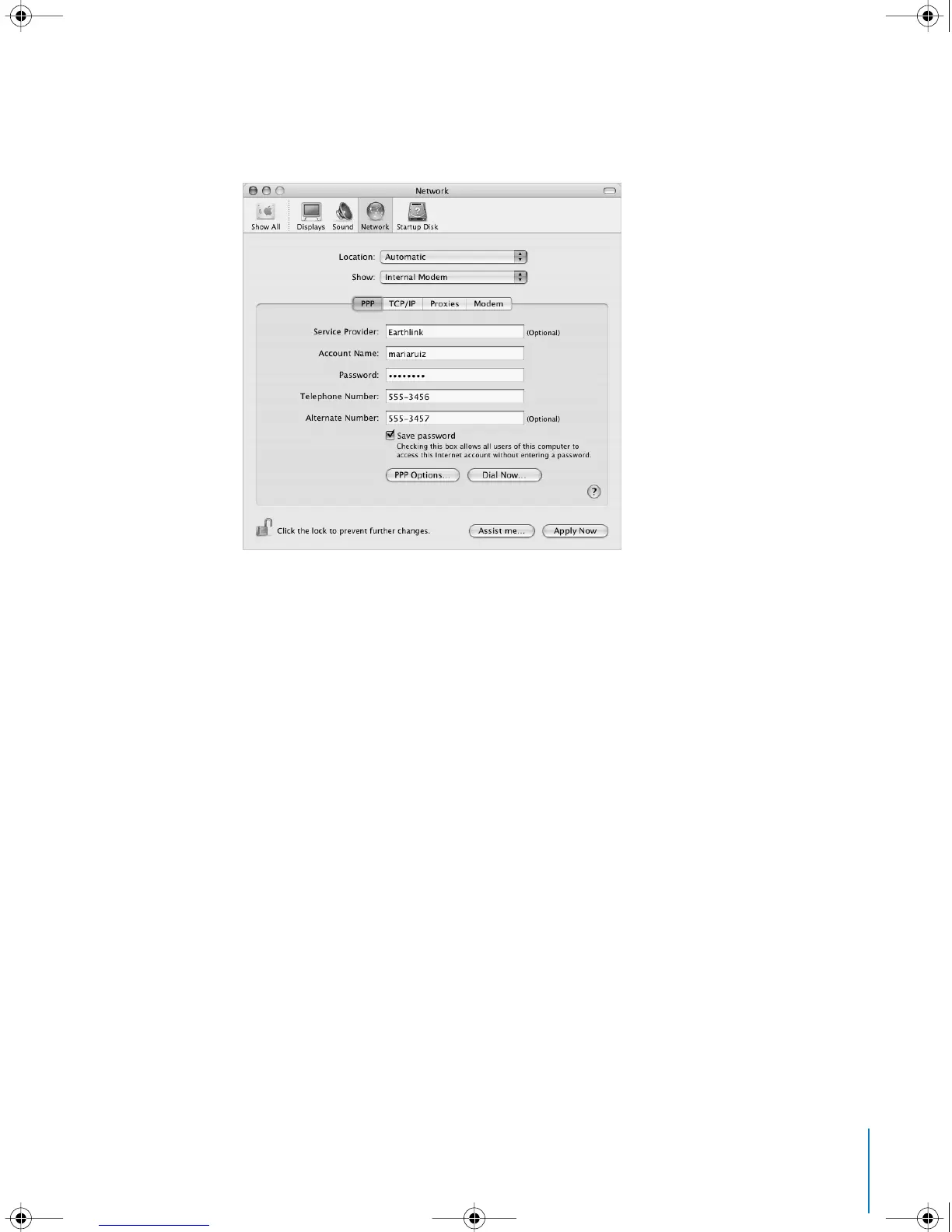
5 Choose Internal Modem from the Show pop-up menu and click PPP.
6 Enter the information from your ISP and click Apply Now.
To test your Internet configuration:
1 Open the Internet Connect application (in the Applications folder).
2 Click the Internal Modem icon, if necessary.
3 Enter your dial-up telephone number, account name, and password, if necessary.
4 Click Connect.
Internet Connect dials your ISP and establishes a connection.
LL2522.book Page 67 Wednesday, February 18, 2004 11:53 AM



 To Next Page