17 -
iBook G4 (12-inch Mid 2005) Take Apart
Keyboard and RAM Shield
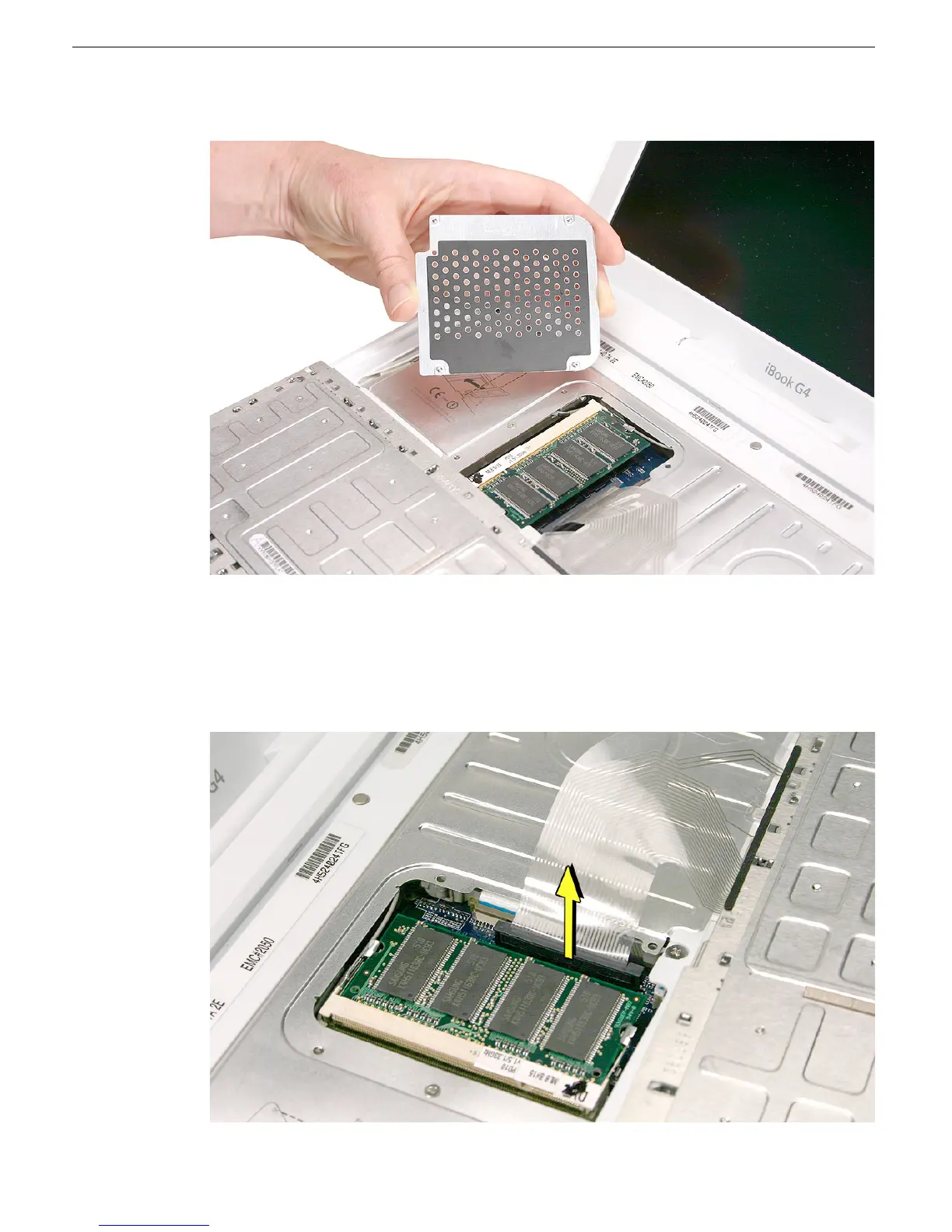
7. Lift the RAM shield out of the computer.
8. Locate the keyboard cable connector.
9. Firmly grasp the cable, and carefully pull it straight up until the connector releases.
Important:
Pull straight up; do not twist or pull the cable sideways.
Note:
If necessary, use your fingers to pry up the connector from side to side.



 To Next Page