iBook G4 (12-inch Mid 2005) Take Apart - 72
Hard Drive
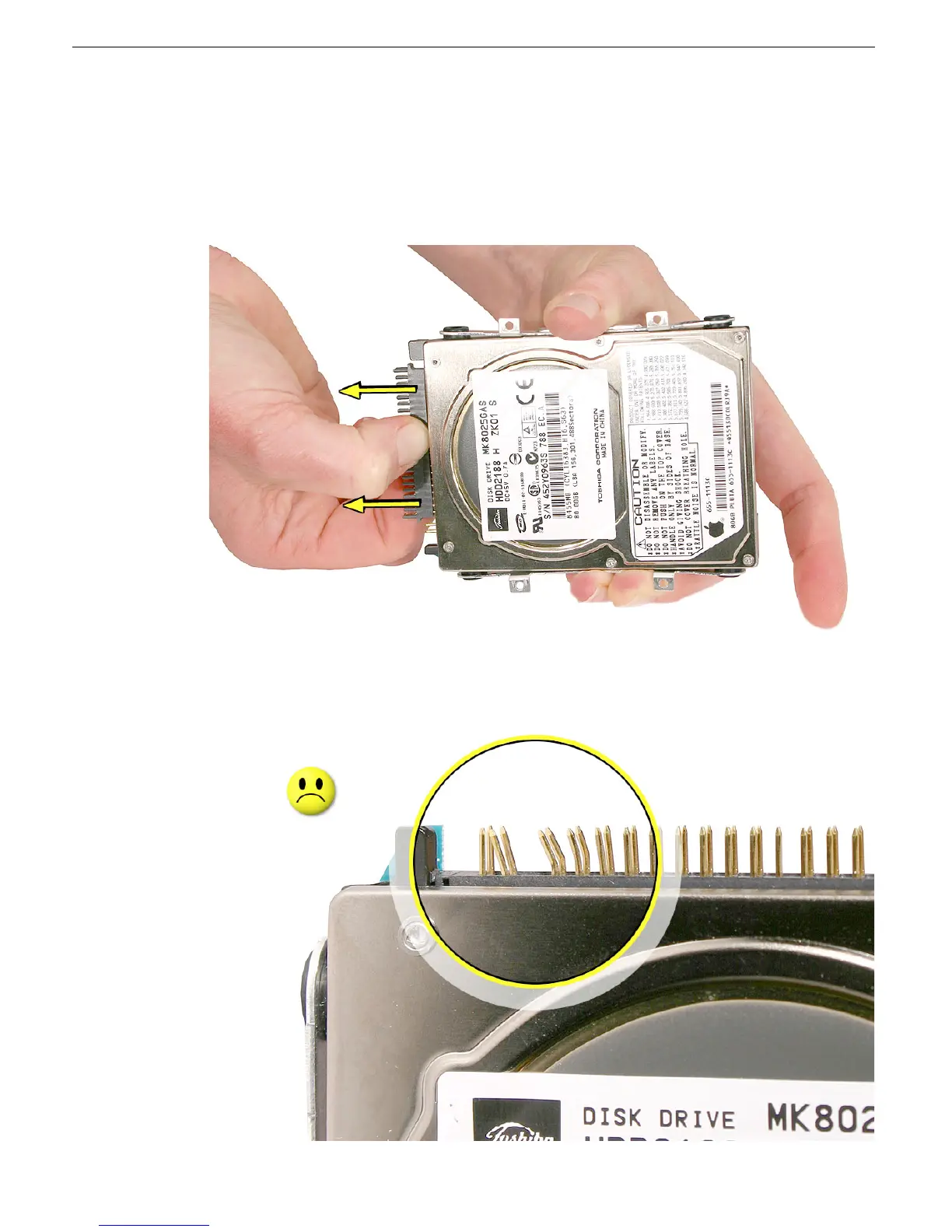
9. Warning: If the connector is pulled off too quickly, some connector pins could
become bent and damaged.
Using gentle force, loosen one end of the connector just a bit, then loosen the other
end. Carefully rock the connector in small, even increments to gradually disconnect it
from the hard drive.
Important: If the hard drive pins become bent, use a black stick or jeweler’s flat-
blade screwdriver to carefully straighten the pins.



 To Next Page