iBook G4 (12-inch Mid 2005) Take Apart - 74
Hard Drive
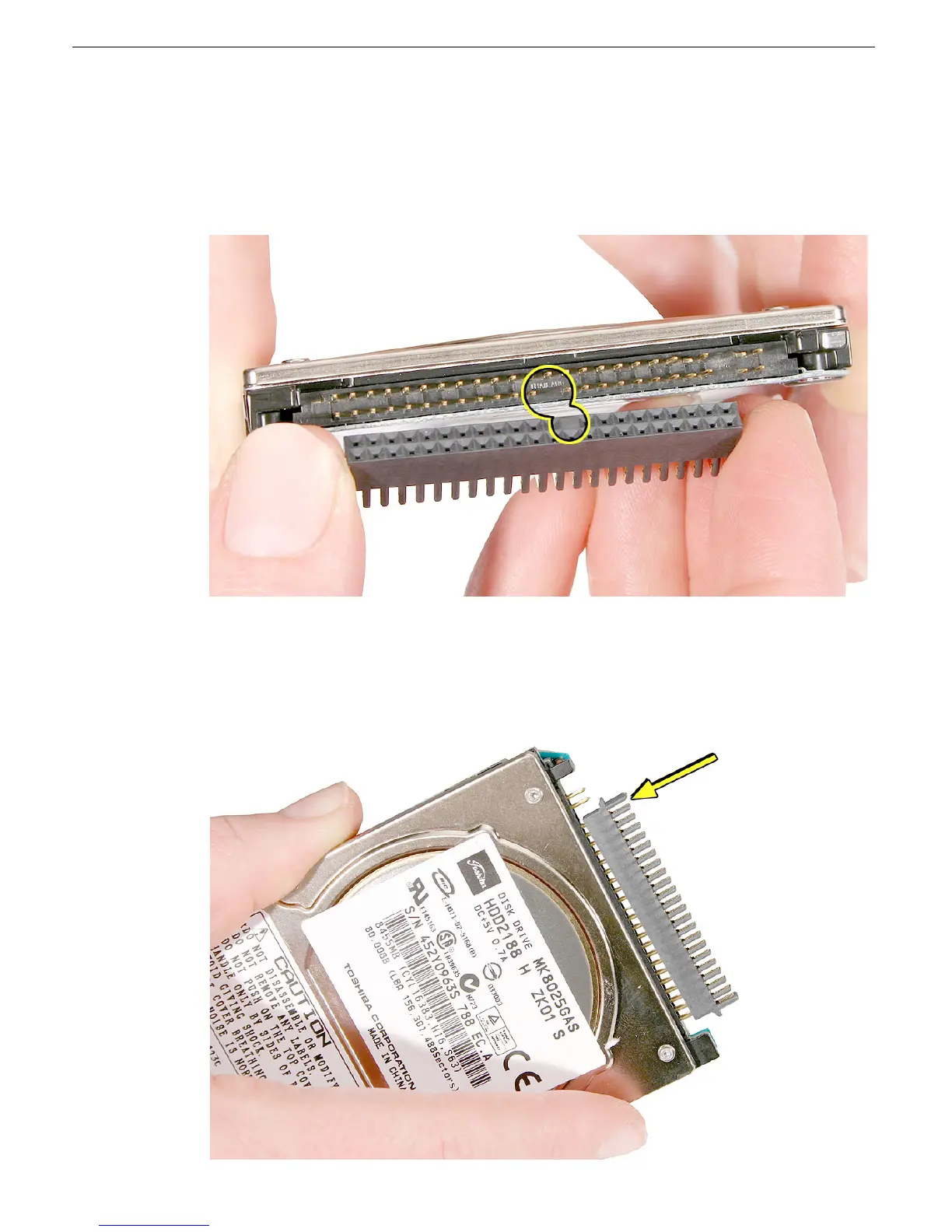
12. Install the replacement hard drive, and reassemble and test the computer. Follow
these important replacement considerations:
• Important: Before installing the hard drive direct-connect connector, find the open
spaces on the drive and the connector. Make sure the "empty" space on the
connector aligns with the "missing" pin on the hard drive.
• With the direct-connect connector aligned correctly over the hard drive pins,
carefully press down on one side of the connector.
Replacement Warning: To avoid bending the pins, do not force the connector onto
the drive pins.



 To Next Page