iBook G4 (12-inch Mid 2005) Take Apart - 88
Reed Switch Board
Verifying the Board Version
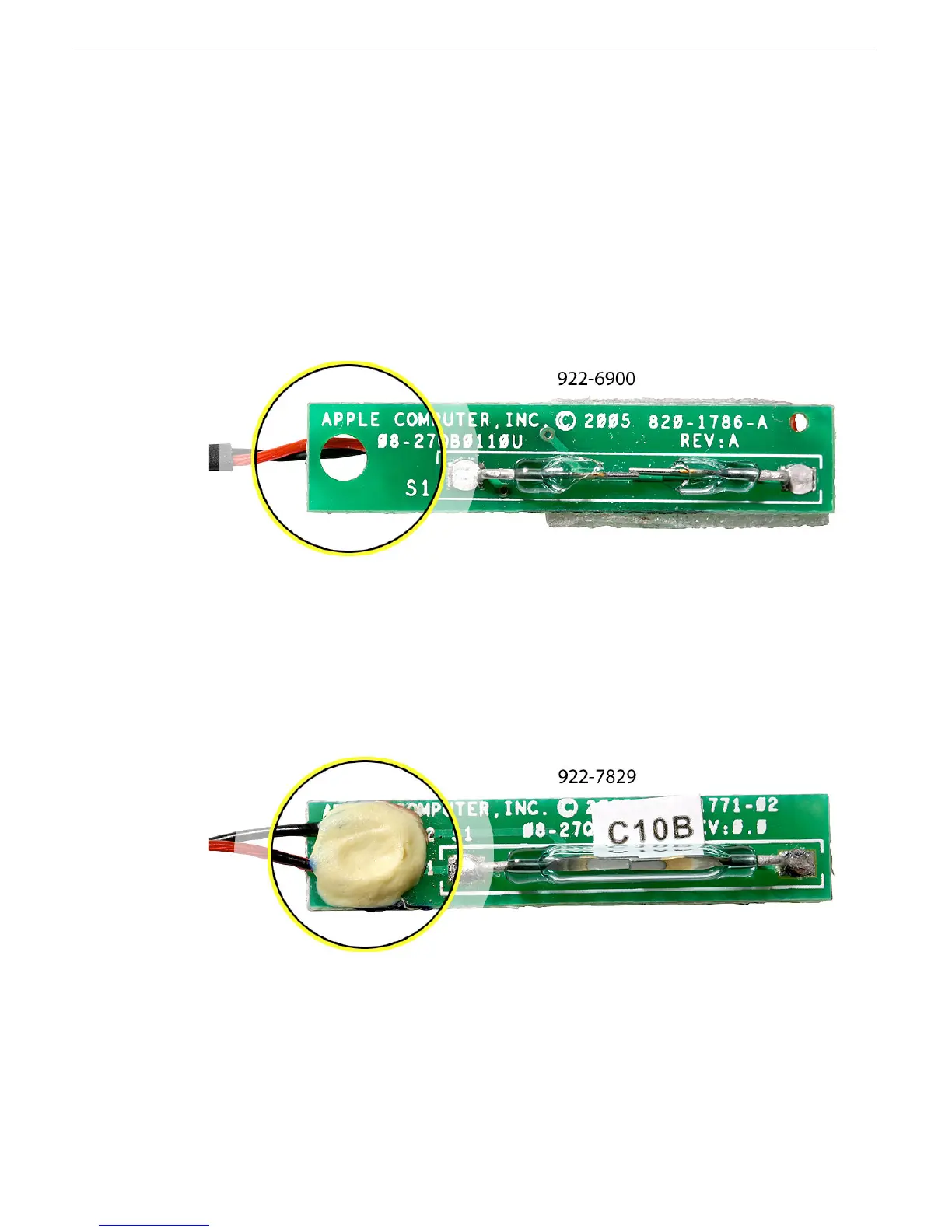
Important: In October 2006, a new reed switch board (Apple part number 922-7829) was
created. The new design is intended to minimize a risk of breakage to the glass switch.
Before reassembling the computer, make sure it includes the newer reed switch board. If
the original board is installed, replace it regardless of whether the board is functional or
not.
1. Closely examine the reed switch board. If the cable is soldered to the back of the
board and an adhesive spacer is on the back (as shown below), it is the original reed
switch (922-6900) and requires replacement.
2. If the cable is soldered to the front side of the board and the spacer has been
eliminated (as shown below), it is the newer version (922-7829) and no replacement is
required.
Note: The newer design has reduced the height by approximately 1.0 mm.



 To Next Page