iBook G4 (12-inch Mid 2005) Take Apart - 96
Optical Drive
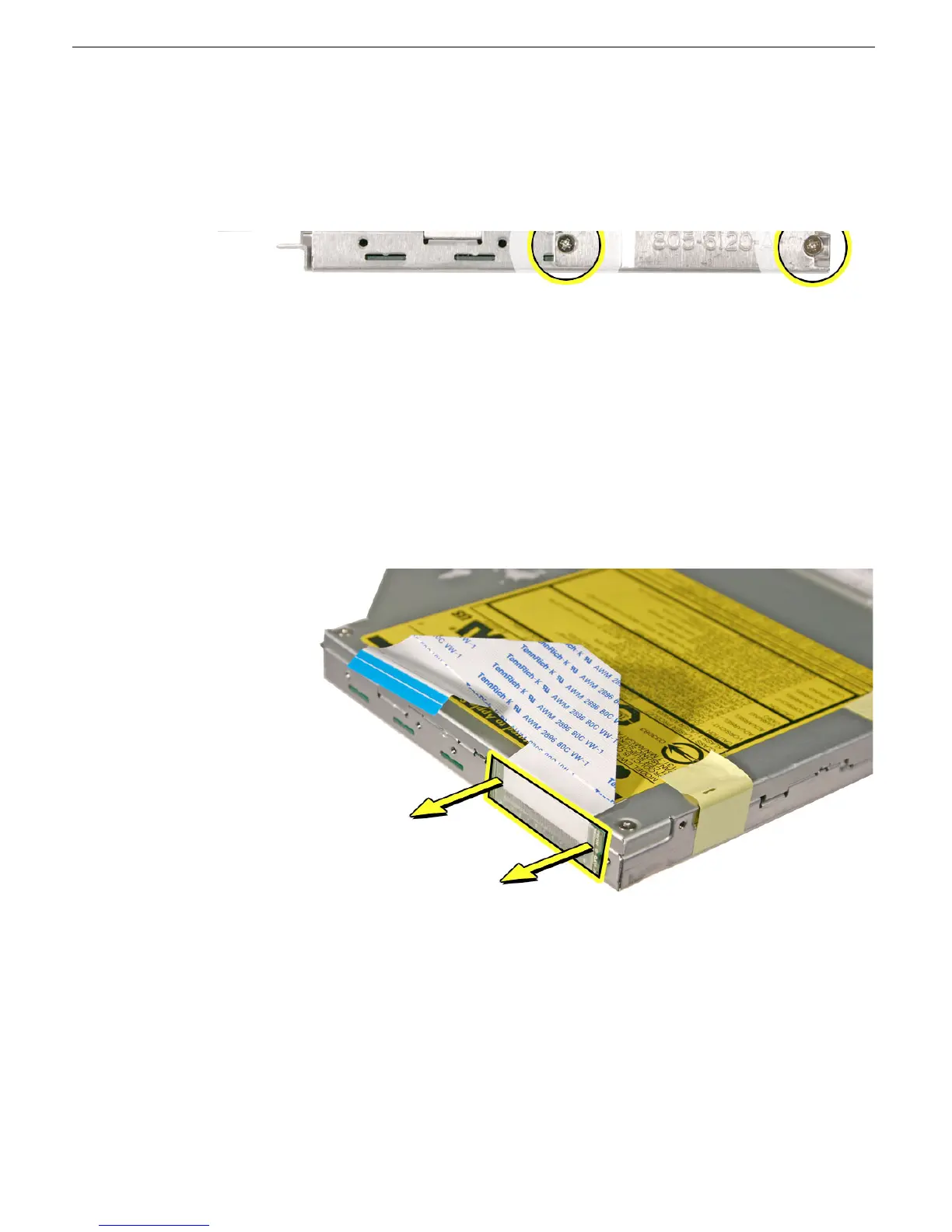
7. Remove the two identical 3-mm long screws that hold the bracket to the optical drive.
8. Remove the cable bracket.
Note: When reassembling the computer, transfer the cable bracket to the
replacement drive.
9. Peel off the tape from the optical drive, and use a black stick to disconnect the ribbon
cable.
Note: When reassembling the computer, transfer the ribbon cable to the replacement
drive.



 To Next Page