L
L:
L:
L
L
.......
L
L
L
.........
L:
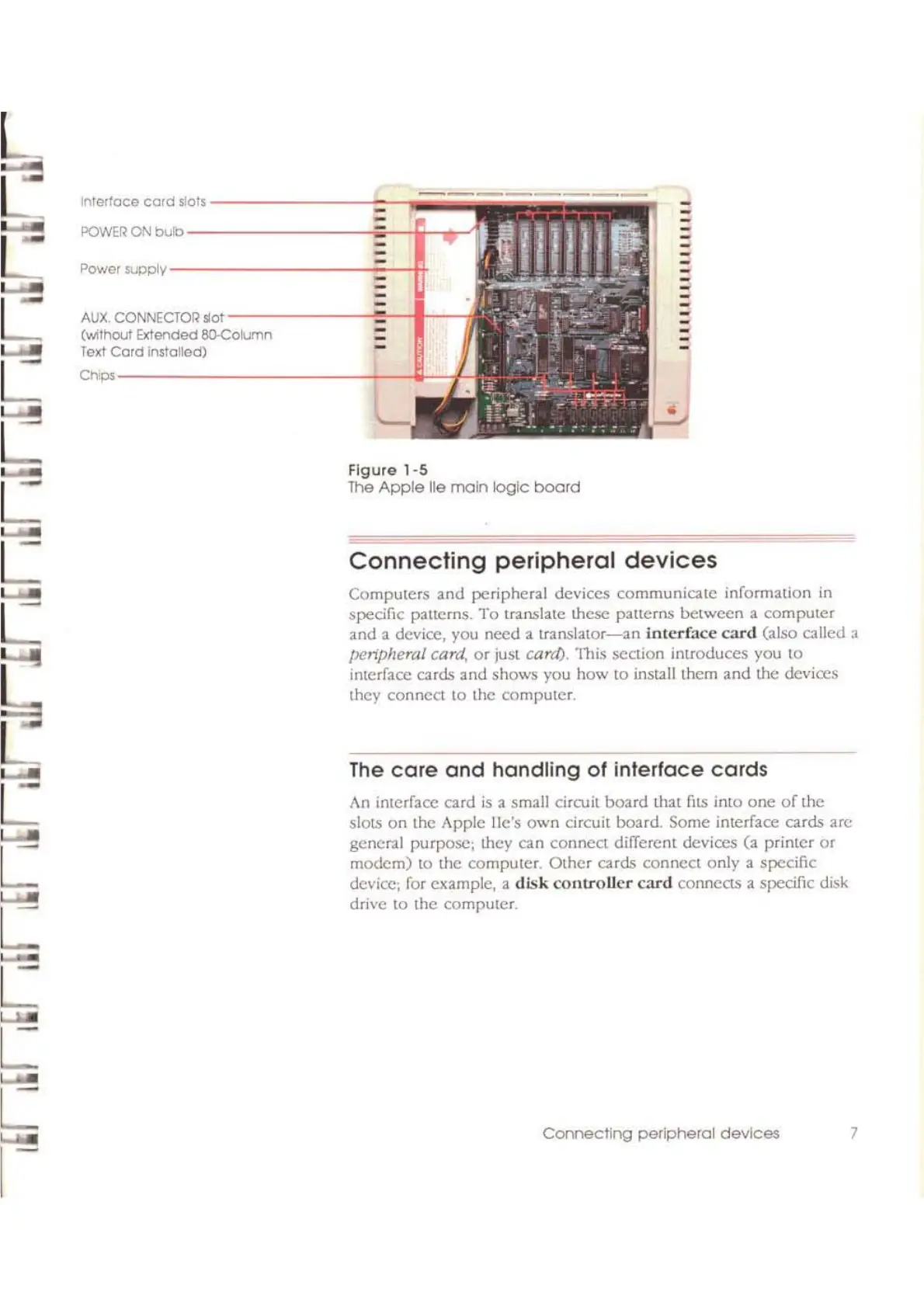
InTerface
cord
slots
---------_=-~
..
iiii
------
POWER
ON
bulb
---------.;--i-."rl
Power
SUpply·-----------~_~..,H
AUX,
CONNECTOR
5'01-------<_.--,1--
(Without Extended 8O-Column
Tald
Cord
Installed)
Ch";-----------~-If-
Figure
1-5
The
Apple
lie main
logic
board
Connecting
peripheral
devices
computers
and
peripheral devices communicate information
in
specific patterns.
To
translate
these
patterns
between
a
computer
and a device, you need a
translator-an
interface
card
(also called a
peripheral card,
or
just carr/), This section introduces you
to
interface cards and shows you
how
to install them and the devices
they
connect
to
the
computer.
The
care
and
handling
of
interface
cards
An interface card
is
a small circuit
board
thaI
fllS
InlD
one
of
the
slots
on
the Apple lie's
own
circuit board. Some interface cards arc
general purposc; they can connect dilTercnt devices (a printer
or
modem)
10
the computer.
Other
cards connect only a specific
device; for example, a
disk
controller
card
connects a specific disk
drive
10
the computer.
Connecting
peripheral
devices
7



 To Next Page