L
•
-
....
....
-
....
L
....
L
L:
L.:
--
You can connect
one
drive (0 the controller card
and
a
second
drive
of
the
same
kind
10
the
first drive (for
example,
a S.2S-inch
drive to anolher 5.ZS-inch drive). This process
of
connecting one
peripheral
device
10
another
is
called
daisy<.halnlng.
Worning
Alwaysconnecl
a disk
drive
to
the
controller
card
designed
for II.
Never
try
to
dalsy-ehaln
two
different
drives
Olke
0 5.25-Jnch
and
0
3.5-lnch disk drive) from
the
same
controller.
Mismatching
controhers
and
drives
can
damage
drtves
and
cards.
Here are guidelines
to
help you
decide
where
10
put
your
controller
card(s).
Read
lhrough
them
and
find the
one
1M!
best
fiLS
your
needs
-:.
Older
drives
If
you
are iruilalling
older
drives,
follow
the
recommendations in
then
manuals for slot assignments.
One 5.25-inch
Of
one 3.5-inch disk controner
This
IS
cuy. Unless
you
have
a good
rC2SDn
to
do
Ol.hcrwise,
put
the
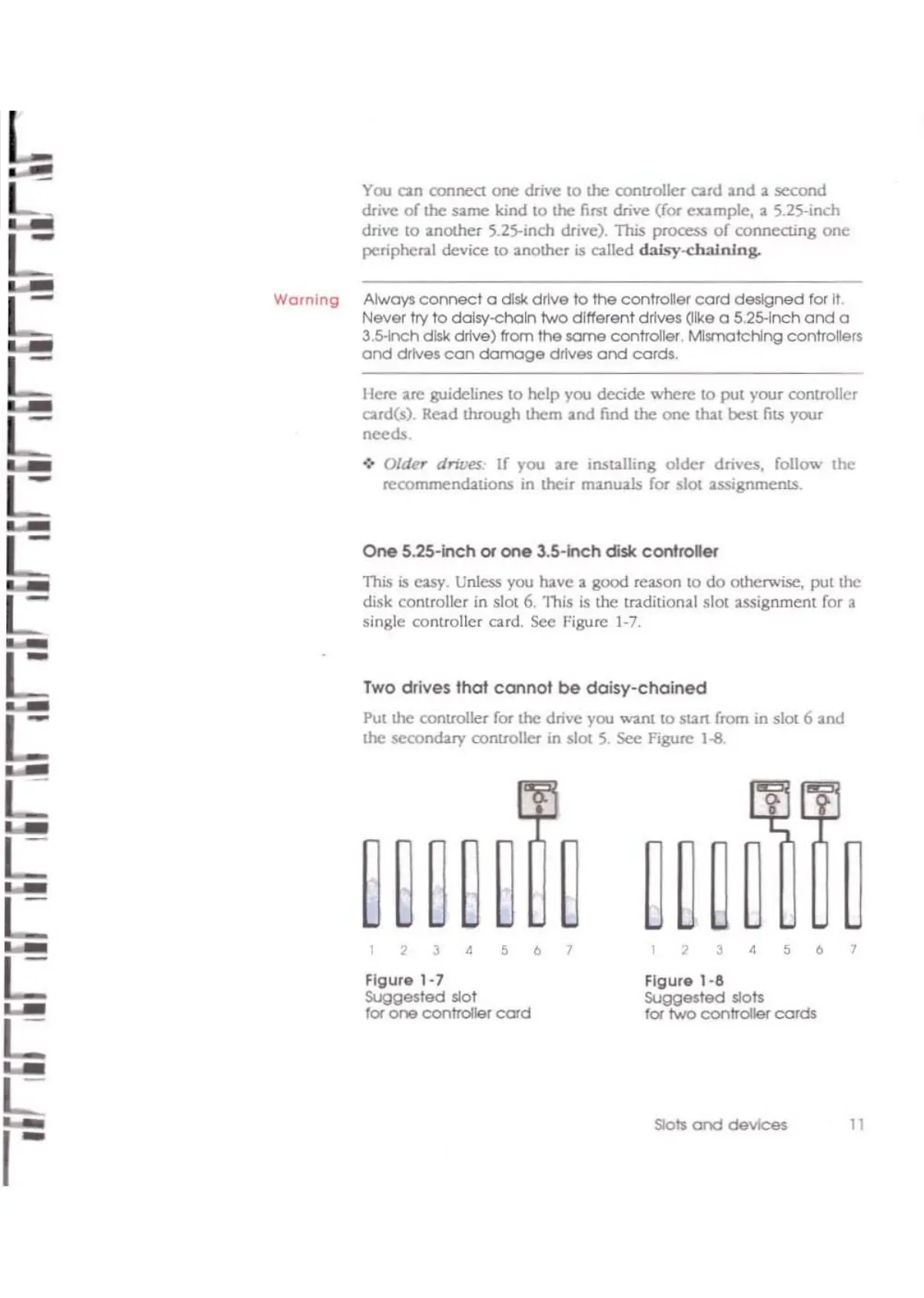
disk controller in slot 6.
'1lis
is
the
tr:Iditional
slot
:lssignmenl for a
single controller card.
see
Figure
1-7.
Two drives that
cannot
be
daisy-chained
Put
the controller for
the
drive you want
to
SUrt from
in
sl0l6
and
the secondary controller in slot
S.
Sec Figure l·S,
L
~~~~~
~
~~~~
~
L
,
3
,
5 6
7
,
3
,
5 6
7
L
Figur.1·7
Figur.
1-8
SUggested slot SUggested slots
....-
tor
one
controller
cord
for
two
controller
cords
L:
L:
Slots
and
devices
11
,-



 To Next Page