12
Chopler
1:
SeITlng
Up
lhe
Apple
lie
A
herd
disk
ond
one
other
disk
drive
,
5 ,
,,
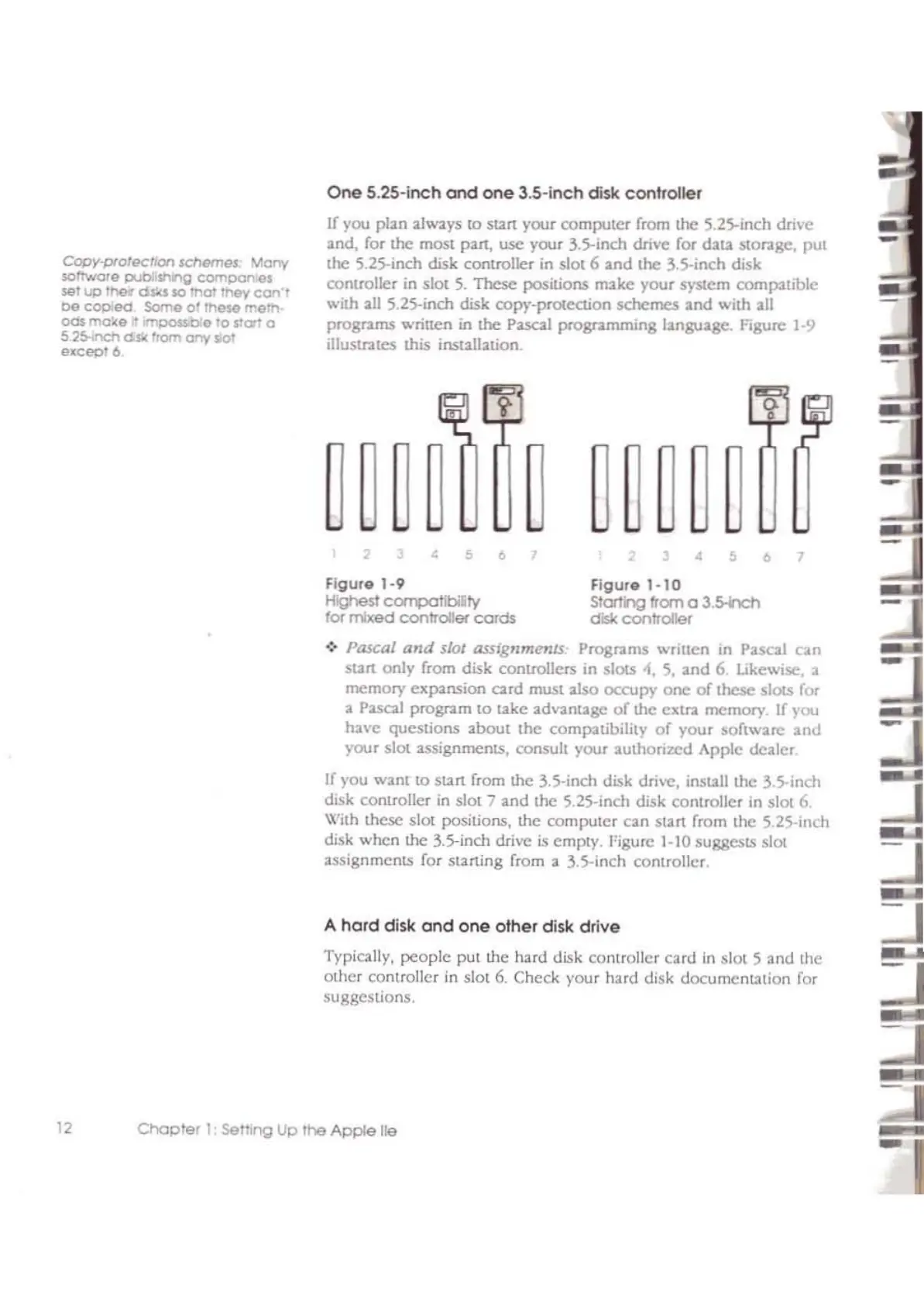
flgule
1·10
Stating from 0
3.5-h:h
disk controllef
5 , ,
,,
figure
1-9
Highest compatibllfy
to( mixed controllef
cords
One
5.25-inch
ond
one
3.S-inch disk controller
If
you plan always to start your computer from the S.Z5-inch drive
and, for the most part, usc your 3.5-inch
dTive
for data stor.tge, put
the S.2S-inch disk controller in slot 6
and
the 3.5-inch disk
conlroller
in
slOl
S.
These
positions make your system compatible
with all S,ZS-inch disk copy-prOtection
schemes
and with all
progr.tms wriuen
in
lhe
Pascal programming language. Figure
1-9
illustr.ltcs this installalion.
.:.
Pascal
and
slot asslgnmenlS, Programs written in Pascal
can
start only from disk controllers in slotS
-1,
S,
and
6. ukewIsc, a
memory exp'U1sion
card
mUSI
2.lso
occupy
one
of
these slotS for
a
P2.scal
program to take advantage
of
the exIra memory
If
rou
have qucstions 2.bout Ihe compatibility
of
your software
and
youl
slOt
2.ssignments, consult your authorized Apple dc2.ler
If you want to start from the 3.S-inch disk drive, install the 3.S-inch
disk controller
in
slot 7
2.nd
the S.ZS-inch disk conlroller in slot 6.
Wilh these
slOt
positions, the computer
can
start from the S,ZS-inch
disk when
the
3.5---inch
drive
is
empty. Figure 1-10 suggests
slOt
assignments for starting flom a 3,S-inch controller.
Typically,
people
put the hard disk controller
card
in
slOI
S and the
other controllel
in
slot
6.
Check your hald disk documentation for
suggestions.
COPY1Xotecr;cn 'c:flemes .vony
$Ol'Iwole
publishlr'lg companoes
sel
up
lher
dslu
$0
lhot
mey
con'l
0&
cop
eel
Some
o~
lhess
memo
ods
mo~e
<I
;mpaSSO:e
fa
rial
a
5 25-1nctl dsli:
I'l'om
any
slo:
excepl6



 To Next Page