EasyManua.ls Logo

Apple II - Page 45

Apple II
188 pages
Print Icon
To Next Page IconTo Next Page
To Previous Page IconTo Previous Page
Loading...
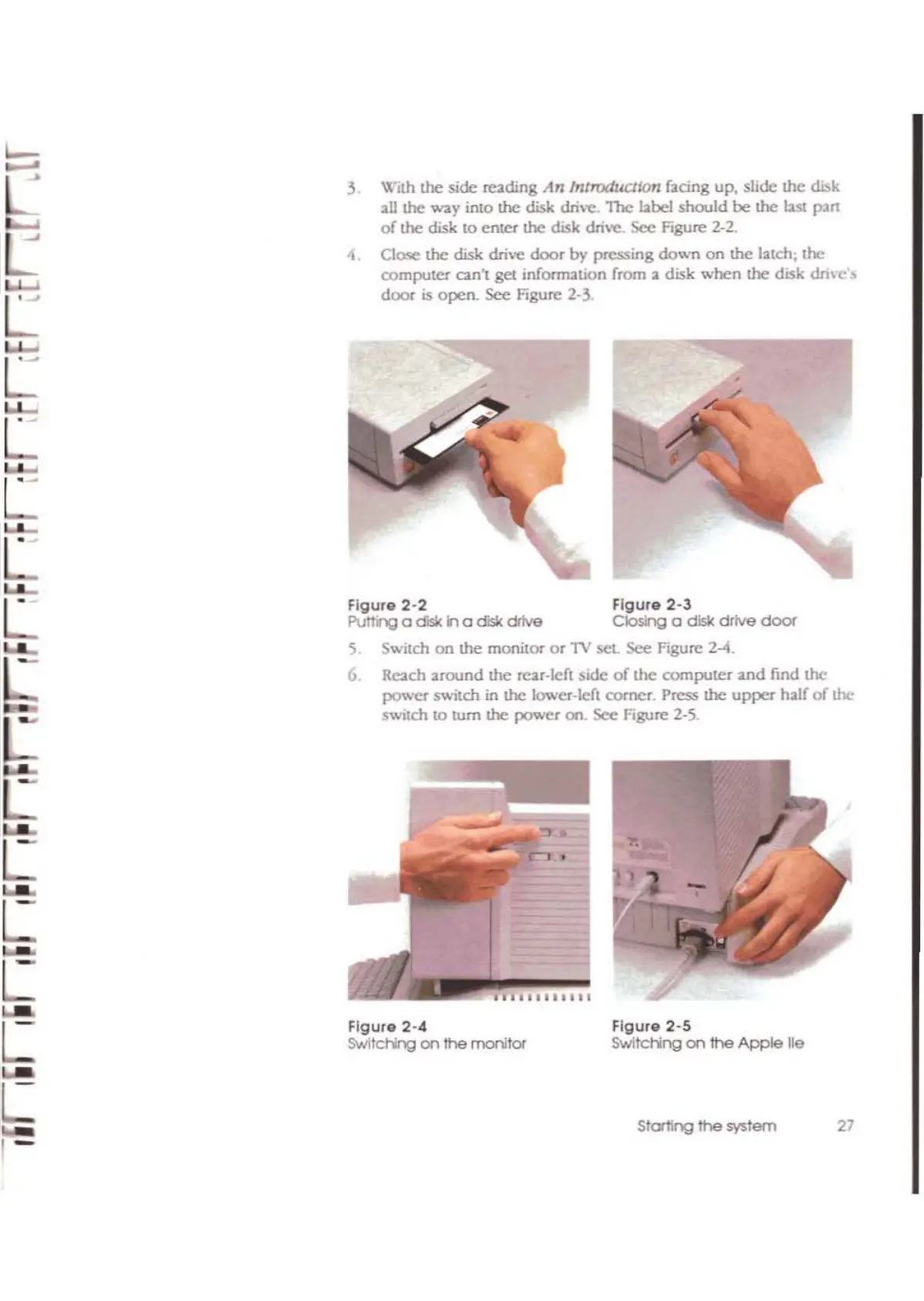
Flgur.2-5
SwItching
on
1he
Apple
lie
Figure
2-4
SwitcHng
on
!he
monitor
Figure
2-2
Figure 2-3
PutTI'lQ a
dislc:
h a disk drtve
CIosng
a disk drive
door
5_
Switch
on
the monilor
or
1V
set.
see
Figure 2-4.
6.
RClich
around the
Teu-IcC!
side
of
the
computer 2nd find
the
power
switch
in
the lower-IcC!
comer.
Press
the
upper
h;;1Ilr
of
the
sWItch
to
10m the
po-;>o'er
on.
sec
Figure
2-5.
3 With the
side
re2ding
An
IntroduCllon fating up. slide Ihe disk
aU
the
way
into
the
disk
dm"C.
The
bbcl
should
be the
w.
p2n
of
the
disk
to
enter the disk drive. See FLgure 2-2.
4 Close
the
disk drive
door
by
pressing
dovm
on
the
I:uch, the
computer
can',
get
infOfrT12tion
from a disk
when
the
disk
dm-c'"
door
is
open.
see
Figure 2-3
L
L
L
L
L
L
L
[
[
Starting
the
system
27
1-

Other manuals for Apple II

Related product manuals