L
L:
L
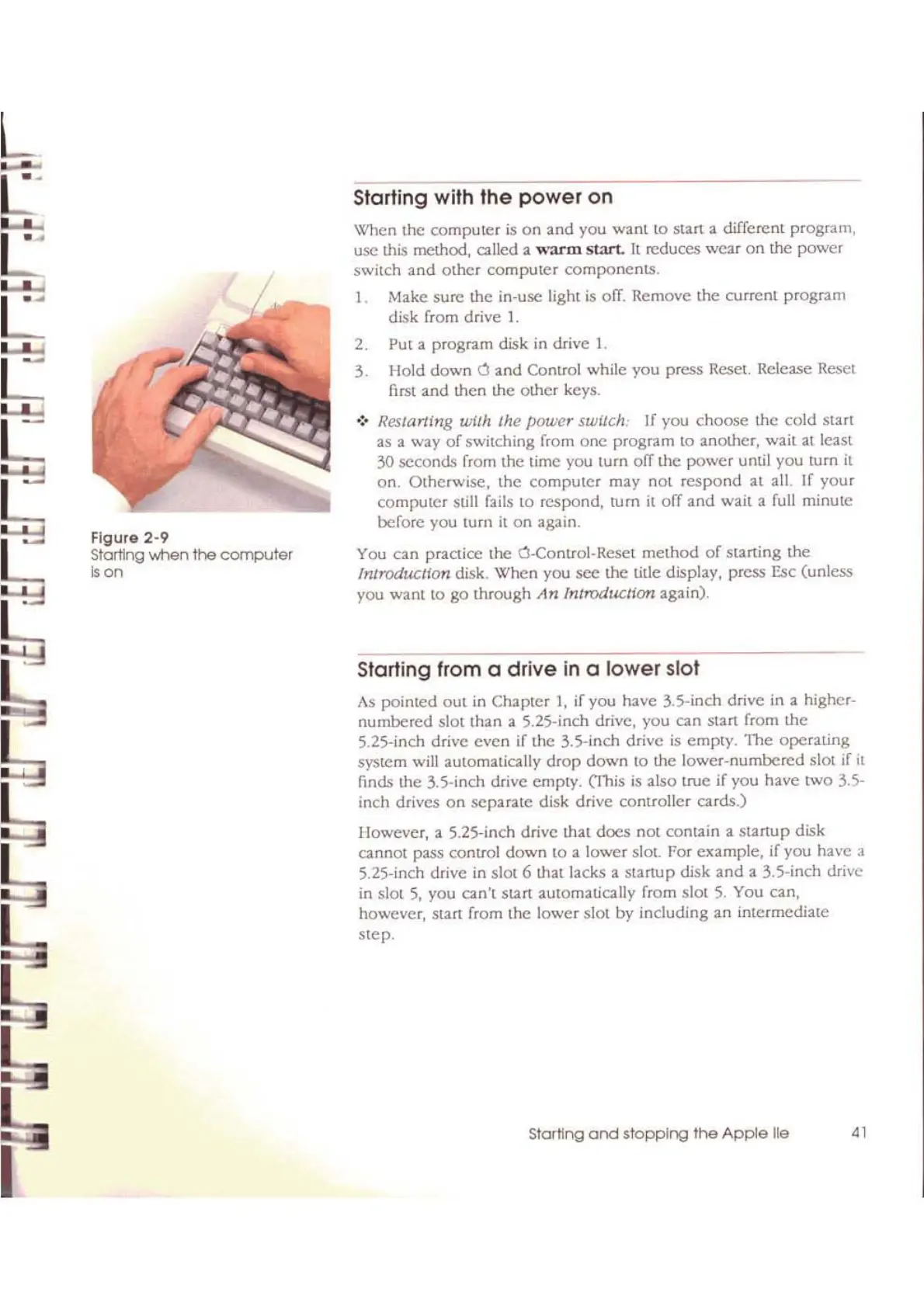
Figure
2·9
Starting when
the
computer
Oon
Starting with
the
power
on
\'<'hen the
computer
is
on
and
you
wanl
to start a different program,
usc
this method, called a
"''arm
Slart.
It
reduces
wear
on
the
power
switch
and
other
computer
components.
1.
Make
sure the in-use
light
is
ofT.
Remove
the
current
program
disk from drive
1.
2. Put a program disk in drive L
3. Hold
down
a
and
Control while you press Reset. Release Reset
first and then the other keys.
•
:.
Restarting wilh Ihc
power
swilch: If you
choose
the
cold
start
as
a
way
of
switching
from
one
program
\0
another,
wait
al leas!
30 seconds from
the
time
you
[urn
ofT the
power
until
you
turn
it
on.
Otherwise,
the
computer
may
not
respond
al
aIL
If
your
computer
still fails
to
respond, turn
it
off
and
wail a full minute
before
you
turn
it
on
again.
You
can
practice
lhe
a-Control-Reset
method
of
starting
the
Introducllon
disk.
When
you
see
the title display, press Esc (unless
you
want
to go through
An
Introduction
again).
Starting from a
drive
in a
lower
slot
As
pointed
out in Chapter
1,
if you have
35-inch
drive in a higher-
numbered
slot than a 5.25-inch drive, you can
stan
from
the
5.25-inch drive
even
if
the
3.5-jnch drive
is
empty.
The
operating
system will automatically
drop
down
to the
lower-numbered
slot if
it
finds the 3.5-inch drive empty. (This is also
uue
if you have
two
3.5-
inch drives
on
separate
disk drive controller
cards.)
However, a 5.25-inch drive that
does
not
contain a
startup
disk
cannot pass control
down
to
a
lower
sIal. For example, if you have a
S.2S-inch drive in slot 6 that lacks a
stanup
disk
and
a 3.5-inch drive
in slot
5,
you can't Slart automatically from slot
5.
You can,
however,
stan
from the
lower
slot by including
an
intermediate
step.
I
Starling
and
stopping
the
Apple
lie
41



 To Next Page