WriTe
enable
Putting a 3.5-lnch disk Into a drive
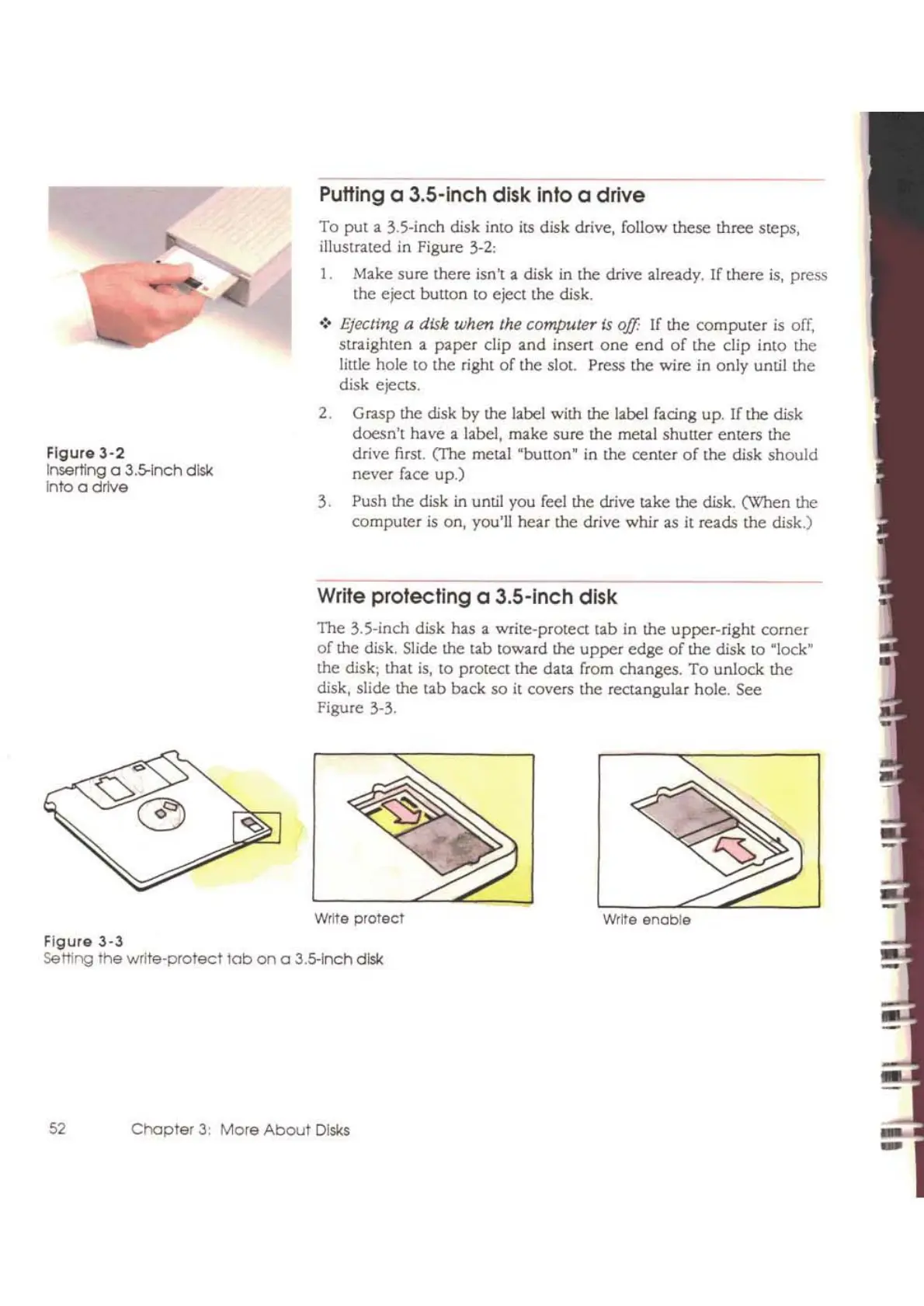
To put a
35-inch
disk into its disk drive, follow these three steps,
illustrated in Figure
3-2:
1. Make sure there isn't a disk
in
the drive already. If there
is,
press
the eject
butlon to eject the disk.
.:'
Ejecting a disk when the computer
Is
off:
If the
computer
is
off,
straighten
a
paper
clip and insert
one
end
of
the clip into the
little hole to the right
of
the slot. Press the wire in only until the
disk ejects.
2. Grasp the disk by the label with the label facing up.
If
the disk
doesn't have a label, make sure the metal shutter enters the
drive first. (The metal "bulton' in the centcr
of
the disk
should
never face up.)
3. Push the disk
in
until you feel the drive takc the disk. (When the
computer
is
on, you'll hear the drive whir as
it
reads the disk.)
The 3.S-inch disk has a
write-protect tab in the upper-right corner
of
the disk. Slide the tab toward the
upper
edge
of
the disk to "lock"
the disk; that
is,
10
protect the data from changes.
To
unlock the
disk. slide the tab back so
it
covers the rectangular hole. See
Figure 3-3.
Write protecting a 3.5-lnch disk
Write
protect
52
Chapter
3:
More
About
Disks
Figure
3-2
Inserting a
3.5-1nch
disk
Into
a drlve
Figure
3-3
Setting
the write-protect
lob
on
a 3.5-lnch disk



 To Next Page