Interacting
with
the
computer
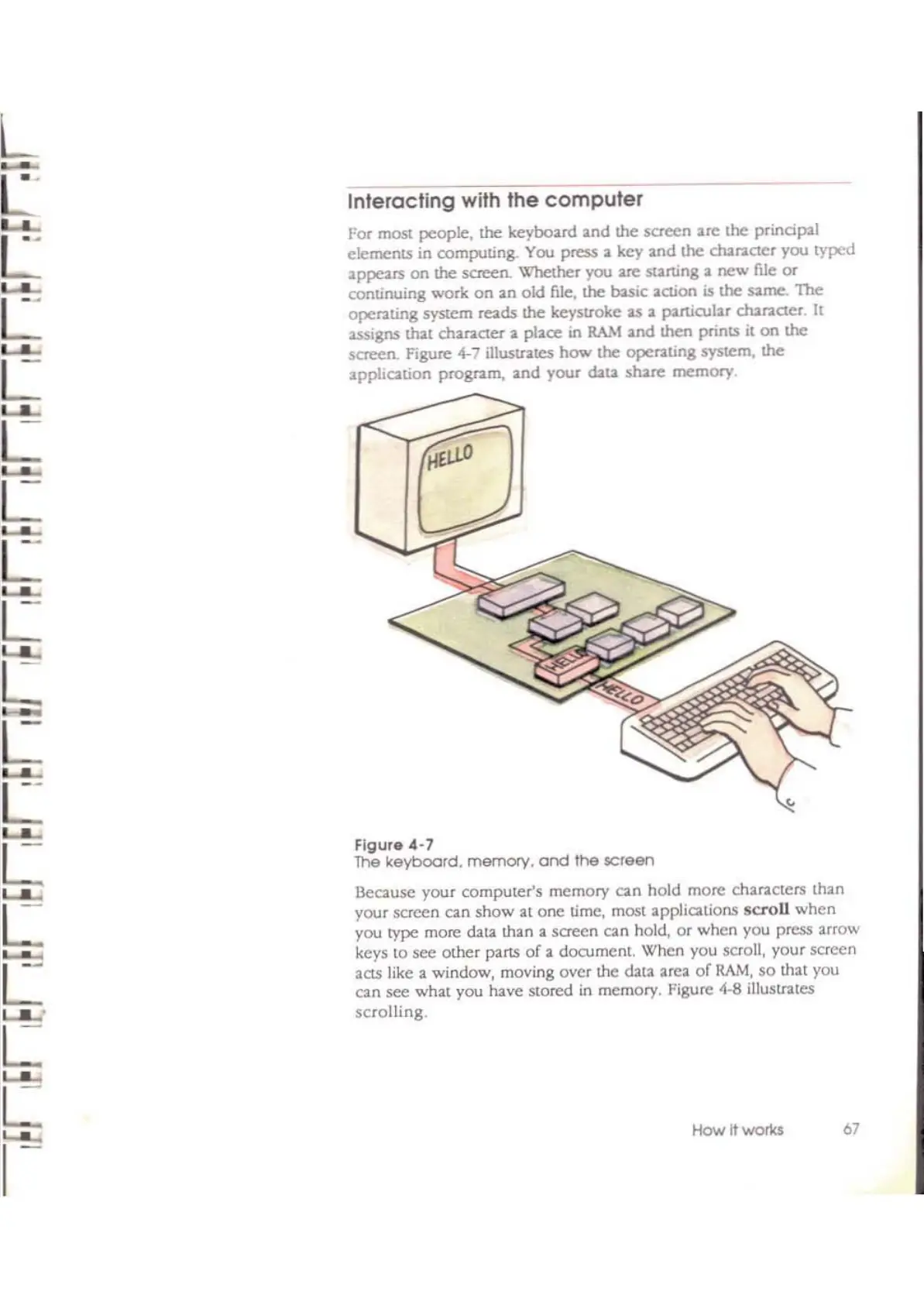
For most people.
the
keyboard
and
the screen are lhe princip21
elements
in computing. You press a key 2nd
the
chanaer
you typed
2ppears on the screen. Whelher you :ue starting 2
new
me
or
continuing work on 2n
ok!.
file.
the
basic 2Clion is
the
ume.
The
operating Syslem reads the keyslroke
2S
2 p2rtirul2r chanCier
It
assigns
th21
ch2nCler 2 pl2ce
in
RA.\I
2nd then prints it
on
the
screen. Figure
4-7
iIluslf"2leS
how
the
operating system,
the
2ppliQ,tion
prognm,
2nd your cbt2
shue
memory,
FIgure
4-7
The
keyboard. memory.
and
the
screen
Beausc
your computer's memory can hold more char2C(crs th2n
your scrccn
an
show
al
onc time, most appliQ,lions
scroll
when
you
type
more data th2n 2 screcn can hold,
or
when you press 2rrow
kcys
to
sec
othcr P2rts
of
2 document. When you scroll, your screen
205 like a window, moving oyer the data area
of
RAM,
so
that you
can see what you have stored
in
memory. Figure 4-8 illustrates
scrolling.
HOY.'
It
wor1ts
67



 To Next Page