EasyManua.ls Logo

Apple II - Page 86

Apple II
188 pages
Print Icon
To Next Page IconTo Next Page
To Previous Page IconTo Previous Page
Loading...
When you
n\"e
d3t3
in
memory
ooto
3 disk,
the
progr.;Jm'S
Save
conunand
\\oil!
ask )'OU to name !he
new
file. After you type a
na~.
the progr:tm copies your dala Into 3 disk f,le. Every filc must have a
name, a fllcn:lme.
Saving information
on
a disk
\X1t:1.t
}'OU
see
on
the
screen
is
only
Icmpor.trily
stored
in
the
memory
of
the computer II'S not like a typewriter,
where
wtul
you
type appears
on
a page
in
II
more
or
less permanent form. If
something stops the
now
of
CIcClicilY
to
your
computer, any
d3.ta
slored
In
RAM,
but
not
saved
on
disk,
is
lost.
The
only
way
to
recover
lost
data
is
to
type
it
in
again
Sec
Figure
1\-9
.
:.
save
early
and
save
often.
:>10
one
likes
to
retype
lost
data.
(:\
paragraph
is
okay,
perhaps,
but
Icn
pages
is
OUI
of
the
qUCSlion!) Save a
copy
of
your
work
on
a
disk
at least
every
Icn
minutes
or
right aftcr
doing
any
complicatcd
acLion. Mam·
people also
nve
just before doing a
I1rgc-SC2Jc
change
on
data.
in
case
the
dunge
creates
unW1llnted
resulls.
If
you'rc working
during
an
clcarical
storm,
nve
more oftcn.
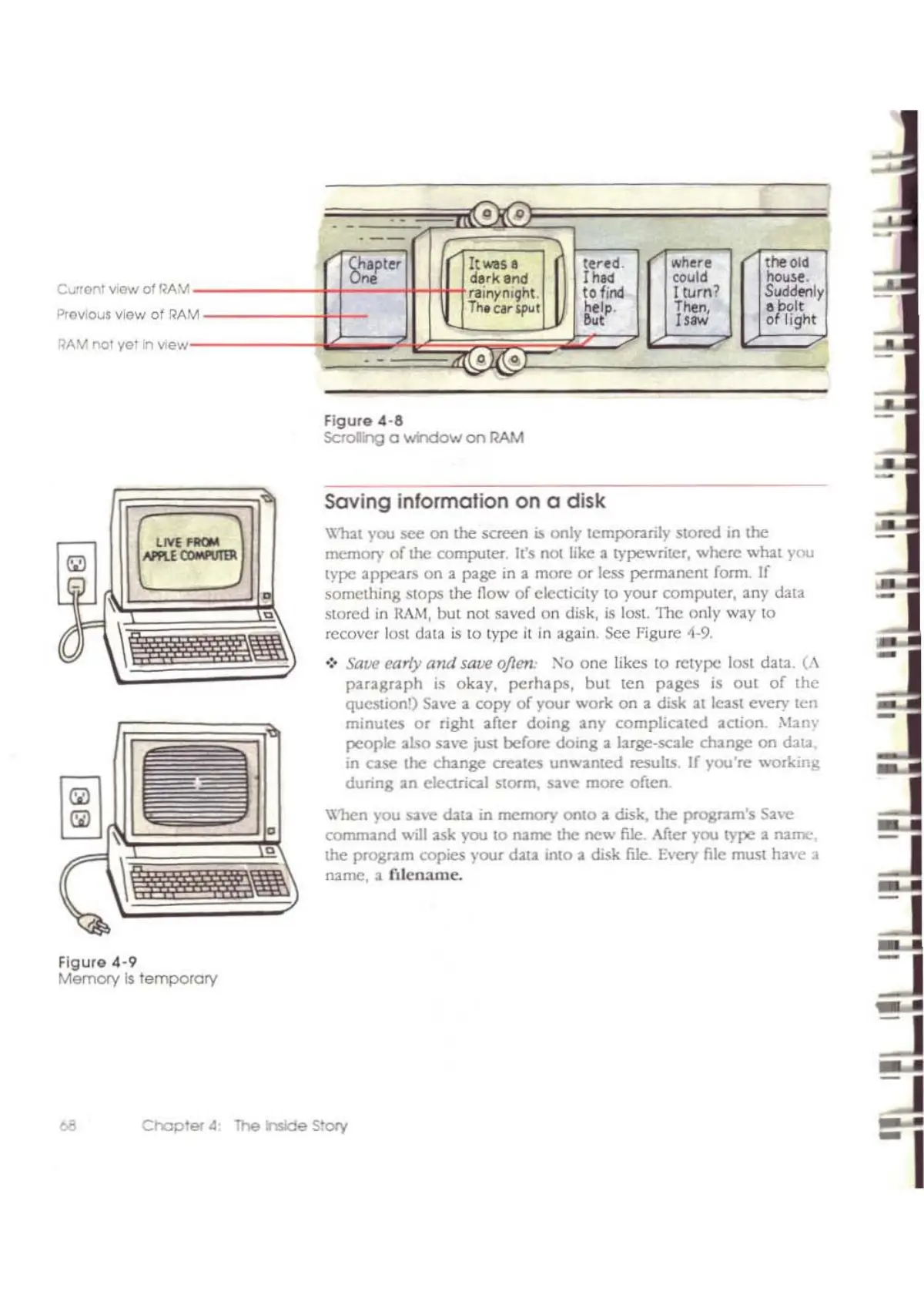
Figure
4-8
SCtoling a 'Whdow
on
RAM
~R
- -
-
-
-
8~ter
It
WIS'
lered.
where
the
Olel
derk
end
Ih"
could
house.
flinynll;ht.
to
find
I turn?
SuddMly
M
Th-e¥'PU
1
help.
Tile", o
frilt
,,'
Il'"
o
light
,,)1
--
"l£.SlJto>
r:::J
c=J
QA~
nol
yolln
View
Figure
4-9
Memory
Is
temporary
C~rronT
v,ew
01
RAM
Prev,ous View
of
RA
Chapler.4
The
hside
Story

Other manuals for Apple II

Related product manuals