EasyManua.ls Logo

Apple IIe - Page 160

Apple IIe
320 pages
Print Icon
To Next Page IconTo Next Page
To Previous Page IconTo Previous Page
Loading...
160
Apple
lie
Users
Handbook
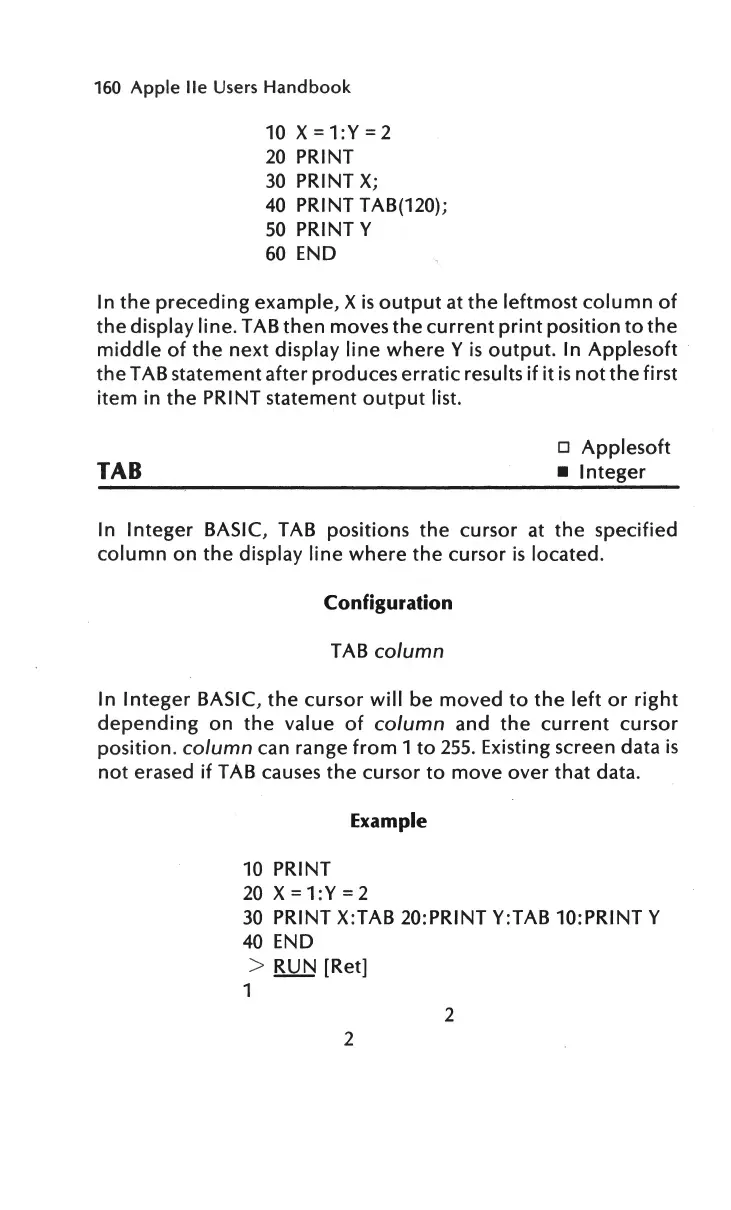
10
X=1:Y=2
20
PRINT
30
PRINT
X;
40
PRINT TAB(120);
50
PRINTY
60
END
In
the
preceding
example,
Xis
output
at
the
leftmost
column
of
the
display
line.TAB
then
moves
the
current
print
position
to
the
middle
of
the
next
display
line
where
Y
is
output.
In
Applesoft
the
TAB statement after
produces
erratic
results
if it
is
not
the
first
item
in
the
PRINT statement
output
list.
TAB
o
Applesoft
Integer
In
Integer
BASIC, TAB positions
the
cursor at
the
specified
column
on
the
display
line
where
the
cursor
is
located.
Configuration
TAB column
In
Integer
BASIC,
the
cursor
will
be
moved
to
the
left
or
right
depending
on
the
value
of
column and
the
current
cursor
position
. column can range
from
1
to
255
. Existing screen data
is
not
erased
if
TAB causes
the
cursor
to
move
over
that
data.
Example
10
PRINT
20
X =
1:Y=2
30
PRINT X:TAB 20:PRINT Y:TAB 10:PRINT Y
40
END
> RUN [Ret]
1
2
2

Other manuals for Apple IIe

Related product manuals