iMac (24-inch) Take Apart — Optical Drive 102
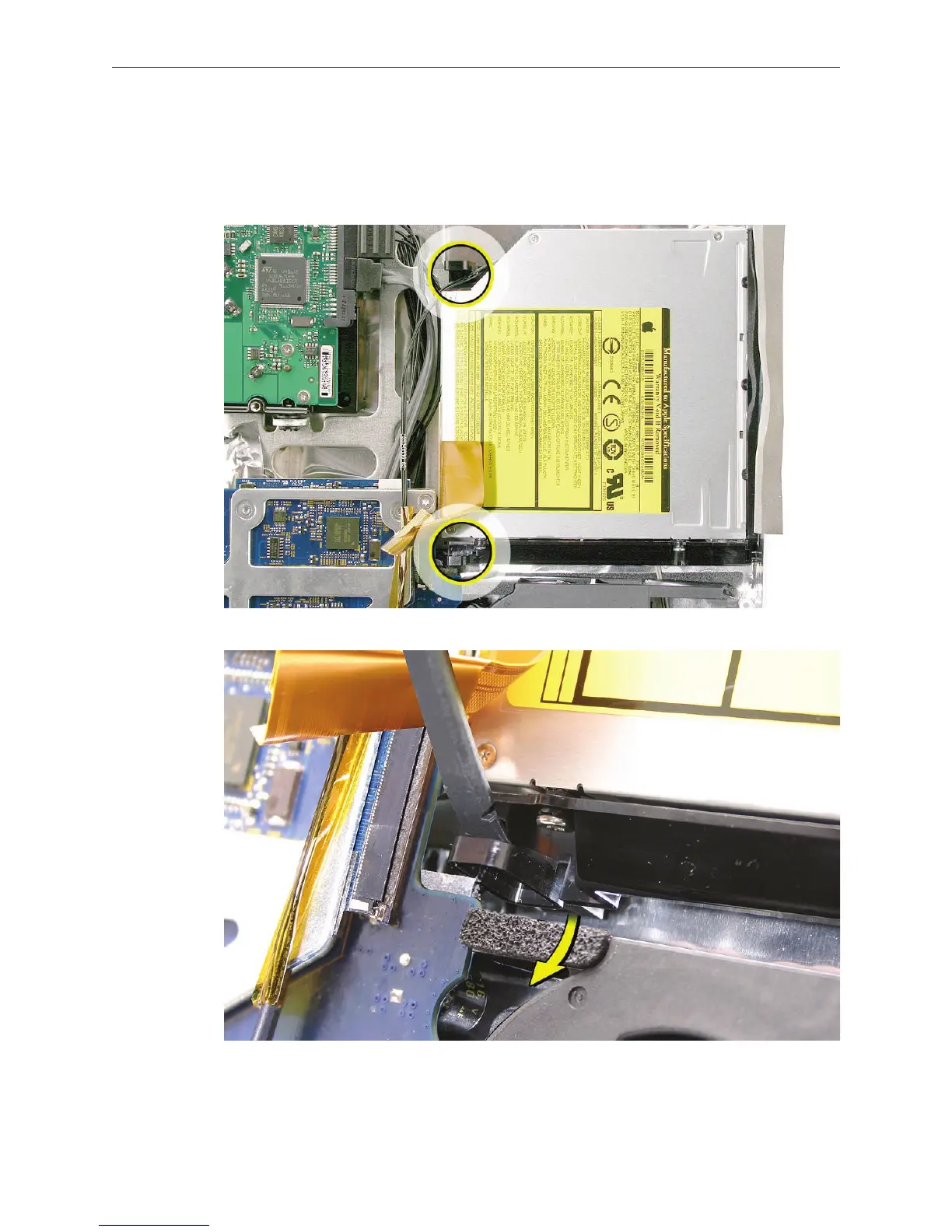
Locate the two black release levers on the mounting bracket. Using a black stick, as shown,
press straight down at the base of the release lever while pushing the release lever toward
the center of the drive. Pressing down unhooks the lever from the chassis. Repeat the
process to unhook the other release lever.
4.



 To Next Page