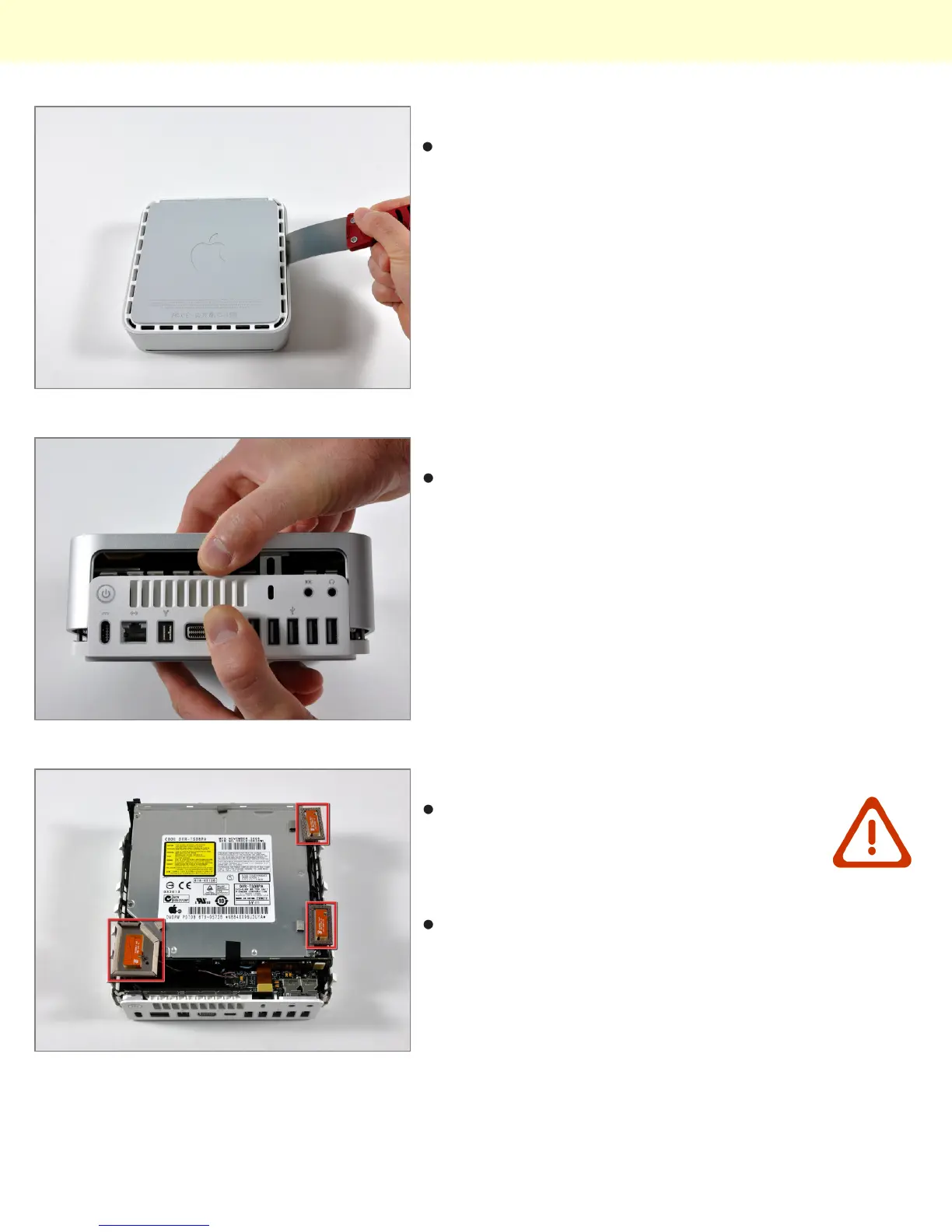
Step 4
Repeat the same prying procedure on the right side.
Step 5
The top cover should now be marginally separated from
the bottom housing. Use your fingers to completely
separate the two, starting with the I/O side of the mini.
Step 6 - Internal Frame
In the next few steps you will be removing
the AirPort and Bluetooth antennas (shown
in red) from the internal frame. Be very
careful, as breaking the brackets will require
replacing the internal frame.
We will first remove the AirPort antenna, located in the
lower left corner of this picture.
Installing Mac mini Model A1283 Optical Drive Replacement
© 2010 iFixit — CC BY-NC-SA www.iFixit.com Page 3 of 9



 To Next Page