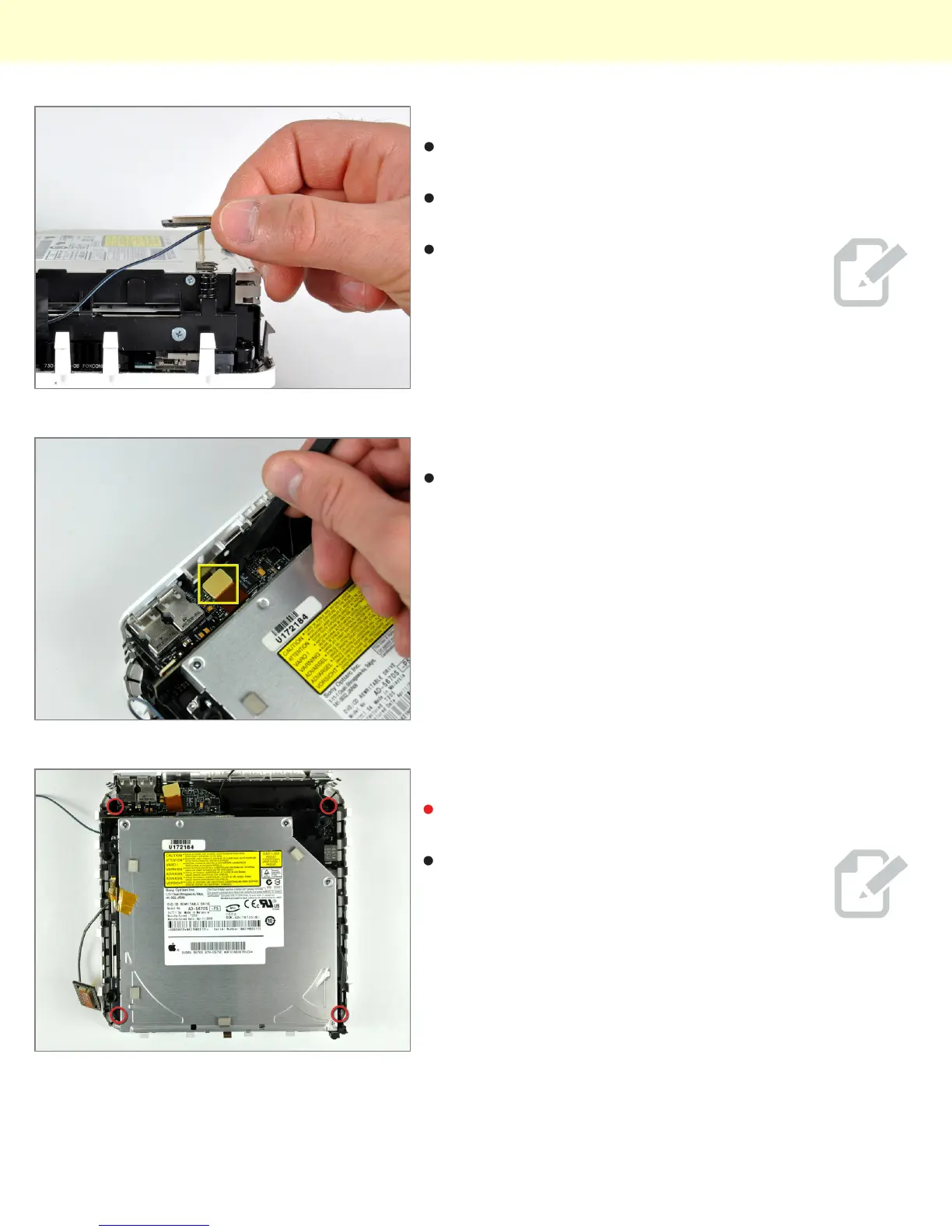
Step 9
Remove the antenna board near the front of the mini by
pulling it straight up off the internal frame.
If necessary, remove the piece of tape securing the
antenna leads to the internal frame.
Be sure to keep track of the springs under
each of the three antenna boards.
Step 10
Use the flat end of a spudger to pry the audio ribbon
cable connector up off the audio board.
Step 11
Remove the four Phillips screws securing the internal
frame to the bottom housing.
The screw in the lower right corner of this
image is recessed deep in the internal
frame. A flashlight and a thin screwdriver aid
in removal.
Installing Mac mini Model A1283 Optical Drive Replacement
© 2010 iFixit — CC BY-NC-SA www.iFixit.com Page 5 of 9



 To Next Page