106 - Mac mini Take Apart
Logic Board
Removal Procedure
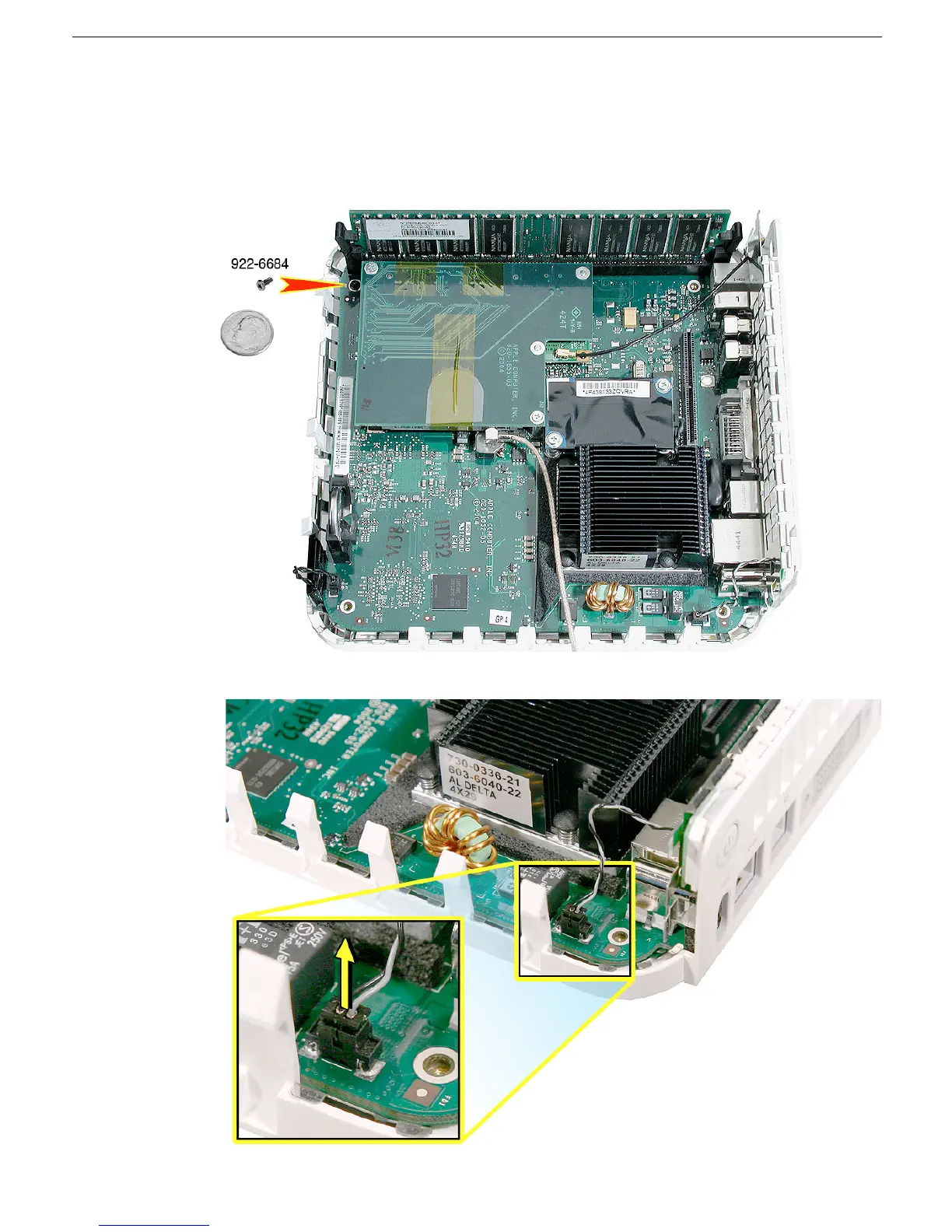
1. Using a jeweler’s #0 Phillips screwdriver, remove the logic board screw. Note: The
logic board screw and the internal frame screws look similar; however, the logic board
screw is shorter than the screws used for the internal frame.
2. Disconnect the power-on cable from the connector on the logic board.



 To Next Page