14 -
Mac mini Take Apart
AirPort Antenna and AirPort Extreme Card
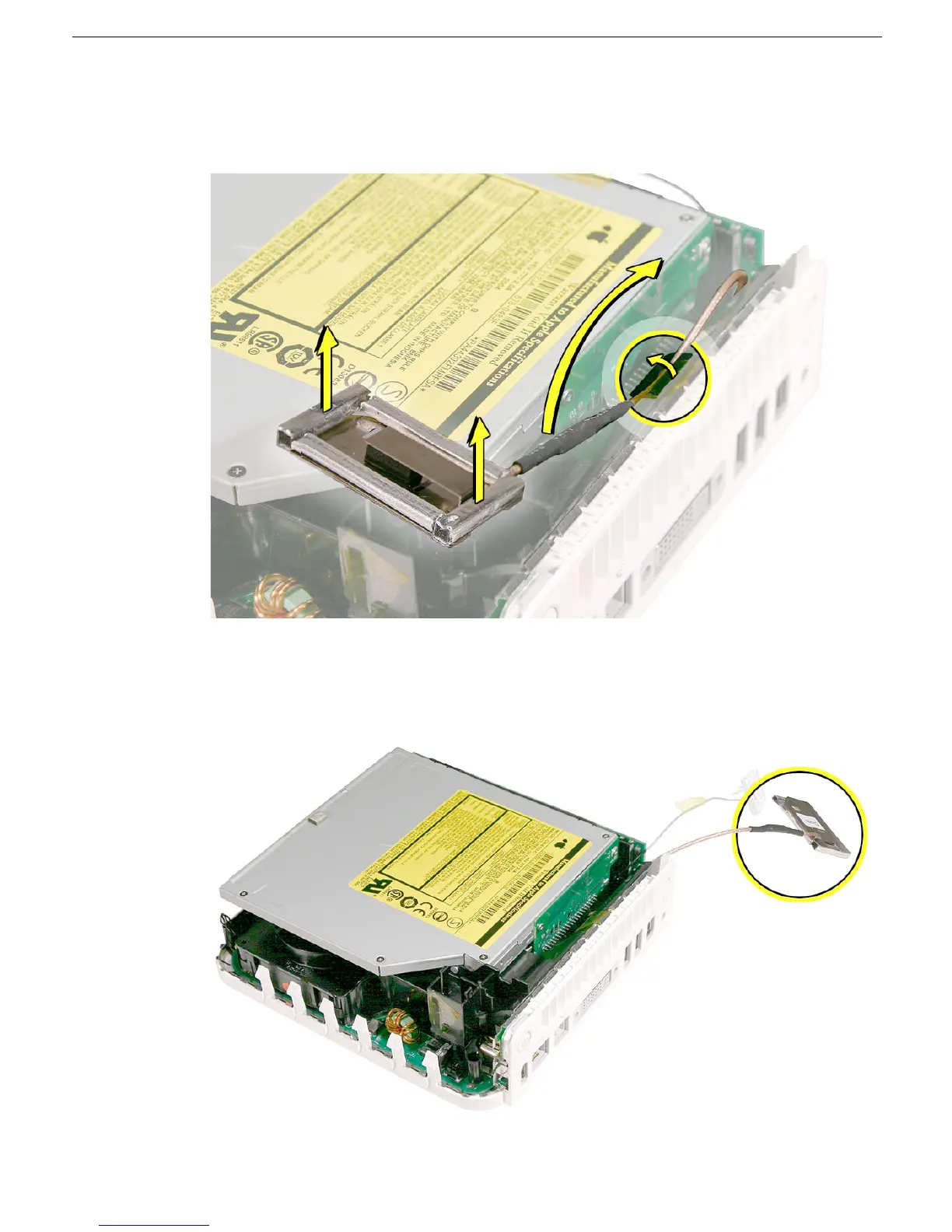
4. Carefully lift the antenna up and off the internal frame. Free the antenna from the
kapton tape (circled).
Important:
Take care handling the AirPort antenna as a bent or
warped antenna will affect AirPort connectivity.
5. Set the AirPort antenna off to the side.
Note:
The AirPort Extreme card and antenna
cable are connected to the mezzanine board located under the internal frame.



 To Next Page