Mac mini Take Apart -
15
AirPort Antenna and AirPort Extreme Card
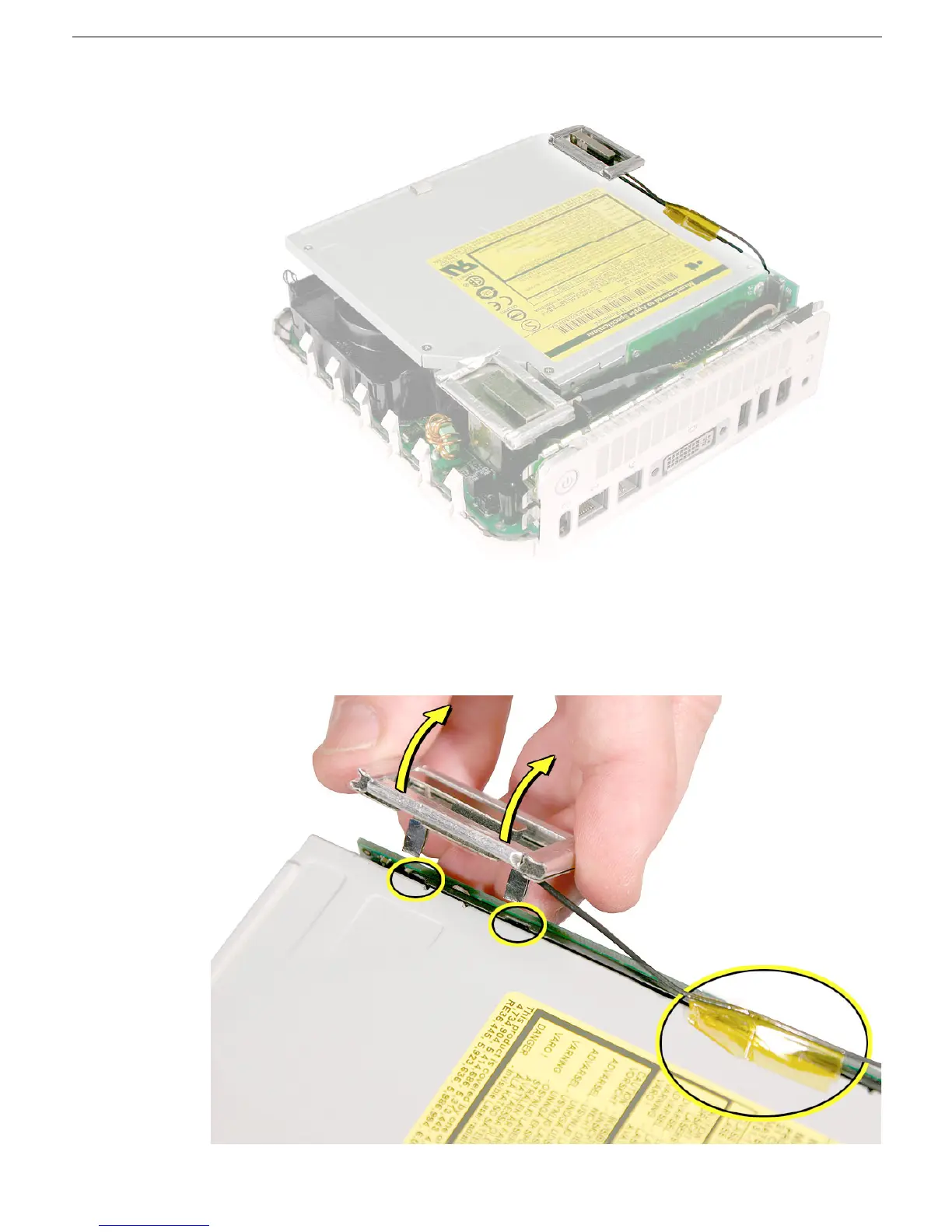
6. Locate the Bluetooth antenna.
7. Pull the Bluetooth antenna up and out of the openings on the plastic rail. Free the
antenna cable from the kapton tape.
Important:
Take care handling the Bluetooth
antenna as a bent or warped antenna will affect Bluetooth connectivity.



 To Next Page