22 -
Mac mini Take Apart
AirPort Antenna and AirPort Extreme Card
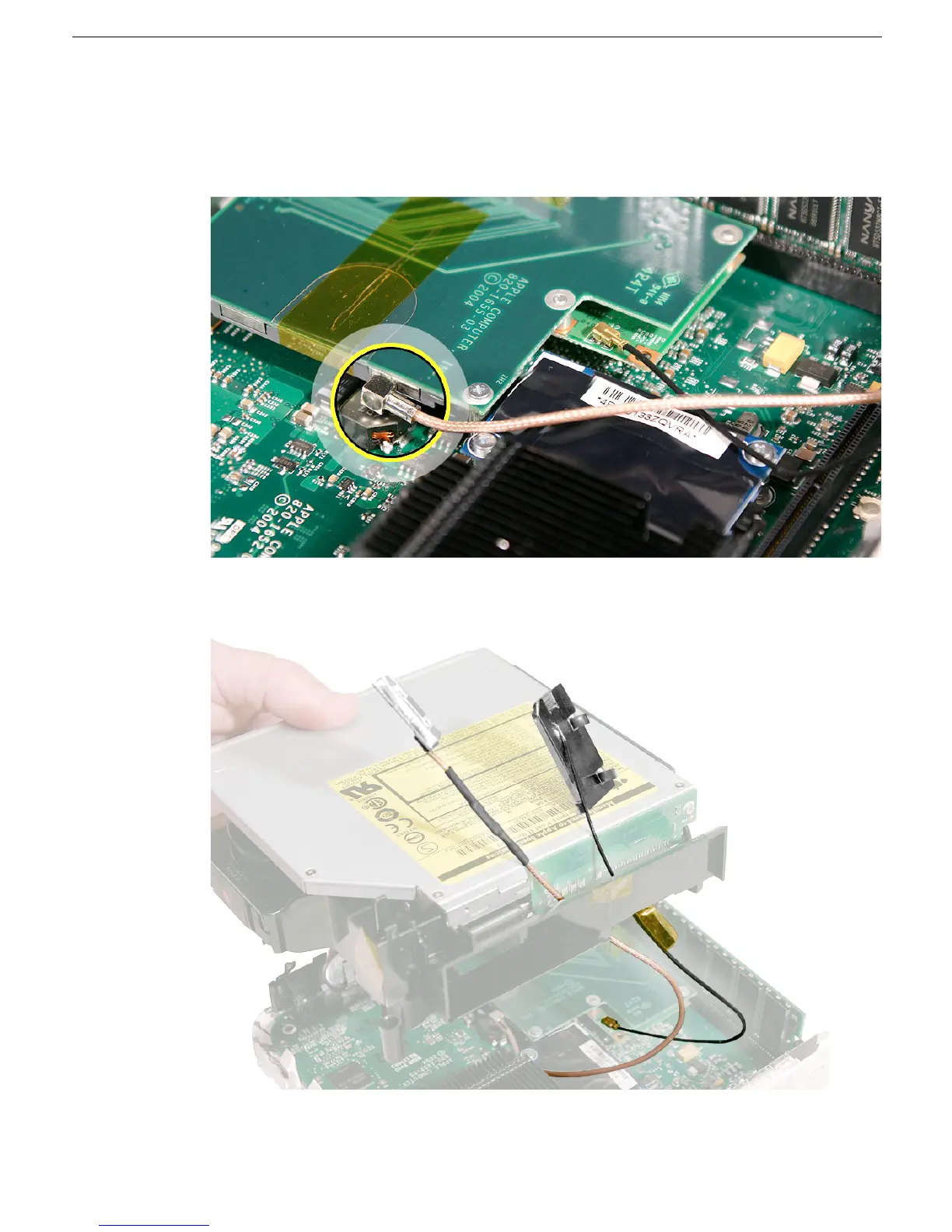
3. Make sure that the AirPort antenna cable is firmly inserted into the AirPort Extreme
card. If the connector is not fully inserted, you’ll see a large portion of the connector
collar. For details see Knowledge Base article 108039, “Properly attaching the
antenna on an AirPort Extreme card.”
4. Hold the internal frame over the logic board as shown. Route the AirPort and
Bluetooth antenna cables up through the opening in the internal frame.



 To Next Page