Mac mini Take Apart -
21
AirPort Antenna and AirPort Extreme Card
Replacement Procedure
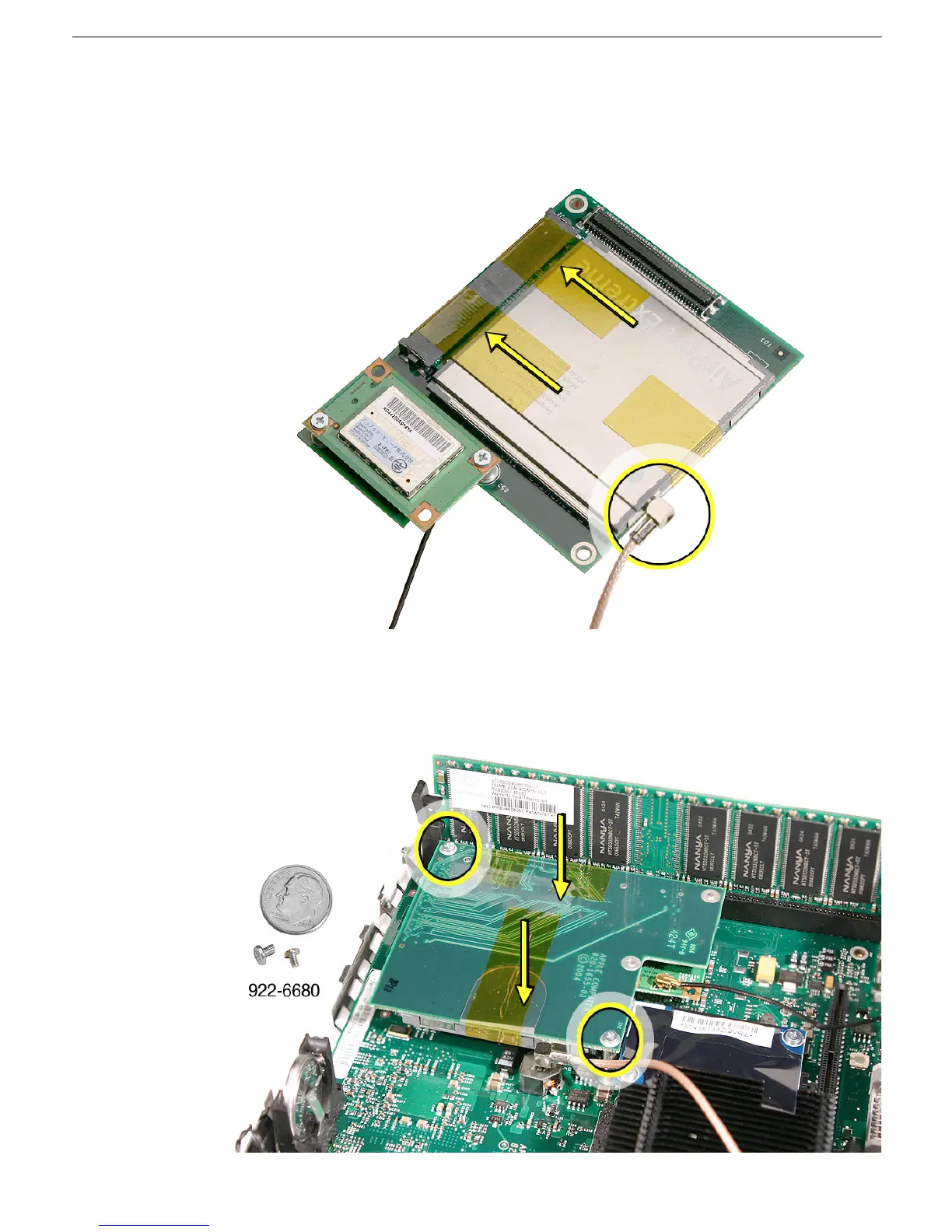
1. Install the AirPort Extreme card into the connector on the mezzanine board and
replace the kapton tape as shown. Plug the AirPort antenna cable into the opening on
the end of the AirPort Extreme card.
2. Turn over the mezzanine board so the AirPort Extreme card is facing down. Connect
the mezzanine board to the connector on the logic board. Replace the two screws on
the mezzanine board.



 To Next Page