Mac Pro (Early 2008) Take Apart — Optical Drive Power Cable 12 3
Procedure
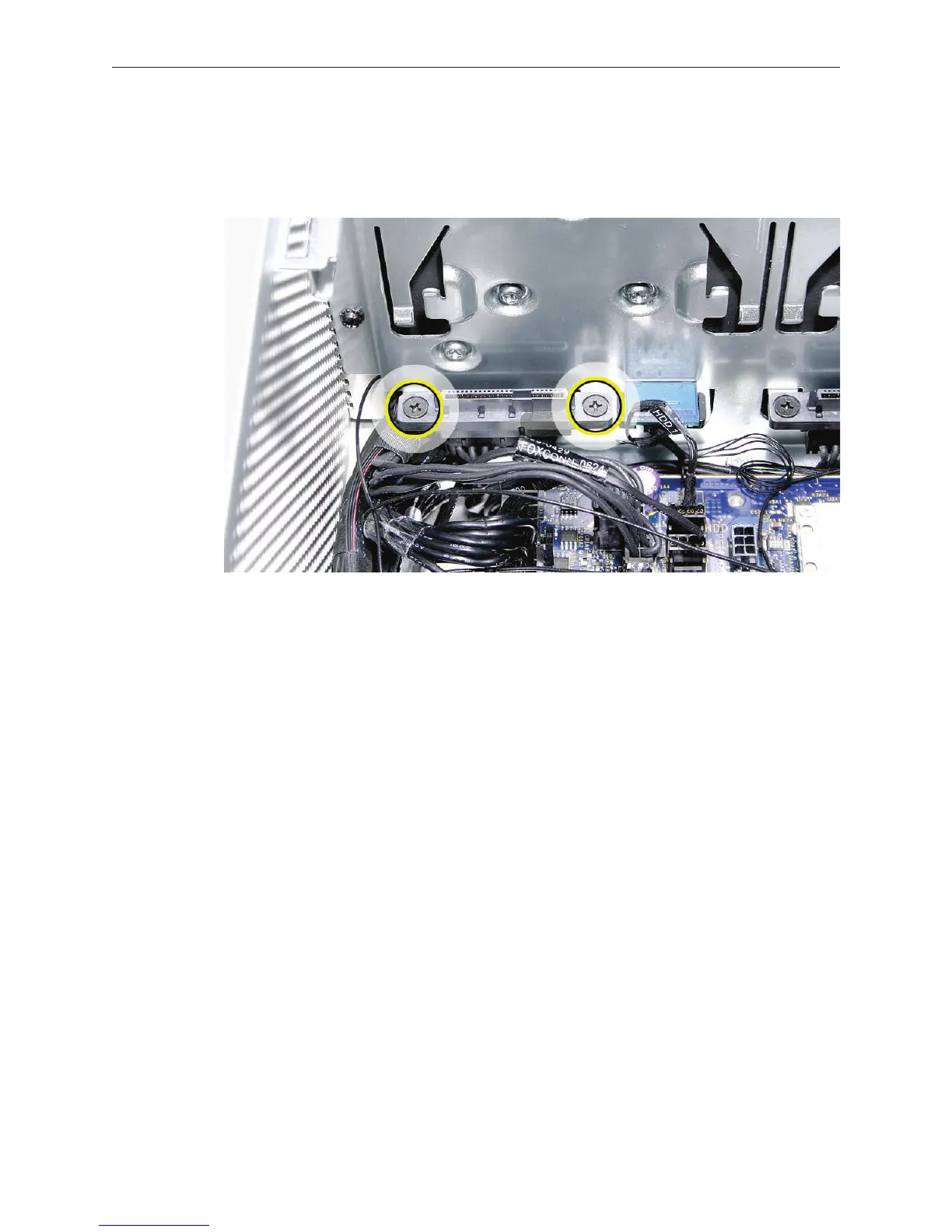
Using a magnetized #1 Phillips screwdriver, remove the two mounting screws on the hard 1.
drive connector for drive bay 1 and move the connector out of the way.
Unwind the tape that holds the optical drive data cable to the optical drive power cable.2.
Disconnect the optical drive power cable from the logic board.3.
Insert the logic board end of the power cable into the opening in the media shelf at hard 4.
drive bay 1 and remove the cable from the enclosure.


 To Next Page
 Loading...


