Mac Pro (Early 2008) Take Apart — Power Supply 33
Procedure
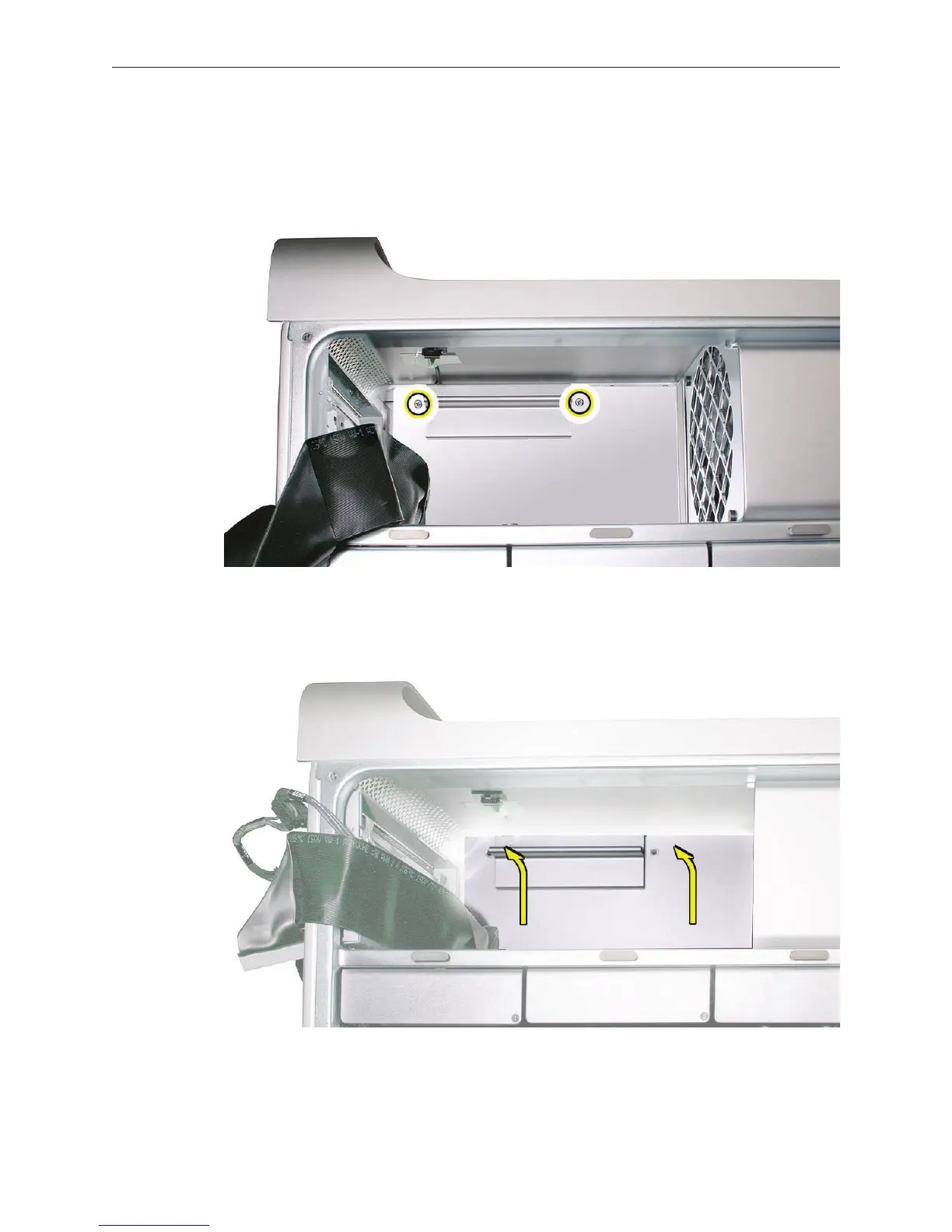
Using a Phillips screwdriver, remove the two mounting screws on the power supply cable 1.
cover located at the back of the optical drive bay.
Slide the cover toward the top of the enclosure, tilt it up until the two tabs on the cover clear 2.
the slots in the media shelf, and remove the cover from the enclosure.
Replacement Note: Replace the cover at an angle so that the tabs engage with the slots in
the media shelf. Then lower the cover into place.



 To Next Page