Mac Pro (Early 2008) Take Apart — Power Supply 34
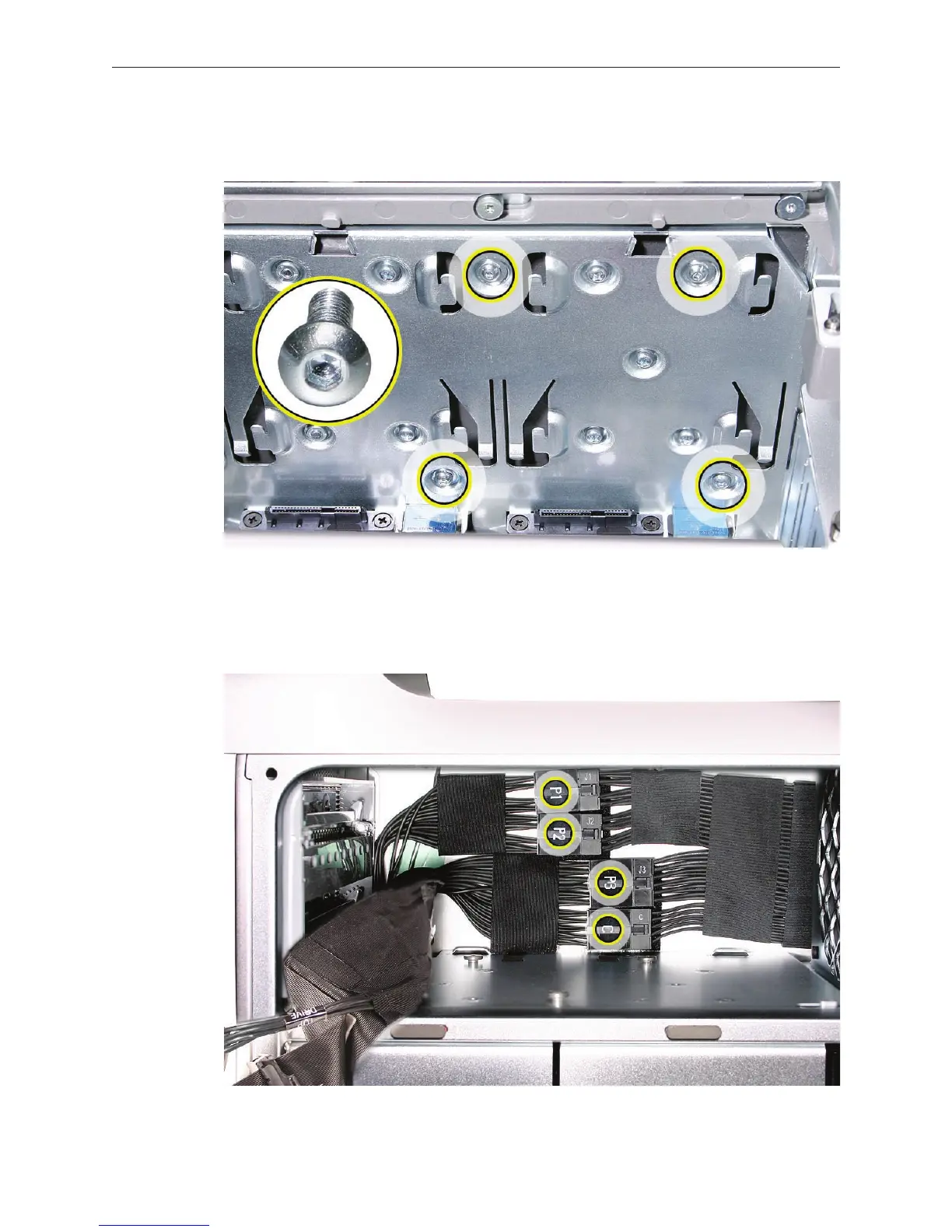
Using a short-handled, magnetized 2.5 mm hex wrench, remove the four power supply 3.
mounting screws from the bottom of the media shelf.
Release the four power supply cables from their hook-and-loop fasteners on the enclosure.4.
Depress the locking latch on each cable connector and disconnect the four power supply 5.
cables from the four connectors on the power harness cable.



 To Next Page