Mac Pro (Early 2008) Take Apart — Mac Pro RAID Card and Battery 57
Procedure
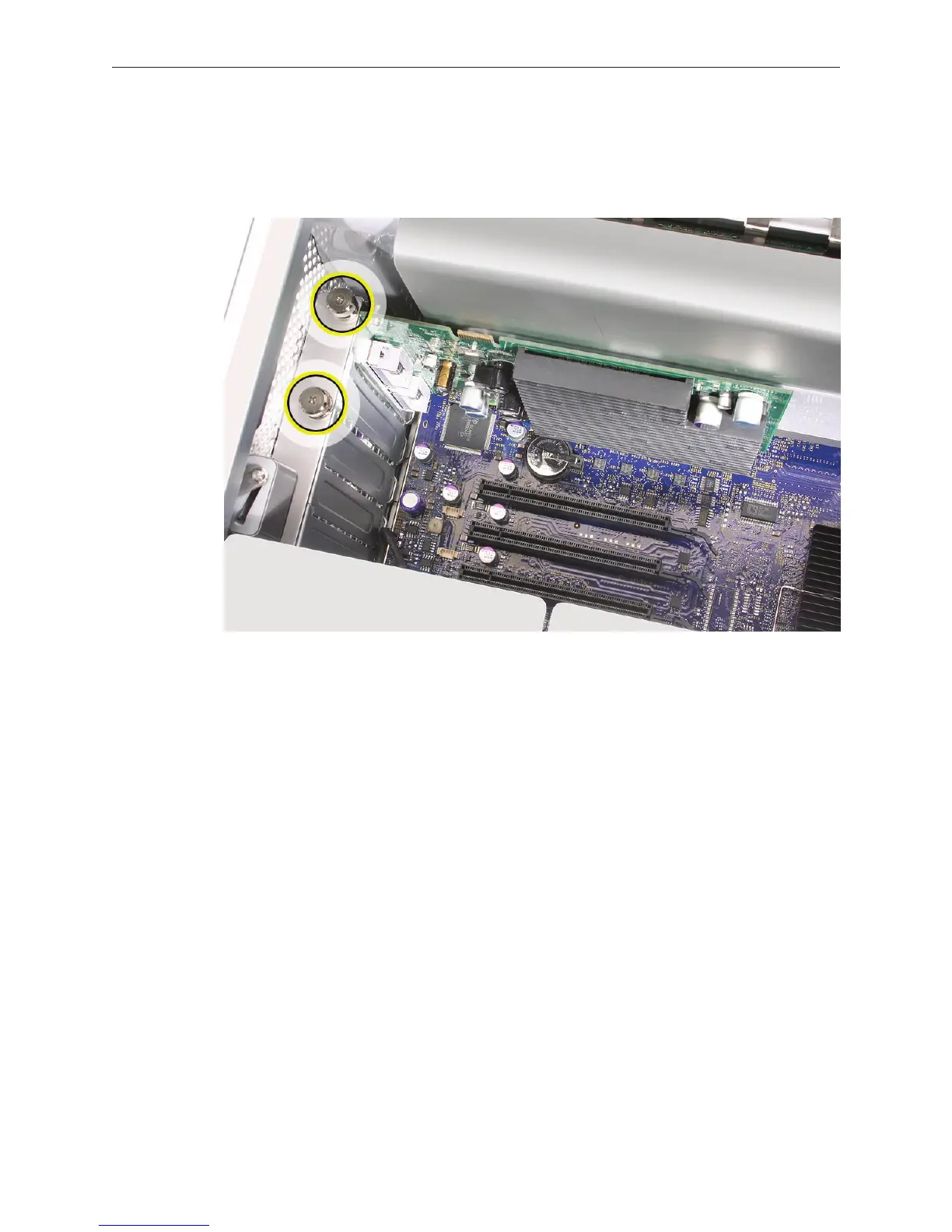
If you have not already done so, loosen the two captive screws that secure the PCI bracket to 1.
the enclosure and remove the bracket.
Warning: When removing or installing a card, handle it only by the edges. Do not touch its
connectors or any of the components on the card. Lift the card straight out from the
connector to remove it, and insert it straight into the connector to install it. Do not rock the
card from side to side and don’t force the card into the slot. Once the replacement card is
installed, pull on it gently to check that it is properly connected.



 To Next Page