Mac Pro (Early 2008) Take Apart — Memory Cage with Rear Fan 66
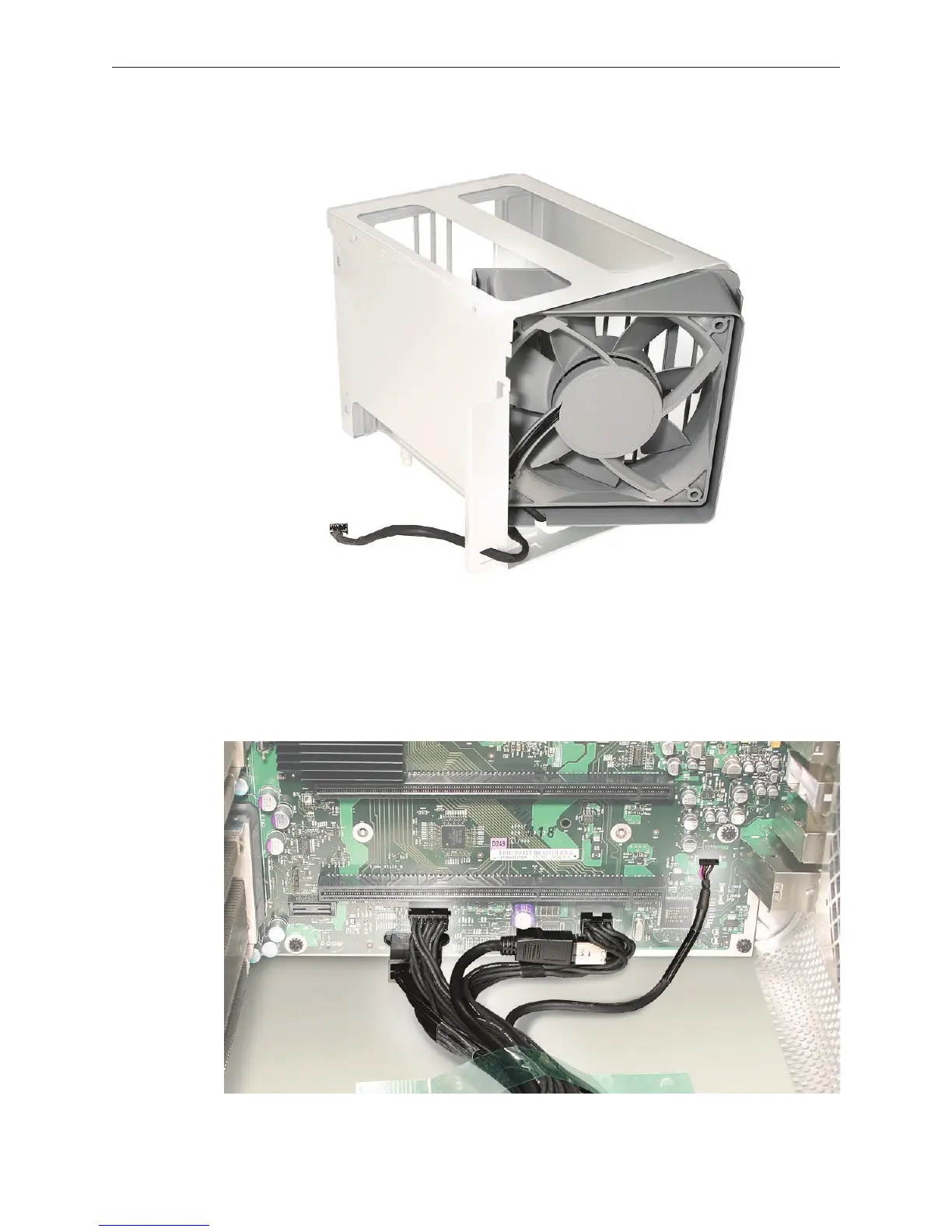
Replacement Note: If you are installing a new fan in the memory cage assembly, rotate the fan
into the cage as illustrated. Also note carefully the orientaton of the fan in relation to the cage.
Important: Before you install the cage in the enclosure, the fan should always be inserted
partway into the cage.
Replacement Note: Before installing the memory cage and fan, make sure all logic board cables
below the cage are out of the way so that the cage sits properly and the cables are not pinched
or damaged when you tighten the screws.


 To Next Page
 Loading...


