Mac Pro (Mid 2010) Basics — New Accessories 17
2010-08-31
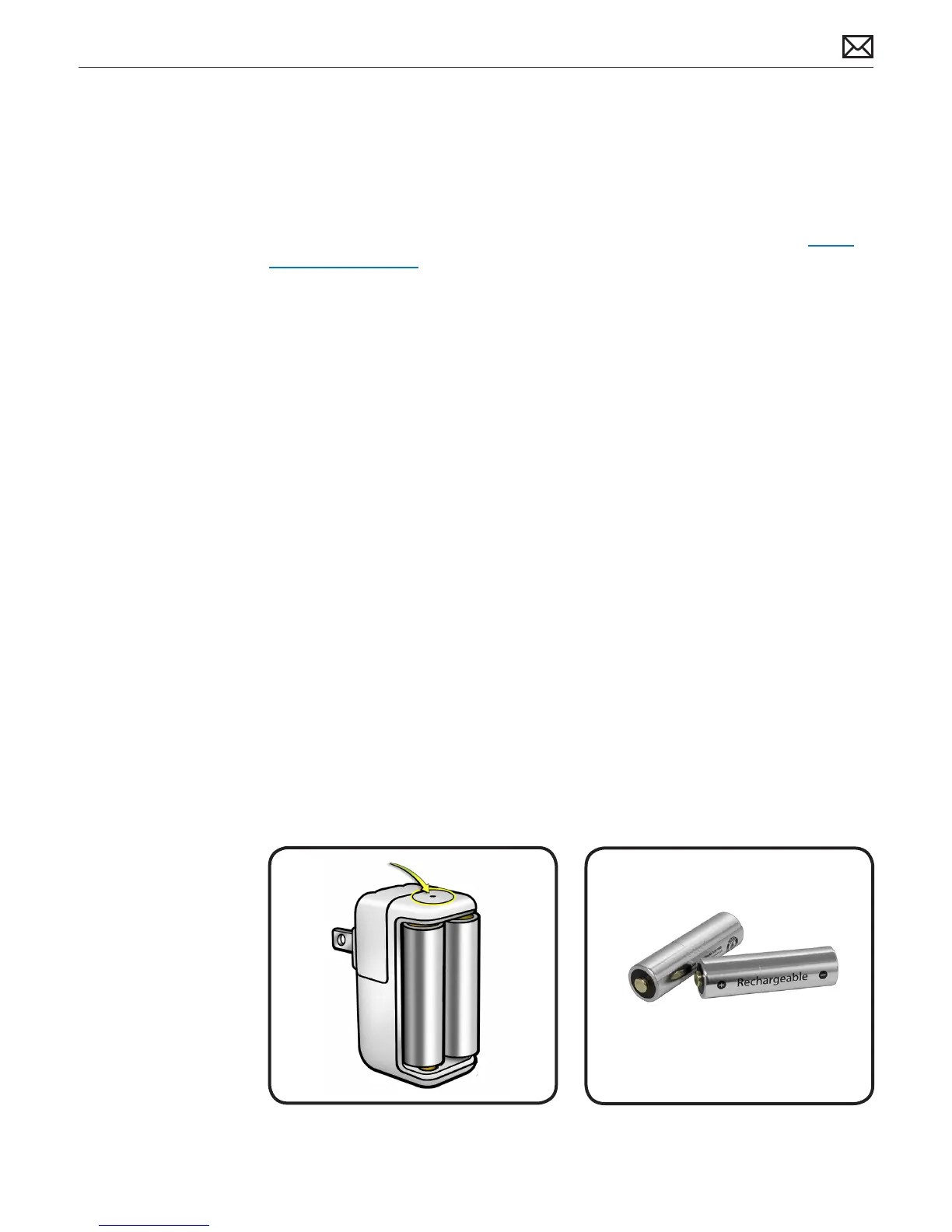
Apple Battery Charger
The Apple Battery Charger charges rechargeable NiMH batteries for Apple products that use AA
batteries. Each Apple Battery Charger comes with six high-performance AA NiMH batteries: two
for a keyboard, two for a mouse or trackpad, and two for charging. The Apple Battery Charger
can charge either one or two NiMH rechargeable batteries. To charge batteries fully, allow at
least ve hours of charging time. For more information, refer to Kbase article HT 4275 About
Apple Battery Charger.
Batteries
Use only NiMH rechargeable batteries in the Apple Battery Charger. Don’t try to charge
nonrechargeable AA batteries (lithium or alkaline) in the charger.
Caution: There is risk of explosion if the battery is replaced by an incorrect type. Dispose of
used batteries according to the instructions. Don’t open or puncture the batteries, install them
backwards, short circuit, or expose them to re, high temperatures, or water. Keep batteries out
of the reach of children.
Status Lights
The indicator light on top of the Apple Battery Charger displays the charging status of the
batteries.
• Amber: The batteries are charging.
• Green: The batteries are charged and ready to use—the green indicator light shuts o after
six hours
• No light: May indicate any of the following conditions:
• The batteries are charged and ready to use.
• The inserted batteries are too deeply discharged to register immediately.
• Flashing Amber: May indicate any of the following conditions:
• The batteries haven’t been properly installed in the charger.
• An unsupported type of battery is in the charger.
• The batteries may be faulty or damaged and should be replaced.



 To Next Page