Mac Pro (Mid 2010) General Troubleshooting — Memory Conguration 22
2010-08-31
Memory Conguration
Mac Pro (Mid 2010) comes with a minimum of 3 GB of memory in single-processor
congurations, or a minimum of 6 GB memory in dual-processor congurations, installed as
1 GB unbuered ECC dual inline memory modules (UDIMMs).
DIMMs must t these specications:
• PC3-10600E,1333 MHz, DDR3 SDRAM UDIMMs
• Error-correcting code (ECC)
• 72-bit wide, 240-pin ECC modules
• 36 memory ICs maximum per ECC UDIMM
For proper operation of Mac Pro (Mid 2010) computers, Apple recommends using only Apple-
approved DIMMs. Refer to GSX for Apple DIMM service part numbers. Memory from older
Macintosh computers is not compatible with Mac Pro (Mid 2010).
Single-Processor Conguration
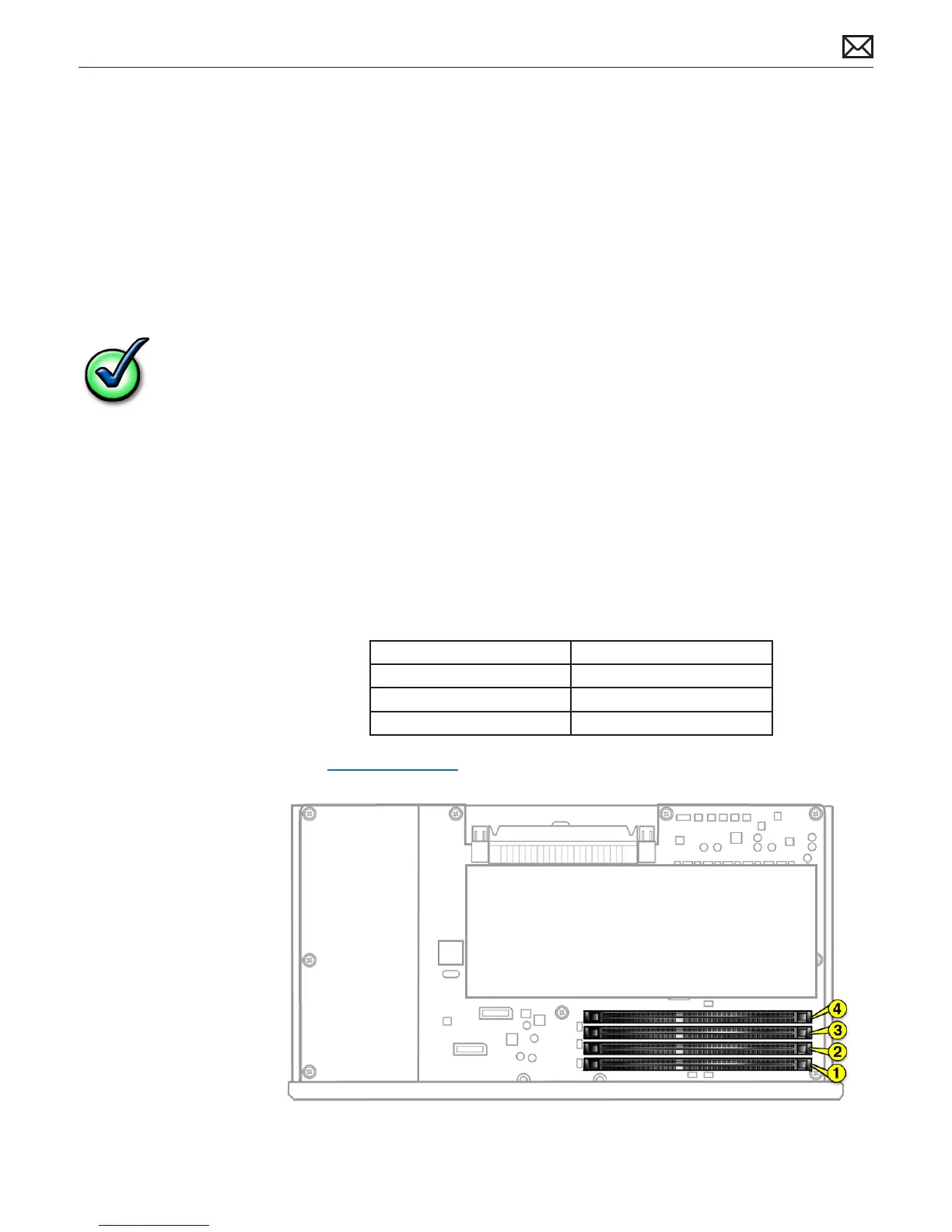
A quad-core or 6-core Mac Pro (Mid 2010) has one processor and four memory slots. You can
install 1 GB, 2 GB, or 4 GB DIMMs for a total of up to 16 GB of memory.
You can install dierent size DIMMs in Mac Pro (Mid 2010). However, for best performance,
Apple recommends you install equal-size DIMMs (all 1 GB, all 2 GB, or all 4 GB) lling the slots in
the order listed in this table. Note that you cannot place a DIMM in slot 4, without rst placing a
DIMM in slot 3.
If you have Fill these slots
Two DIMMs 1 and 2
Three DIMMs 1, 2, and 3
Four DIMMs 1, 2, 3, and 4
See also “Memory Slot Utility” below.



 To Next Page