Mac Pro (Mid 2010) General Troubleshooting — Memory Conguration 23
2010-08-31
Dual-Processor Conguration
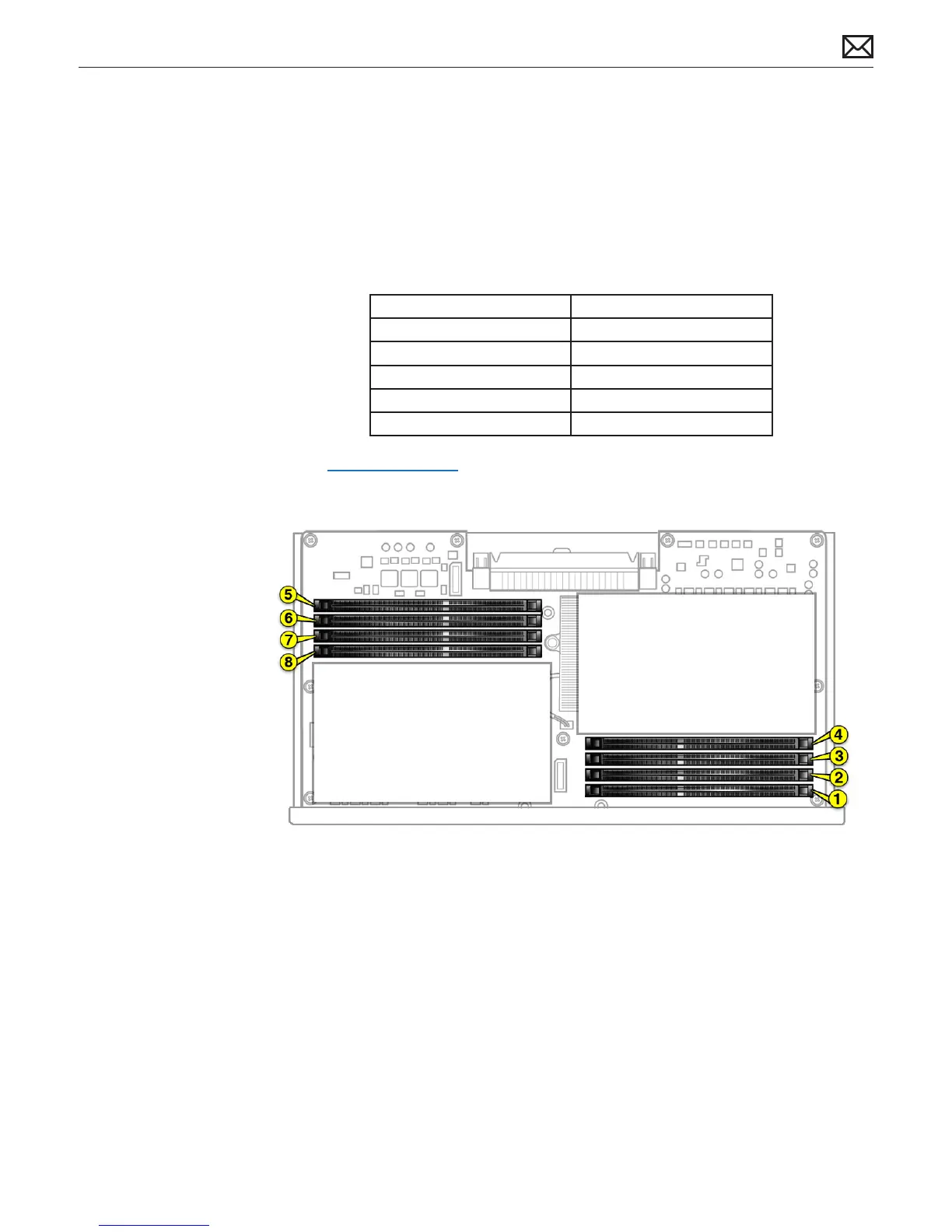
An 8-core or 12-core Mac Pro (Mid 2010) has one processor and eight memory slots. You can
install 1 GB, 2 GB, or 4 GB DIMMs for a total of up to 32 GB of memory.
You can install dierent size DIMMs in Mac Pro (Mid 2010). However, for best performance,
Apple recommends you install equal-size DIMMs (all 1 GB, all 2 GB, or all 4 GB) lling the slots in
the order listed in this table. Note that you cannot place a DIMM in slot 4, without rst placing a
DIMM in slot 3; you also cannot place a DIMM in slot 8 without a DIMM in slot 7.
If you have Fill in these slots
Two DIMMs 1 and 2
Three DIMMs 1, 2, and 3
Four DIMMs 1, 2, and 5, 6
Six DIMMs 1, 2, 3 and 5, 6, 7
Eight DIMMs 1, 2, 3, 4 and 5, 6, 7, 8
See also “Memory Slot Utility” below.
Memory Slot Utility
If you install dierent-size DIMMs in single-processor or dual-processor Mac Pro (Mid 2010)
computers, follow the order in the tables above. If the DIMM conguration you install doesn’t
provide optimized performance, the Memory Slot Utility appears on screen and recommends
an improved conguration.
To use the Memory Slot Utility again, go to /System/Library/Core Services.



 To Next Page