Mac Pro (Mid 2010) General Troubleshooting — Memory Diagnostic LEDs 24
2010-08-31
Memory Diagnostic LEDs
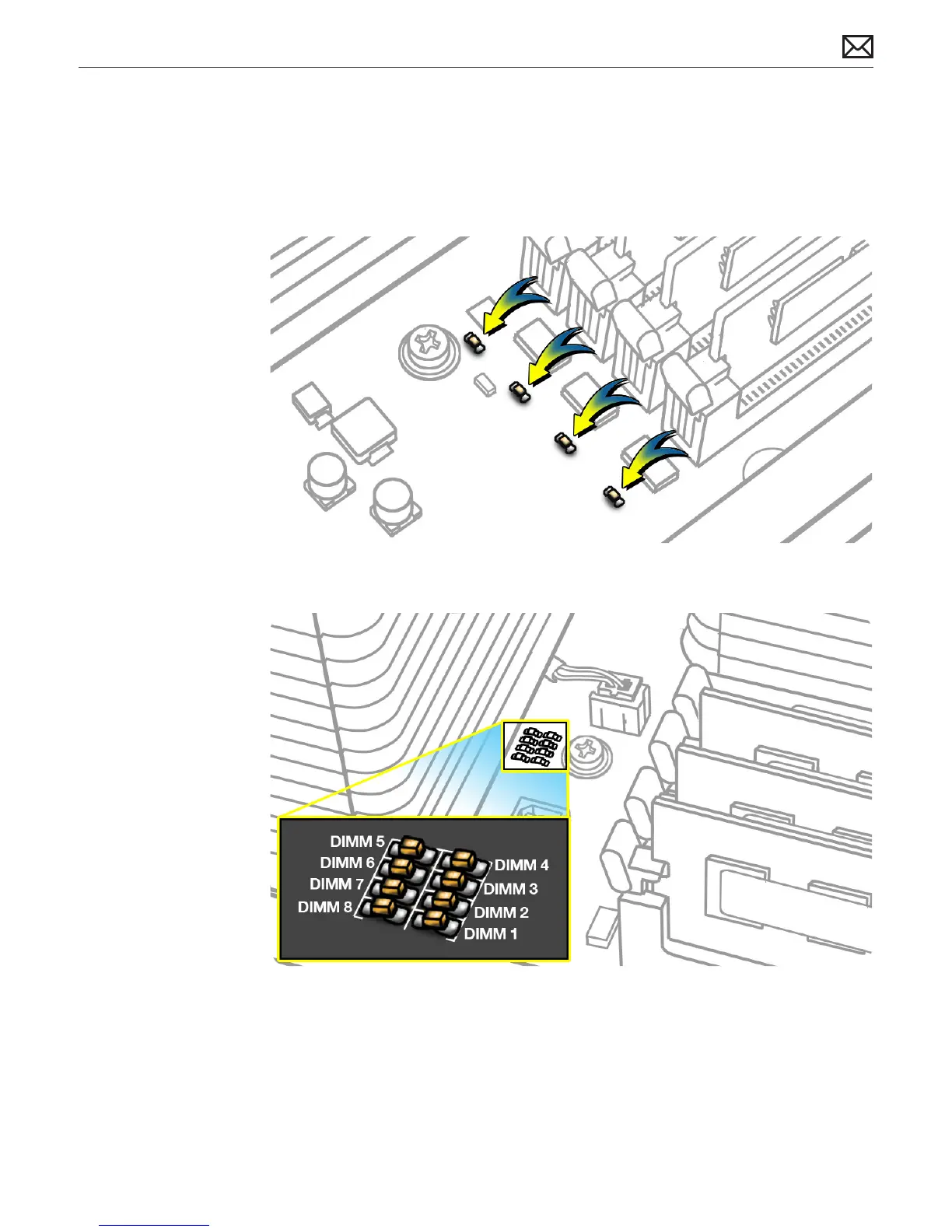
The single-processor and dual-processor boards include a set of diagnostic memory LEDs. The
following illustrations show the location of each LED and its associated DIMM slot.
Single-Processor Board
Dual-Processor Board
To diagnose memory issues, start up the computer and check the diagnostic memory LEDs. An
illuminated, red LED indicates its associated DIMM may be poorly seated or failed.
Note that Apple System Proler does not report unseated or failed memory. You must use the
memory LEDs to locate DIMM issues.



 To Next Page