Mac Pro (Mid 2010) General Troubleshooting — Processor Diagnostic LEDs 37
2010-08-31
Notes:
• Verify no damaged PCIe pins on the video card and mating PCIe connector on backplane
board.
• Verify no grime or foreign debris is causing contact issues on the video card and mating
connector on backplane board.
15. Connect AC power cord. Power Mac Pro ON either by PWR_ON solder pads or front panel
board.
Expected behavior:
• Listen for sound of hard drive boot.
• Verify good uncorrupted video on display.
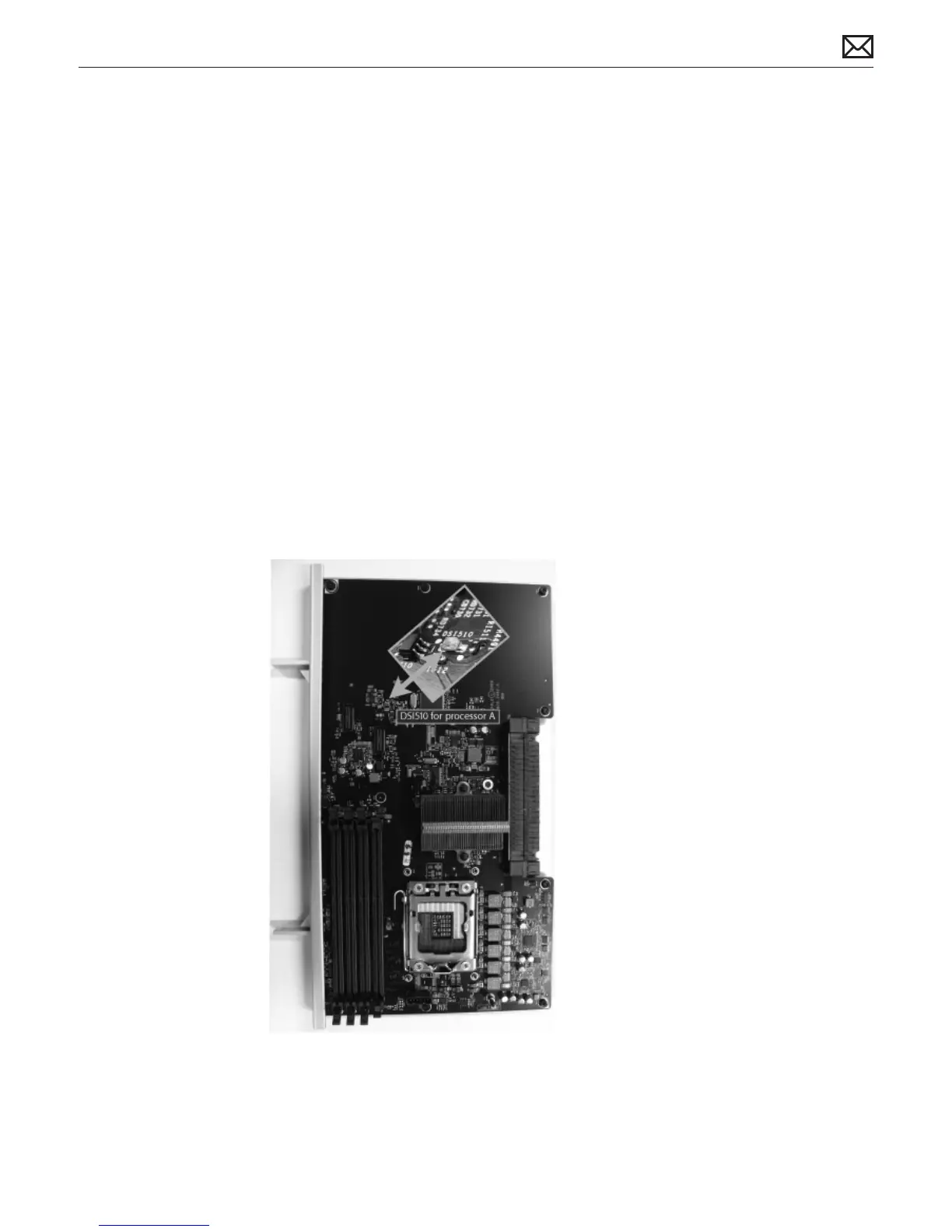
Processor Diagnostic LEDs
The dual-processor board and single-processor board include a diagnostic LED for each
processor. The following illustrations show the location of each LED and its associated
processor. These error LEDs are normally o. A red illuminated LED indicates the associated
processor may be missing or in overtemp state (PROCHOT).
Single Processor Board



 To Next Page