71Chapter 3 Making a Good Thing Better
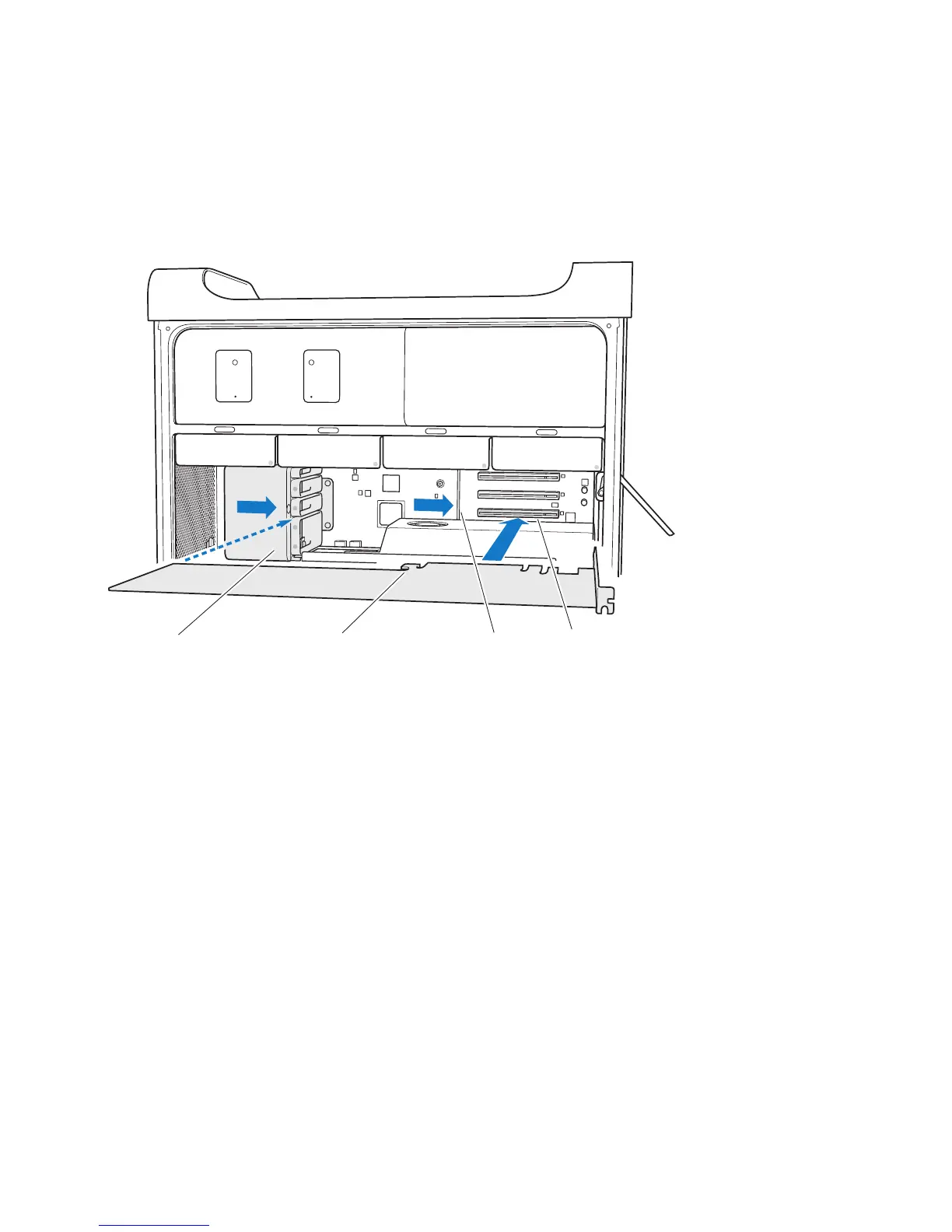
6 Alignthecard’sconnectorwiththeexpansionslotandpressthecardintotheslot.
Hook on card
Retention bar
PCI Express slotPCI slider
7 Pressthecardgentlybutrmlyuntiltheconnectorisfullyinserted.Pressonlyonthe
bareareasofthecardtoavoiddamagingthecomponents.Don’trockthecardfrom
sidetosideorforceit.Ifyoumeetresistance,checktheconnectorandslotfordamage
orobstructions,andthentryinsertingthecardagain.
8 Pullthecardgentlytomakesureit’sproperlyconnected.Ifitstaysinplaceanditsgold
connectorsarebarelyvisible,thecardisconnected.
9 MovethePCIslidertotherighttosecurethecard.



 To Next Page