11Chapter 1 Ready, Set Up, Go
WhenyourstconnectthepoweradaptertoyourMacBookPro,anindicatorlighton
theMagSafeconnectorstartstoglow.Anamberlightindicatesthebatteryischarging.
Agreenlightindicatesthatthebatteryisfullycharged.Ifyoudon’tseealight,make
suretheconnectorisseatedproperlyandthepoweradapterispluggedin.
Step 2: Connect to a wireless or wired network.
 Touseawirelessnetworkwiththebuilt-in802.11nWi-Fitechnology,makesurethe
wirelessbasestationisturnedonandthatyouknowthenameofthenetwork.After
youturnonyourMacBookPro,SetupAssistantguidesyouthroughtheconnection
process.Fortroubleshootingtips,seepage62.
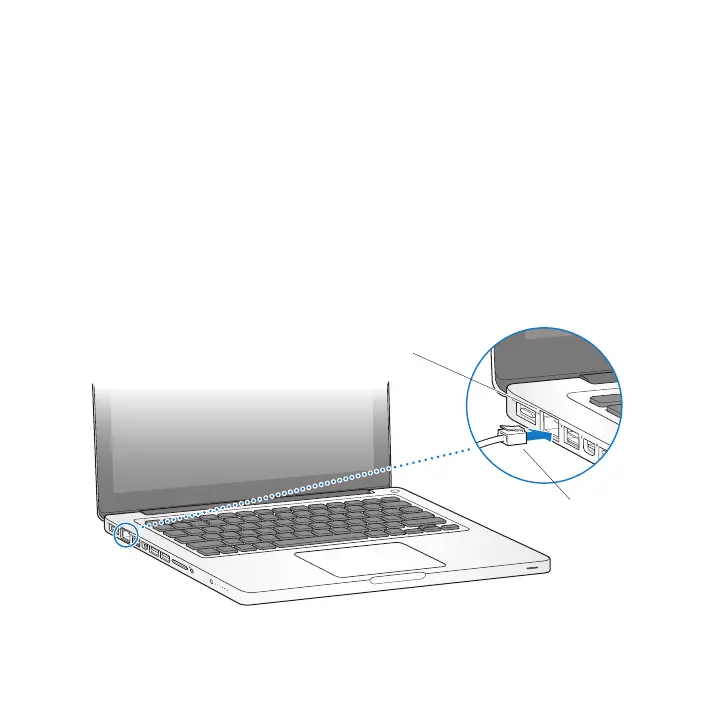
 Touseawiredconnection,connectoneendofanEthernetcabletoyour
MacBookProandtheotherendtoacablemodem,DSLmodem,ornetwork.
®
(10/100/1000Base-T)
G
Ethernet
cable



 To Next Page