EasyManua.ls Logo

Apple Macintosh - Page 104

Apple Macintosh
321 pages
Print Icon
To Next Page IconTo Next Page
To Previous Page IconTo Previous Page
Loading...
OK
Disk Operations 1 05
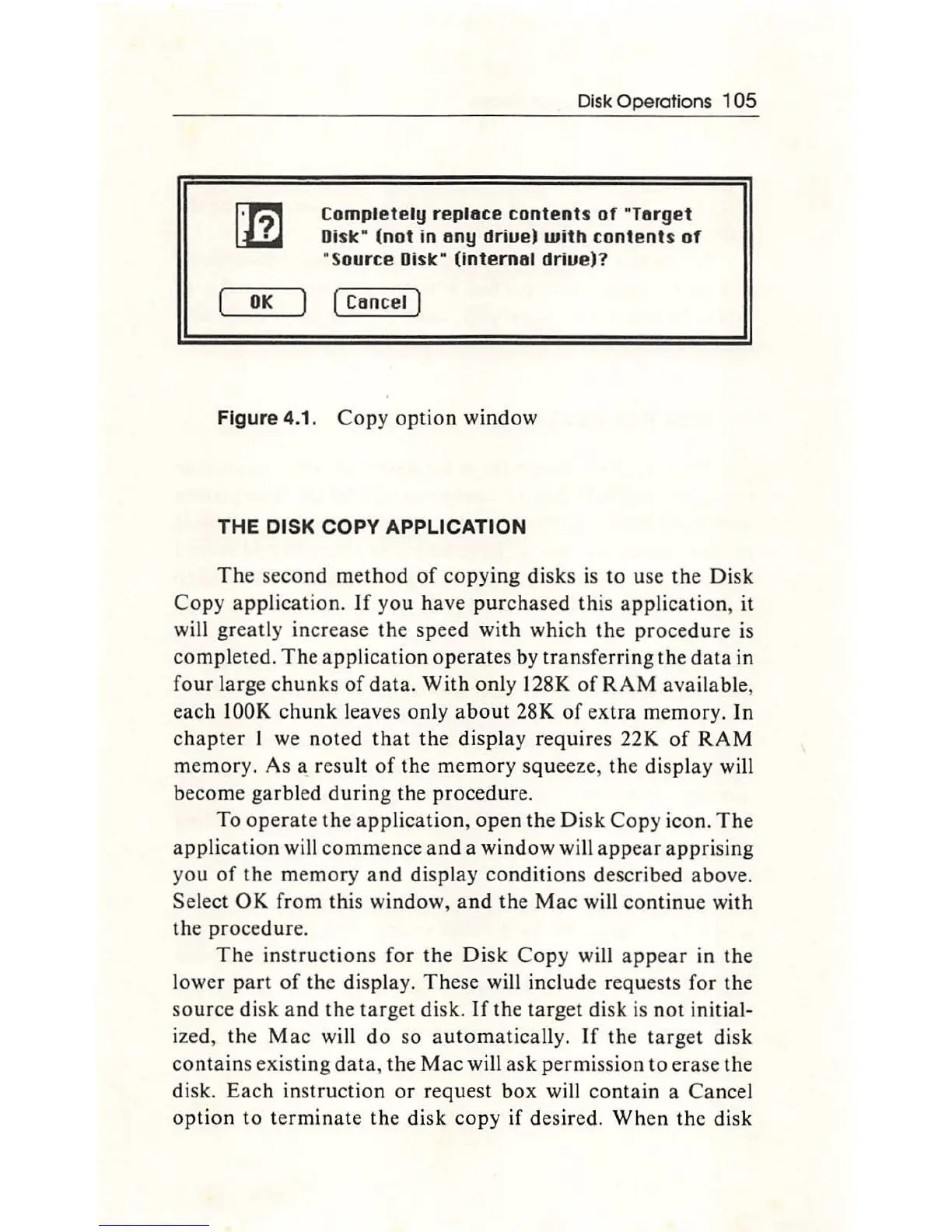
Completely
replace
contents
of
"Target
Oislc
"
(not
in
any
driue)
with
contents
of
"Source
Oislc
(internal
driue)?
(Cancel
)
Figure
4.1
.
Co
py o
ption
window
THE
DISK COPY APPLICATION
The
seco
nd m
ethod
of
co
pying
di
sks is
to
use
the
Disk
Co
py
application.
If
yo
u
ha
ve
purcha
sed this
app
lication, it
will
greatly
increase the
speed
with
w
hi
ch
the
procedure
is
completed.
The
appli
ca
tion
operates
by
transferring
th
e
dat
a in
four
large
ch
unk
s
of
data.
With
only 128K of
RAM
availab
le,
eac
h
lOOK
c
hunk
le
aves only
about
28K
of
extra
memor
y.
In
chapter
I we noted
that
the
displ
ay
requires 22K
of
RAM
memory.
As a result
of
the me
mor
y squeeze,
the
display
will
become ga
rbl
ed d
urin
g
th
e proce
dur
e.
To
operate
the
appl
i
catio
n,
open
the
Disk
Copy
i
co
n.
The
app
lic
ation
will co
mm
ence
an
d a
window
will a
pp
ear
appr
i
si
ng
you
of
the
memory
a
nd
display
co
ndition
s described above.
Se
lect
OK
from
thi
s
window,
and
the
Mac
will
con
tinu
e
with
the procedure.
The
inst
ru
c
ti
ons
for the
Disk
Co
py will
appear
in
the
l
ower
part
of
th
e display.
The
se will include requests for
th
e
source
disk
and
the
target
disk.
If
the
target
disk
is
not
initial-
ized,
th
e
Mac
wi
ll
do
so a
utoma
tically.
If
the
target
di
sk
co
nt
ains existing
data
, the
Mac
will ask permission
to
er
ase
th
e
di
sk.
Eac
h in
st
ructi
on
or
request b
ox
will
contain
a
Ca
ncel
option
to
te
rmin
ate
th
e disk
copy
if des
ir
ed.
Wh
en
the
disk

Other manuals for Apple Macintosh

Related product manuals