Disk Operations 115
CHANGING THE DISK HIERARCHY
Now we will complicate the scene. Either eject the System
disk
and
insert a
data
disk,
or
insert a
data
disk into the second
disk drive. This disk, like a
proper
subject
of
the king, can never
be a pretender
to
the throne since it lacks the system informa-
tion required
of
the System disk.
The
Mac
considers it
to
be
an
Alternate disk. We may perform any needed alterations
to
this
disk with no restrictions, as long as
we
are prepared
to
accept
the consequences
of
altering its files. We may even erase this
disk if desired.
The
Erase Disk command will cause the
Mac
to
display a message asking the operator if he
or
she really intends
to
erase the information on the disk,
but
the action will not be
disallowed.
One qualification to this
is
that
no disk may be altered in
any way as long as the red
tab
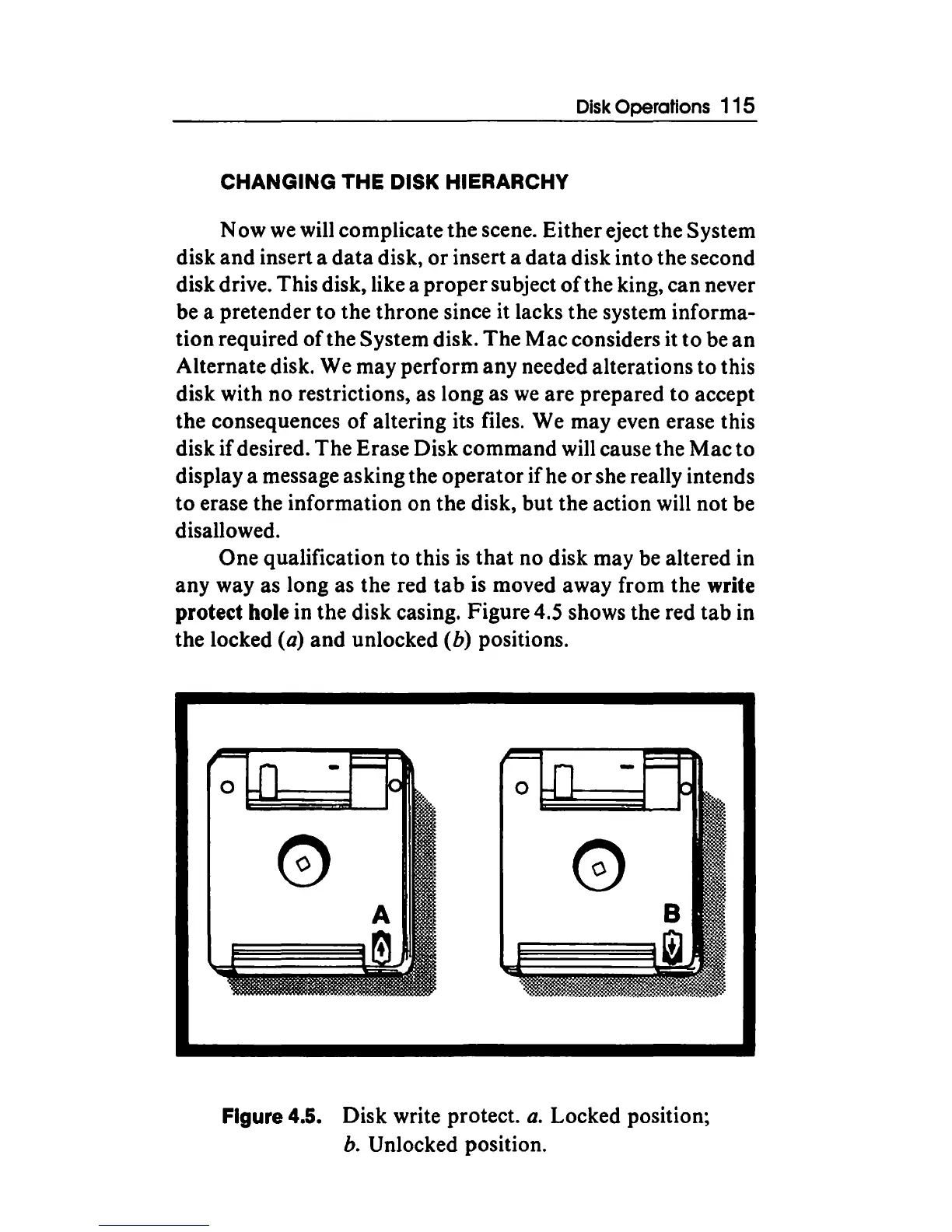
is moved away from the write
protect hole in the disk casing. Figure 4.5 shows the red
tab
in
the locked
(a) and unlocked (b) positions.
Figure 4.5. Disk write protect.
a.
Locked position;
b. Unlocked position.



 To Next Page