EasyManua.ls Logo

Apple Macintosh - Exploring MacPaint Graphics Software

Apple Macintosh
321 pages
Print Icon
To Next Page IconTo Next Page
To Previous Page IconTo Previous Page
Loading...
Exploring MacPaint 163
F
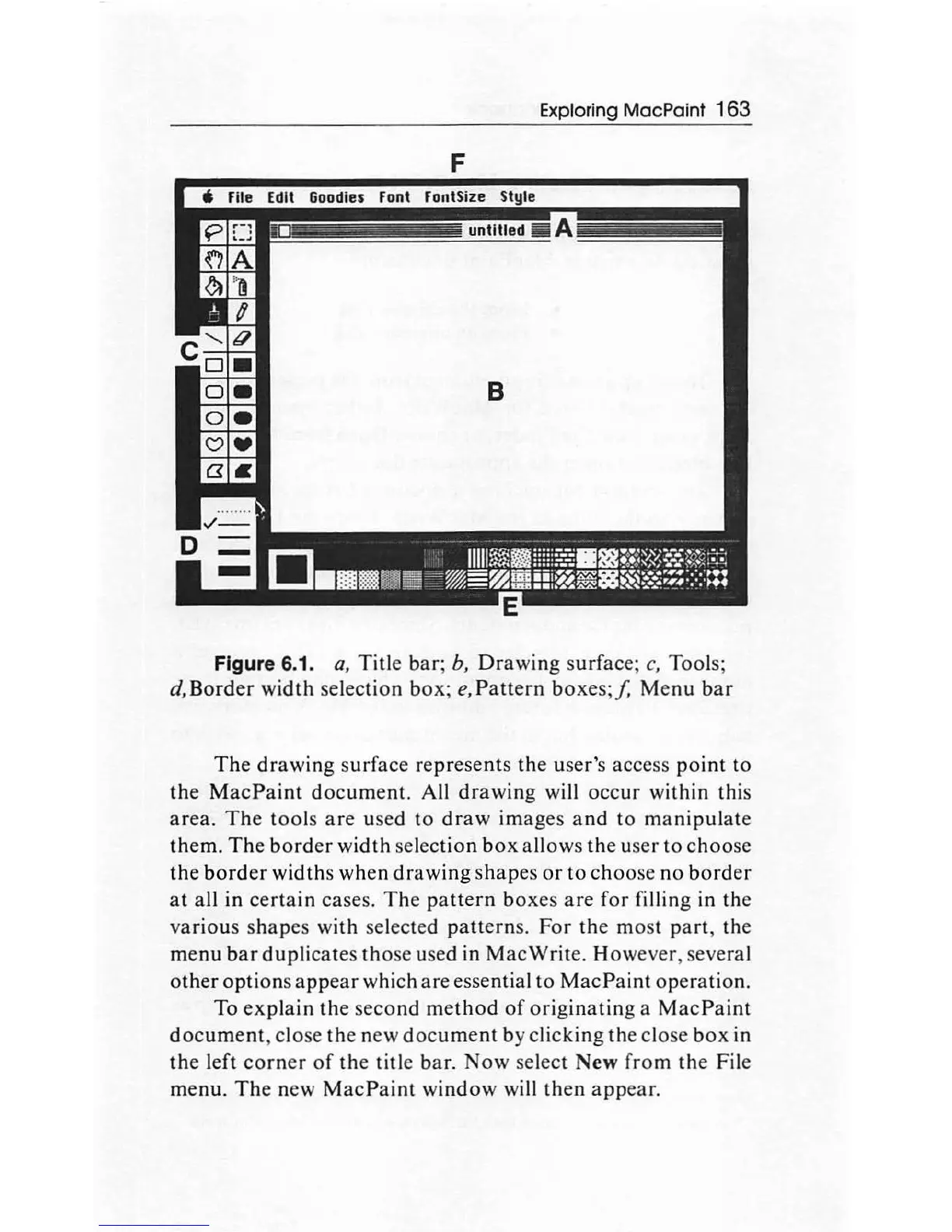
Figure 6.1.
a,
Title
bar;
b,
Drawing
surface;
c,
Tools;
d,Border
width
selection
box
;
e,Pattern
boxe
s;/.
Menu
bar
The
drawing
s
urfac
e represents
th
e user's access
point
to
the
MacPaint
document.
All
drawing
will
occur
within
this
area.
The
tool
s
are
used
to
draw
ima
ges
and
to
manipulate
them.
The
border
width
sel
ection
box
allows
th
e user to
choose
the
border
widths
when
drawing
shapes
or
to
choo
se
no
border
at
all
in
certain
cases.
The
pattern
bo
xes
are
for filling in the
various
shapes
with selected
patterns.
For
the
most
part,
the
menu
bar
duplicates
tho
se used in
Mac
Write. Howev
er
, several
other
option
s
appear
which
are
essential
to
MacP
ai
nt
operation.
To
explain
the
seco
nd
method
of
originating
a M
ac
Paint
document
, close
the
new
document
by clicking
th
e close
box
in
the
left
corner
of
the title bar.
Now
sele
ct
New
from
the
File
menu.
Th
e new
MacPaint
window
will
th
en
appear.

Other manuals for Apple Macintosh

Related product manuals