EasyManua.ls Logo

Apple Macintosh - Page 199

Apple Macintosh
321 pages
Print Icon
To Next Page IconTo Next Page
To Previous Page IconTo Previous Page
Loading...
Exploring MacPalnt 201
Untitled
lass
o-+
~-
,
+-
se
l
ec
t
io
n
0 0
sc
roll-+ +-text
@]'
;~::'::;
..
,
ar
ea
fill-+ +- spr
ay
pai
nt
} wi
dth
s,
m~llipl
e
co
py
sp
ac
mg
bru
sh-+
+-pencil
line
s
-+
"'-...
g
+-er
as
er
c
urren
t
D
pattern
pa
tt
ern
s
!
hollow
0
filled
s
hape
s 0
s
hape
s
<:::?
a
ll
Cance
l
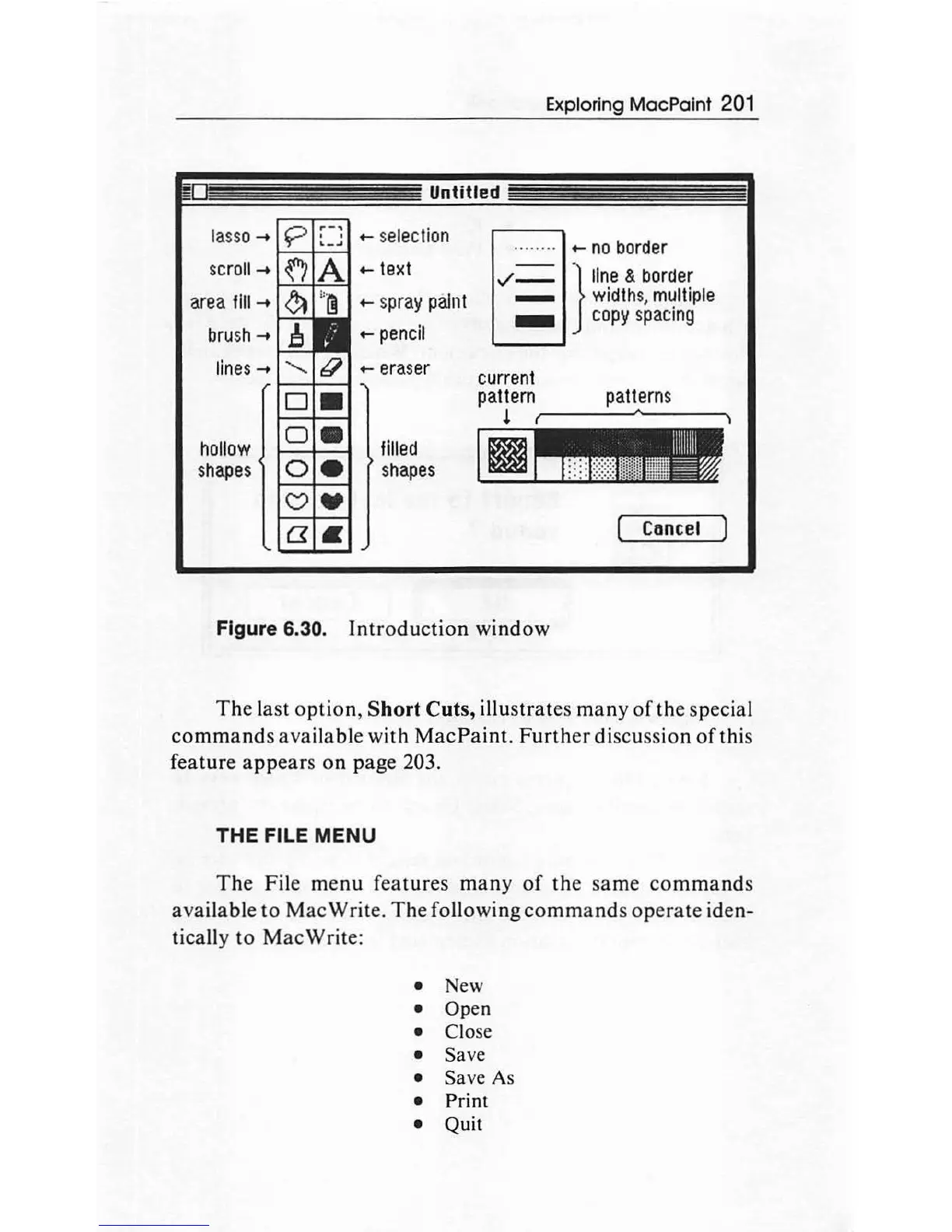
Figure
6.
30
o
Intr
o
du
c
tion
window
Th
e last option,
Short
Cuts,
illus
tr
ates many of the special
command
s available with
MacP
aint.
Furth
er
di
scussion of this
feature a
pp
ea
rs on page 203.
THE
FILE
MENU
Th
e
Fi
le menu f
eat
ur
es many
of
th
e same
co
mm
ands
ava
il
able to Mac
Wr
ite. The following
comman
ds op
erate
id
en-
ti
ca
ll
y to M
ac
Write:
New
Open
Close
Save
Save As
Pr
i
nt
Quit

Other manuals for Apple Macintosh

Related product manuals