EasyManua.ls Logo

Apple Macintosh - Page 202

Apple Macintosh
321 pages
Print Icon
To Next Page IconTo Next Page
To Previous Page IconTo Previous Page
Loading...
204 Macintosh
User's
Handbook
Untitled
IOptionll!:]
~ltiple
Copie3
IOptiool
Patterned
Lines
&
Borders
!Option!
tT
Scroll FatBita
1!:]
tT
Enter or leave FatBits
l!:J[)
Change
Font
Size
~
IShitt
I[)
Change
Font
Dot.ble
Clid:
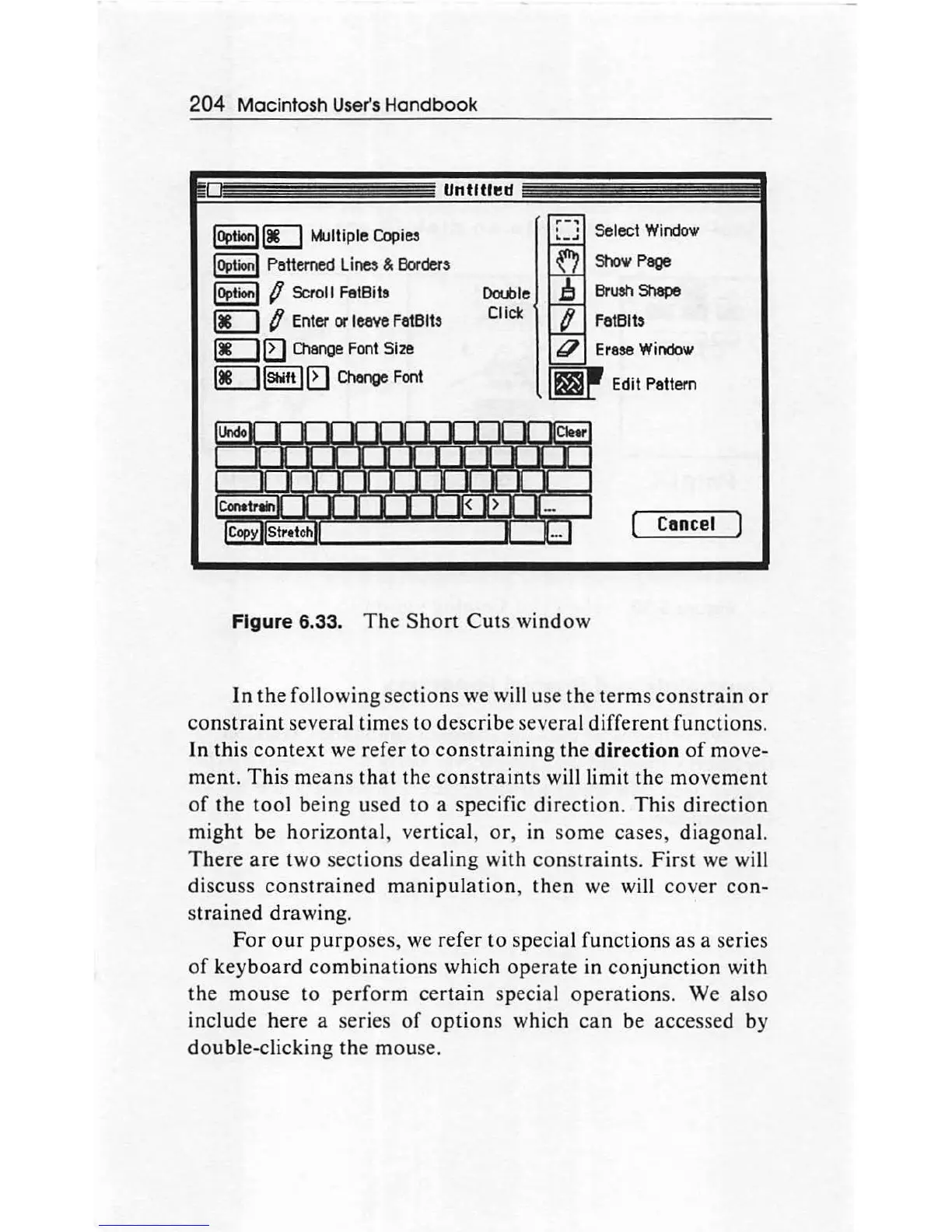
Figure
6.33.
The
Short
Cuts
window
Select
Window
Show
Page
Brush
Shape
FatBits
Cancel
In
the
following sections we will use
the
terms
constrain
or
constraint
several times
to
describe several different functions.
In this
context
we
refer to
constraining
the
direction
of
mo
ve-
ment. This means
th
at
the
constraints
will limit
the
movement
of
the
tool
being used
to
a specific
direction.
This
dir
ec
tion
might be
hori
zo
ntal
, vertical,
or
, in
so
me cases, diagonal.
There
are
two sections dealing with
constraints.
First
we will
discuss
constrained
manipulation
, then we will
cover
con-
strained drawing.
For
our
purpo
ses, we refer
to
special functions
as
a series
of
keyboard
combinations
which
operate
in
conjunction
with
the
mou
se to
perform
certain
special
operations.
We also
include here a series
of
options
which
can
be
accessed by
double-clicking the mouse.

Other manuals for Apple Macintosh

Related product manuals