EasyManua.ls Logo

Apple Macintosh - Page 237

Apple Macintosh
321 pages
Print Icon
To Next Page IconTo Next Page
To Previous Page IconTo Previous Page
Loading...
240 Macintosh
User's
Handbook
To
complete
the
ax
head s
hape
, erase the excess
of
the
two
arcs
on
either
side.
Choose
two places
about
the
center
of
the
ax
for
the
handle
.
Draw
straight
lines
to
the
bottom
of
the
page.
Ora
w
to
the
bottom
of
the
dr
awing s
urf
ace.
Then
use
the
hand
to
push
the
image
up
,
and
continue
drawing
until you
reach
the
bottom
.
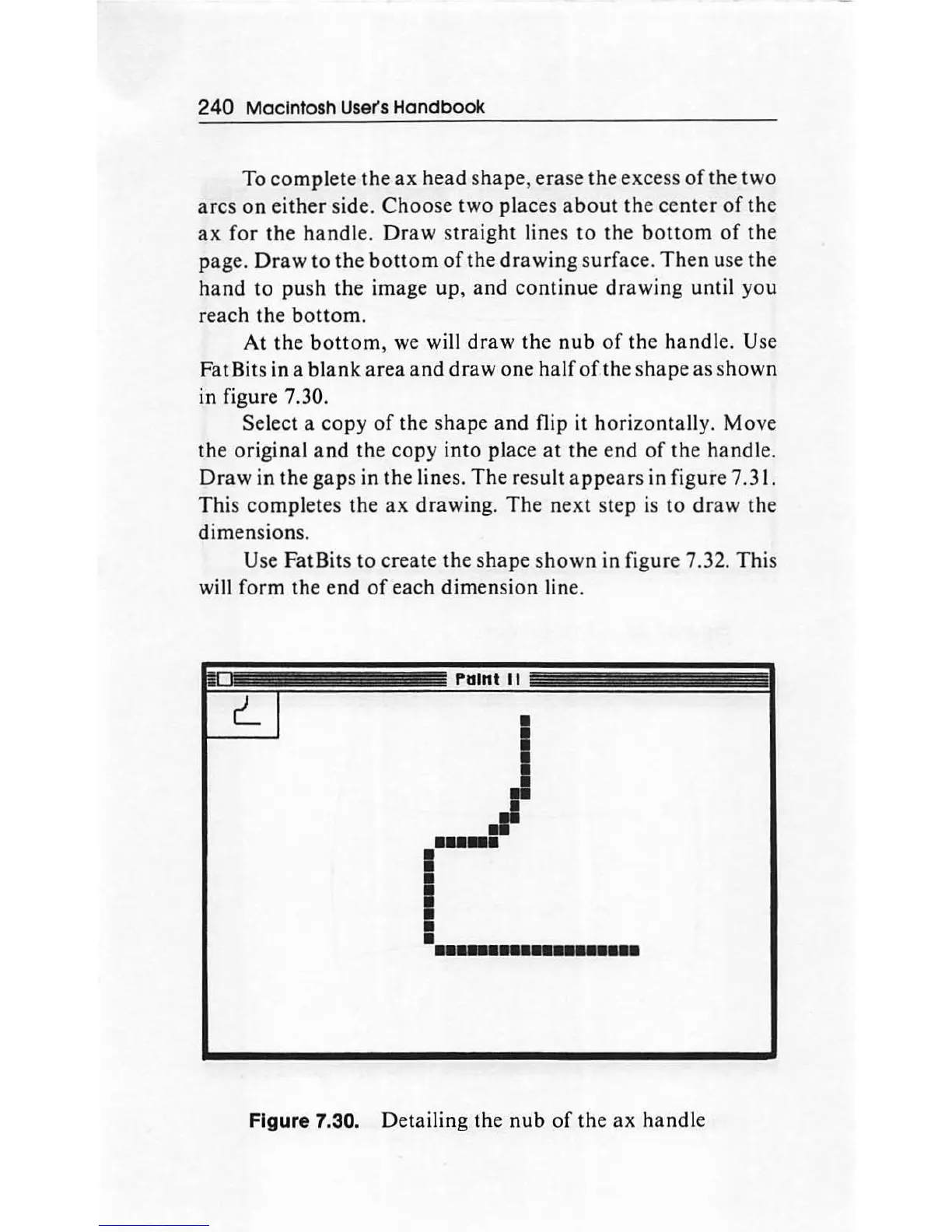
At
the
bottom
,
we
will
draw
the
nub
of
the handle. Use
Fat Bits in a
blank
area
and
draw
one
half
of
the shape
as
s
hown
in
figure 7.30.
Select
a
copy
of
the shape and flip it horizontall
y.
Move
the
original
and
the
copy
into
place
at
the
end
of
the handle.
Draw
in
the
gaps
in
the lines. The result
appears
in figure 7.31.
This completes
the
ax
drawing.
The
next
step is to
draw
th
e
dimension
s.
Use FatBits
to
create
the
shape s
hown
in figure 7.32. This
will form the
end
of
each dimension line.
l"atnt 1 t
~
-- -
I
i-
r-
---·-
.......
Figure 7.30. Detailing the
nub
of
the
ax
handle

Other manuals for Apple Macintosh

Related product manuals