EasyManua.ls Logo

Apple Macintosh - Page 24

Apple Macintosh
321 pages
Print Icon
To Next Page IconTo Next Page
To Previous Page IconTo Previous Page
Loading...
Overview
of
the
Mac
23
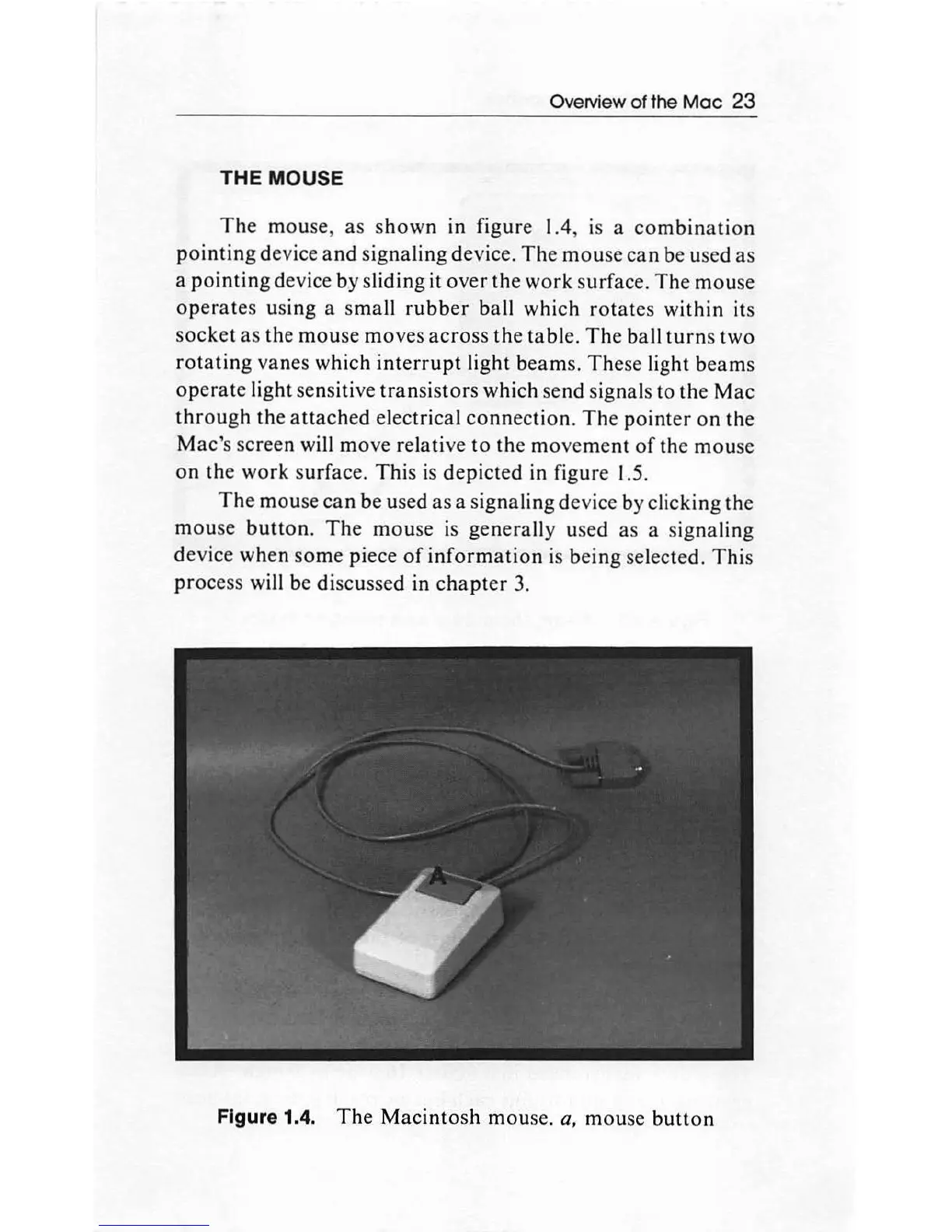
THE
MOUSE
The
mouse, as
shown
in figure 1.4,
is
a
combination
pointing
de
vice
and
signaling device.
The
mouse
can
be used as
a
pointing
device by sliding it over
the
work
surface.
The
mou
se
operates
using a
small
rubber
ball which
rotates
within its
socket
as
the
mouse
moves
across
the table.
The
ball
turn
s
two
rotating
vanes which
interrupt
light beams.
The
se light
beams
operate
light sensitive
tran
sis
tors
which send signals to the
Mac
through
the
attached
electrical
connection.
The
pointer
on
the
Mac
's screen will
move
relative
to
the
movement
of
the mouse
on
th
e work surface.
Thi
s
is
depicted
in figure 1.5.
The
mou
se
can
be used
as
a signaling device by clicking the
mou
se
button.
The
mouse
is generally used as a signaling
de
vice
when
some
piece
of
information
is
being
selected.
This
process will be
di
scussed in
chapter
3.
Figure 1.4.
The
Macintosh
mouse.
a,
mou
se
button

Other manuals for Apple Macintosh

Related product manuals