EasyManua.ls Logo

Apple Macintosh - Page 245

Apple Macintosh
321 pages
Print Icon
To Next Page IconTo Next Page
To Previous Page IconTo Previous Page
Loading...
248 Macintosh
User's
Handbook
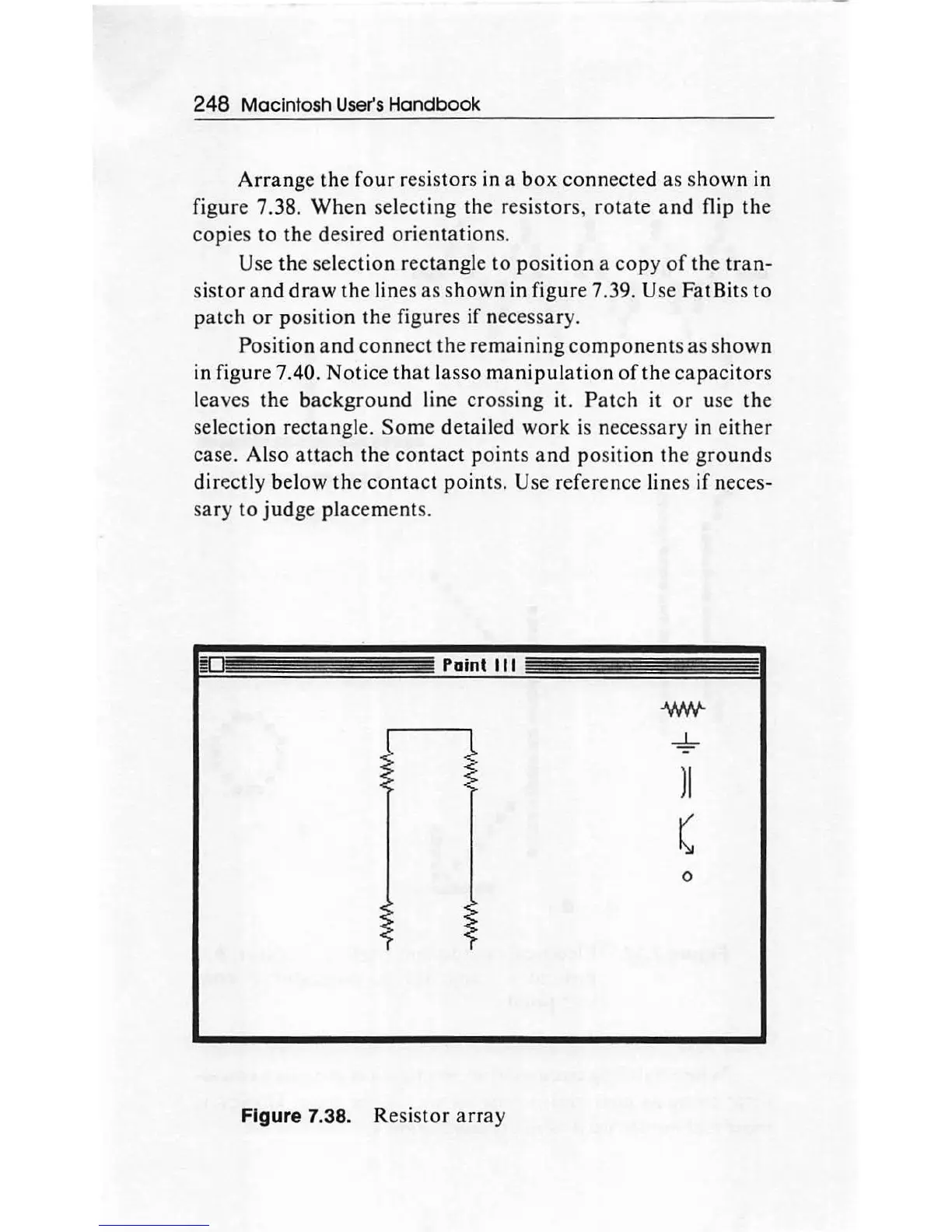
Arrange
the
four
resistors in a
box
connected
as shown in
figure 7.38.
Wh
en selecting the resistors,
rotate
and
flip the
copies
to
the desired
orientatio
ns.
Use
th
e selection rectangle
to
po
sition a copy
of
the
tran-
sis
tor
and
draw
the
lines
as
shown
in figure 7.39. Use Fat Bits
to
p
atch
or
position
the figures if necessary.
Position
and
connect
the
remaining
components
as
s
hown
in figure 7.40.
Notic
e
that
lasso
manipulation
of
the
capacitors
leaves the
background
line crossing it. P
atc
h it
or
use the
selec
tion
rectangle.
Some
detailed
work
is necessary in ei
ther
case. Also
attach
the
contact
points
and
position
th
e
gro
unds
dir
ect
ly below
the
contact
point
s. Use reference lines
if
neces-
sary
to
judge
placem
ents
.
Paint
Ill
Figure 7.38. Resis
tor
array
) I
(
0

Other manuals for Apple Macintosh

Related product manuals