EasyManua.ls Logo

Apple Macintosh - Page 268

Apple Macintosh
321 pages
Print Icon
To Next Page IconTo Next Page
To Previous Page IconTo Previous Page
Loading...
Macintosh Communications 271
Comp~ttibility
Settings
B~tud
R~tte
0
50
0
75
0
110
0
134.5
0
150
0
200
0
300
0
600
® 1
200
0
1800
0
2000
0
2400
0
3600
0
4800
0
9600
0
19200
Bits
per
Character
0 7 Bits ® 8 Bits
Parity
0 Euen 0
Odd
®None
Handshake ®
HOn
/ HOff 0 None
Connection ®
Modem
0
Another
Computer
Connection
Port
®
~
~
~
0
IAI
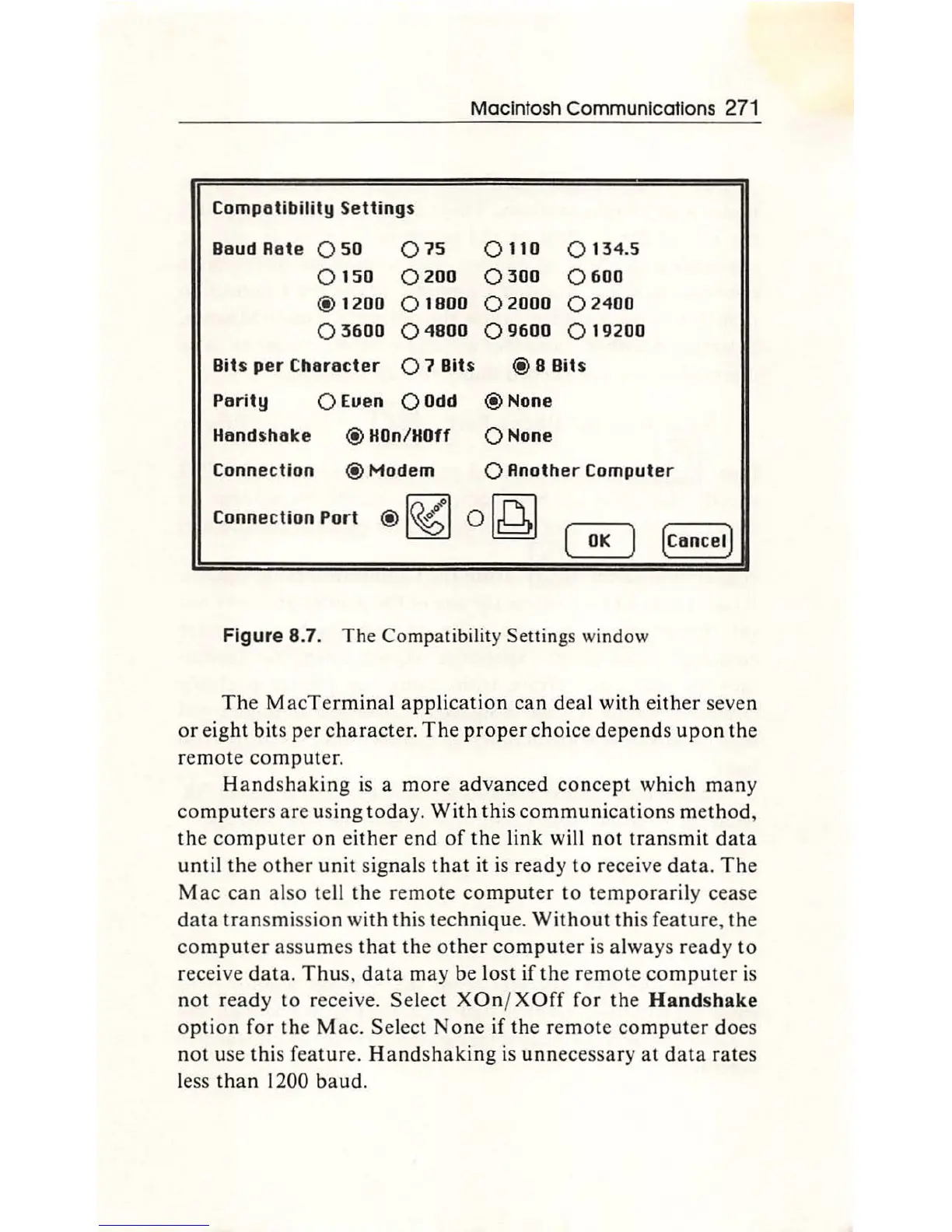
Figure 8.7.
Th
e
Co
m
pa
tib
ility Settings wind
ow
The M
acTe
rmin
al applica
tion
can
d
ea
l
with
e
ith
er sev
en
or eig
ht
bits
per
character.
Th
e
proper
ch
oice depe
nd
s
up
on
th
e
rem
ote
co
mput
er.
Ha
nd
shaking is a m
ore
ad
v
anc
ed
co
nce
pt
which many
co
mput
ers
are
using today.
With
thi
s co
mmuni
cat
i
ons
m
et
hod,
th
e
com
put
er on either end
of
th
e link will not t
ra
nsmit data
until the
other
unit
signa
ls t
hat
it is ready to receive data.
Th
e
Mac
can also
te
ll the rem
ote
com
put
er
to
t
em
p
ora
rily cease
da
ta t
ra
nsmission with
th
is tec
hniqu
e.
With
o
ut
this feature, the
co
mp
uter assumes
th
at
th
e o
th
er
co
mpu
te
r is al
ways
ready
to
receive
data
. T hus, data m
ay
be lost
if
th
e rem
ote
co
mp
ut
er is
not r
ea
dy to receive.
Se
le
ct
X
On
/ X
Off
for the Handshake
op
t
ion
f
or
the
Mac.
Select
No
ne if
the
r
emo
te
co
mput
er
does
not use
th
is f
ea
tur
e.
Handshaking is
unn
ecessary at data rates
less
th
an 1200
ba
ud.

Other manuals for Apple Macintosh

Related product manuals