EasyManua.ls Logo

Apple Macintosh - Page 296

Apple Macintosh
321 pages
Print Icon
To Next Page IconTo Next Page
To Previous Page IconTo Previous Page
Loading...
300 Macintosh
User's
Handbook
Access
MacPaint
on
a
system
disk.
Clo
se
the
pre
s
ent
document
and
choose
Open
from
the
File
menu
. Select Eject
and
insert
the
faulty
disk.
If
the
disk's
documents
appear
,
then
select
the
one
you
wish
copied
.
At
this
point
,
the
Mac
will
request
disk
switches a few
times
as
it l
oads
the
file.
Finally
,
the
document
appears
within
the
MacPaint
display
with
the
sys-
tem
disk
inserted.
The
task
here
is
to
fool
the
Mac
into
thinking
one
disk
is
pre
s
ent
while
another
actually
is present. Use
an
unbent
paper
clip
or
s
imilar
object
to
"punch
out"
the
system
disk
using
the
following
procedure.
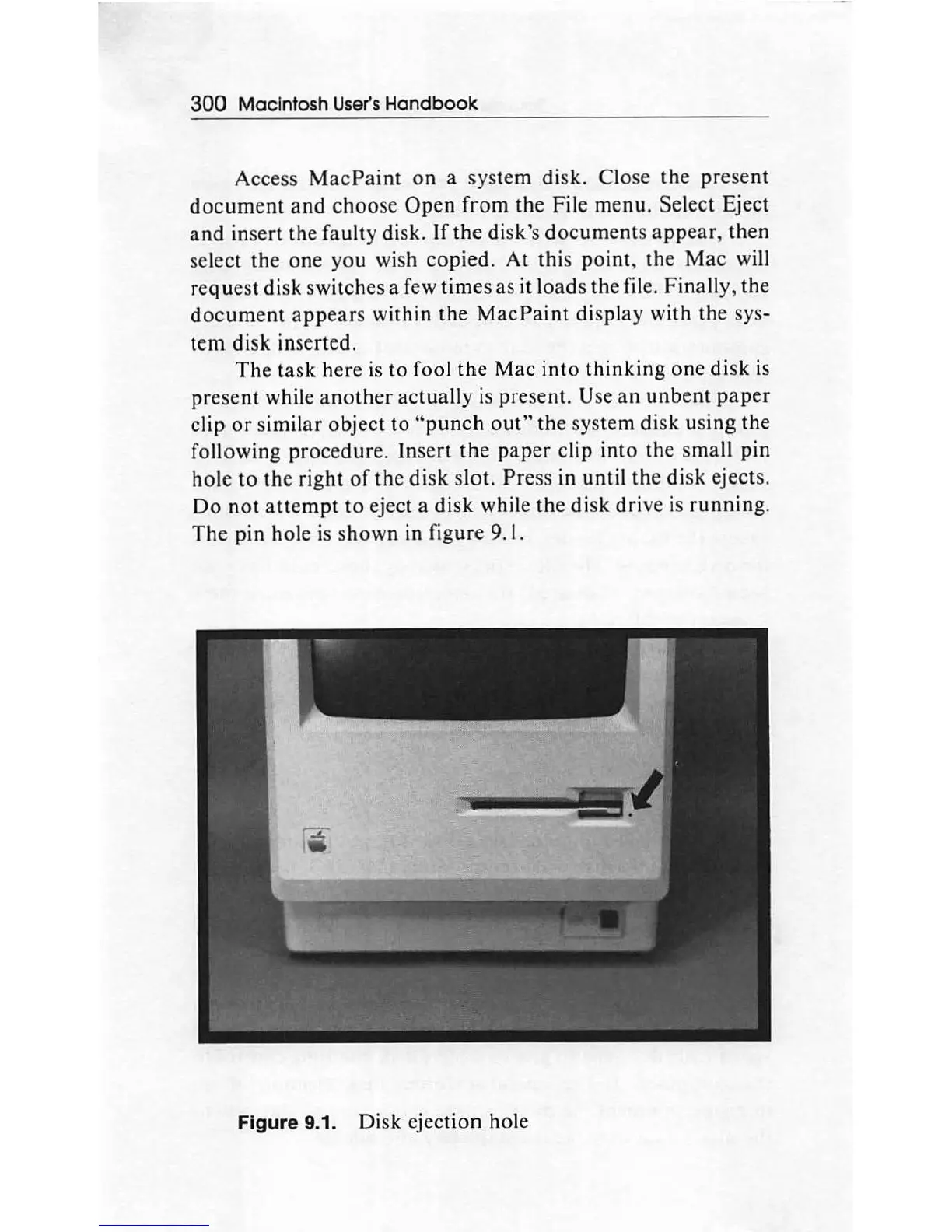
Insert
the
paper
clip
into
the
small
pin
hole
to
the
right
of
the
disk
slot.
Press
in
until
th
e
di
sk ejects.
Do
not
attempt
to
eject a
disk
while
the
disk
drive
is
running.
The
pin
hole
is
shown
in figure 9.1.
Figure 9.1.
Disk
ejection hole

Other manuals for Apple Macintosh

Related product manuals