EasyManua.ls Logo

Apple Macintosh - Page 35

Apple Macintosh
321 pages
Print Icon
To Next Page IconTo Next Page
To Previous Page IconTo Previous Page
Loading...
Installation 35
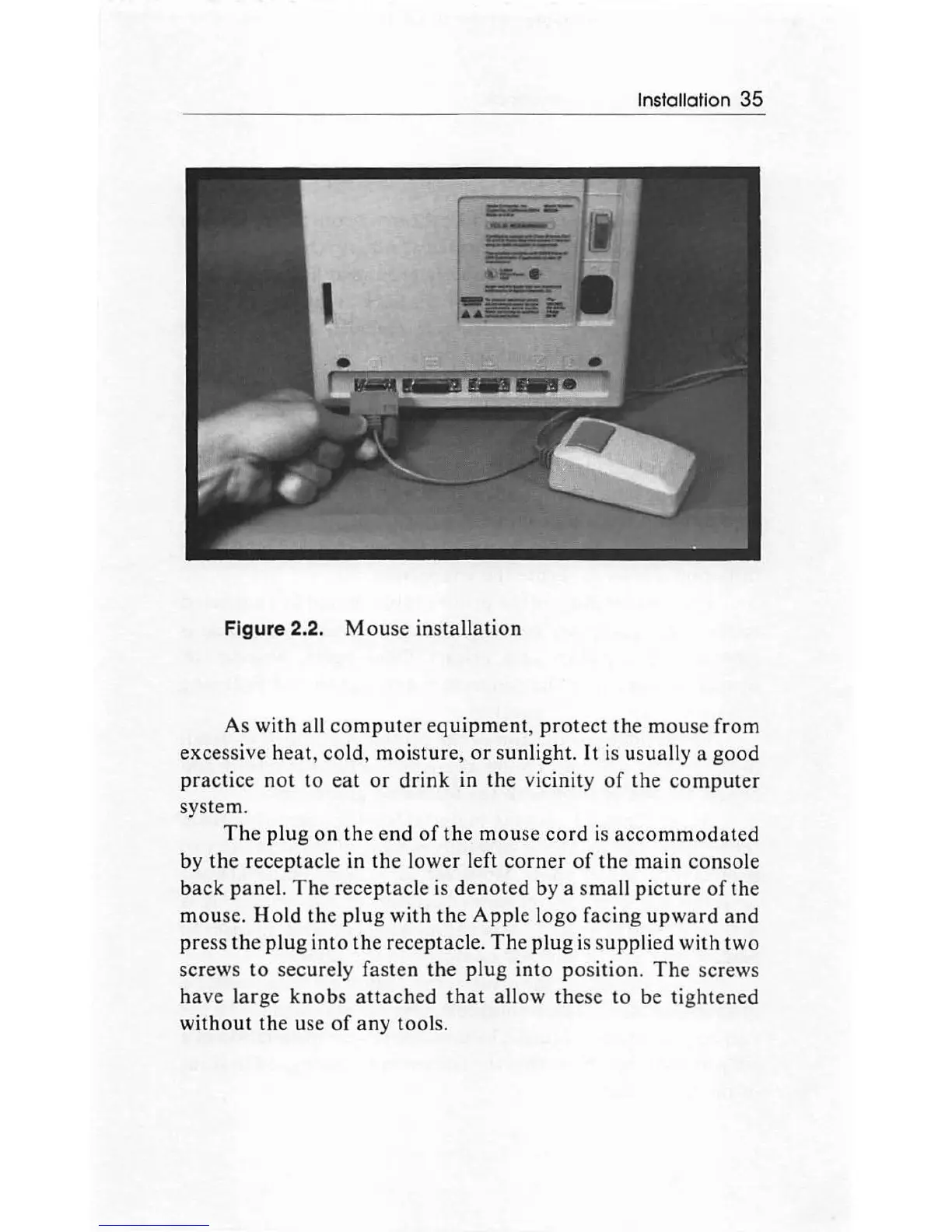
Figure 2.2.
Mou
se
installation
As with all
co
mputer
equipment
,
protect
th
e
mou
se from
excessive h
ea
t, cold,
moisture
,
or
sunlight.
It
is usually a
goo
d
practic
e
not
to
eat
or
drink
in
the
vicinity
of
the
computer
system.
The
plug
on
the end
of
the
mouse
cord
is
accommodated
by
the
receptacle in
the
low
er
left
corner
of
the
main
console
back
panel.
Th
e receptacle is
denot
ed by a
sma
ll
picture
of
the
mou
se.
Hold
the
plug
with
the
Apple
logo facing
upward
and
press
th
e
plug
into
the
receptacle.
The
plug
is
supplied with two
screws
to
securely f
asten
the
plug
into
po
sition.
The
screws
have
large
knobs
attach
ed
that
allow
th
ese
to
be tig
ht
ened
without
the use
of
any tools.

Other manuals for Apple Macintosh

Related product manuals