EasyManua.ls Logo

Apple Macintosh - Page 63

Apple Macintosh
321 pages
Print Icon
To Next Page IconTo Next Page
To Previous Page IconTo Previous Page
Loading...
Using
the
Find
er
63
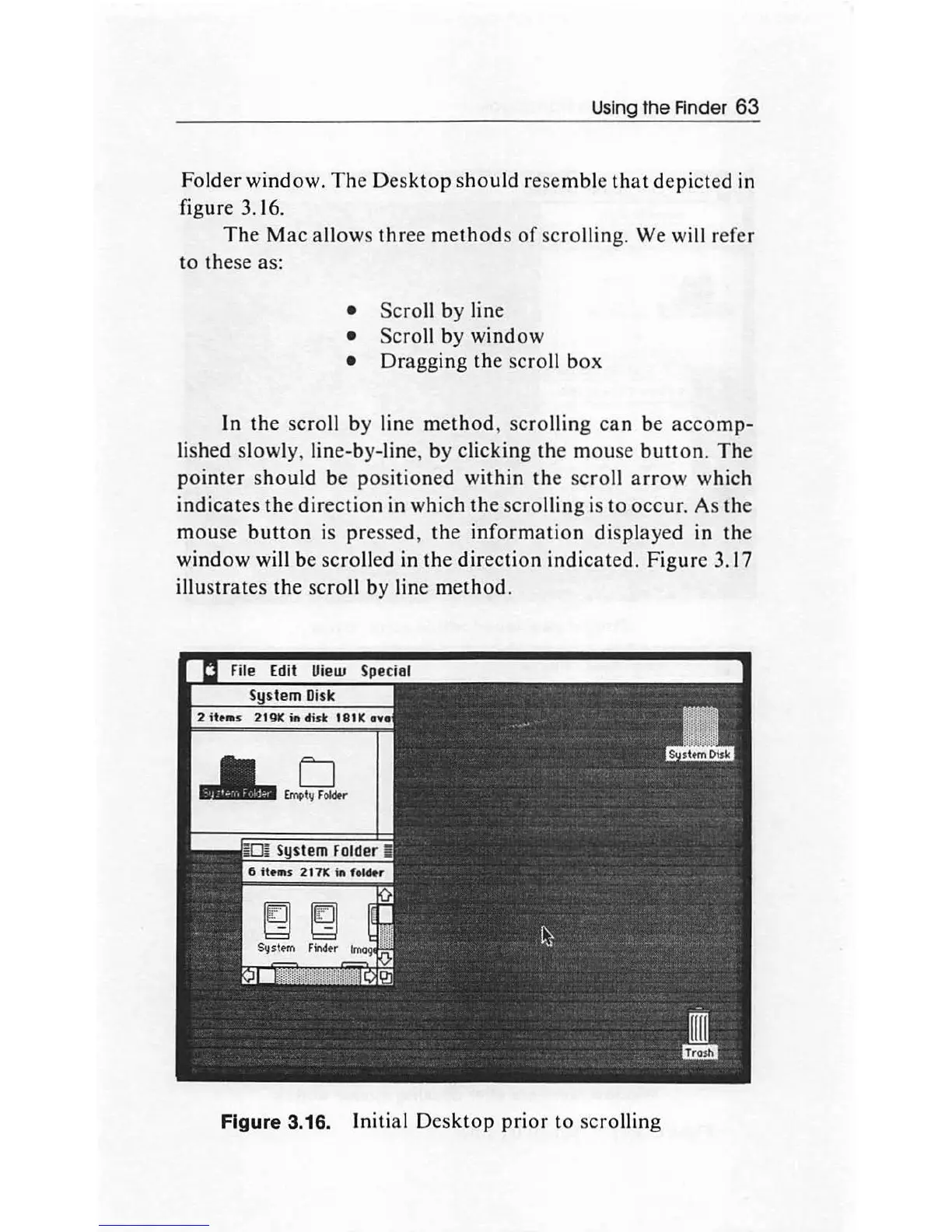
Folder
window.
The
Desktop
sh
ould
resemble
that
depicted
in
figure 3.
16
.
The
Mac
allows
three
methods
of
scrolling. We will refer
to
these as:
Scroll
by
line
Scroll by window
Dragging
the
scro
ll
box
In
the
scroll
by
line
method,
scrolling
can
be
accomp-
lished slowly, lin
e-by
-line,
by
clicking
the
mouse
button
.
The
pointer
should
be
positioned
within
the
scroll
arrow
which
indicates
the
direction
in which
the
scrolling
is
to
occur
. As
the
mouse
button
is pressed,
the
information
displayed in
the
window
will be
scro
ll
ed in
the
direction
indicated
.
Figure
3.17
illustrates
the
scro
ll
by
line
method.
Figure 3.16. Initial
Desktop
prior
to
scro
lling

Other manuals for Apple Macintosh

Related product manuals