EasyManua.ls Logo

Apple Macintosh - Navigating Menus and Desk Accessories

Apple Macintosh
321 pages
Print Icon
To Next Page IconTo Next Page
To Previous Page IconTo Previous Page
Loading...
68 Macintosh
User's
Handbook
Menus
So
f
ar
, we
hav
e learned
quite
a bit
about
th
e De
sk
top
displayed
when
the
System
Di
sk is inserted. We
hav
e learned
about
icons
and
windows,
and
we briefly
exam
ined the File
menu
. We will
conclude
our
examination
of
the
System
Disk
and
th
e
Desktop
by
exa
mining
the
various
menu
op
tion
s
available in
the
menu
bar
.
APPLE
MENU
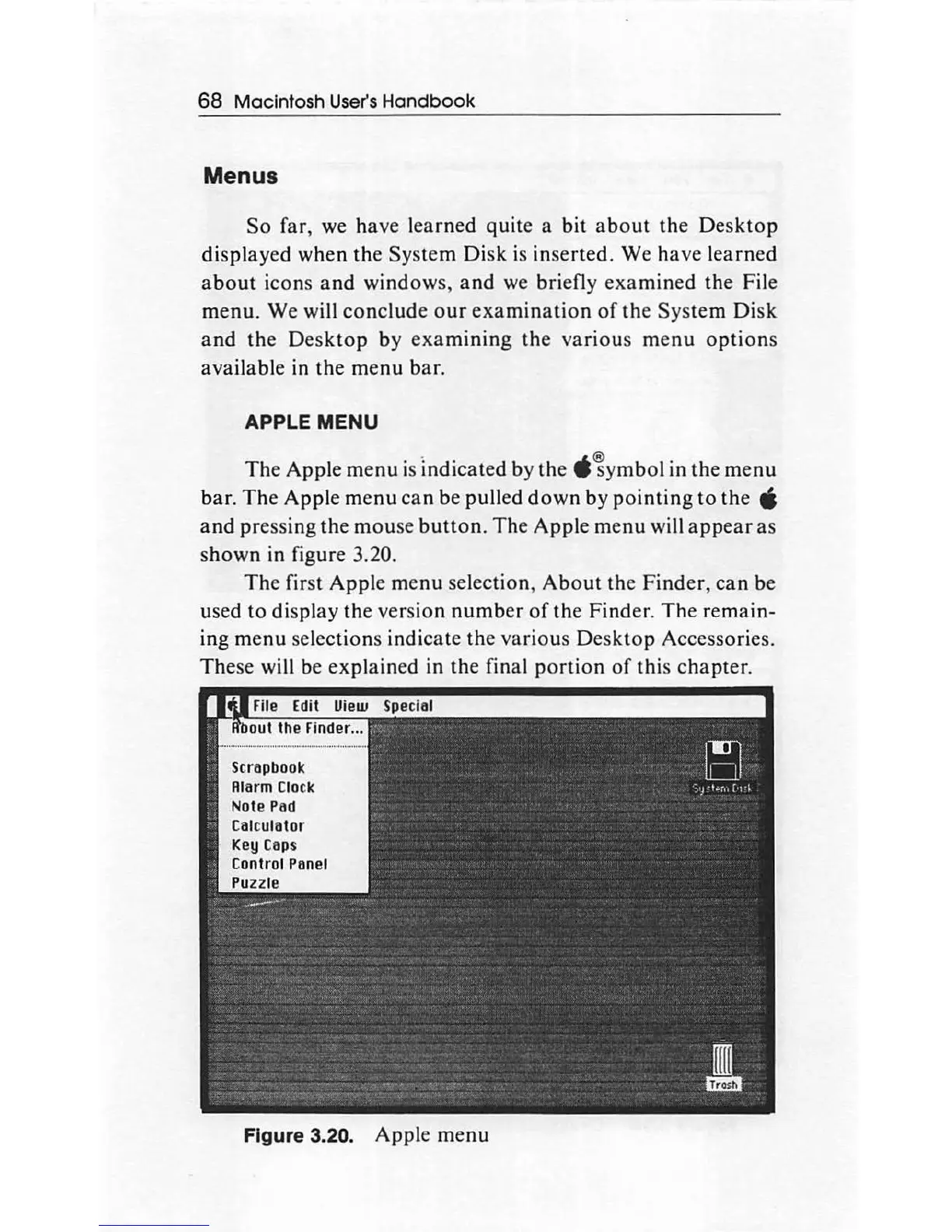
The
Apple
menu
is Indicated by the
-
~
ym
bol
in
the
menu
bar.
The
Apple
menu
can
be pulled
down
by
pointing
to
th
e '
and
pressing
the
mouse
button
.
The
Apple
menu
will
appear
as
s
hown
in figure 3.20.
The
first
Apple
me
nu
selection,
About
the
Finder,
can
be
used
to
display the version
number
of
the Finder.
The
remain-
ing
menu
sel
ec
tion
s indicate the
vario
us
Desktop
Accessories.
These will be explained in the final
portion
of
this
chapter
.
Note Pod
Colc
ulotor
Key
Cops
Control Ponel
Figure 3.20. Apple
menu

Other manuals for Apple Macintosh

Related product manuals