88 Macintosh
User's
Handbook
VIEW
MENU
The View menu allows the directories
of
disks and folders
to
be displayed in a number
of
different formats. These for-
mats include:
• Icon
• Name
• Date
• Size
• Kind
We
have already seen how a disk
or
folder•s directory can
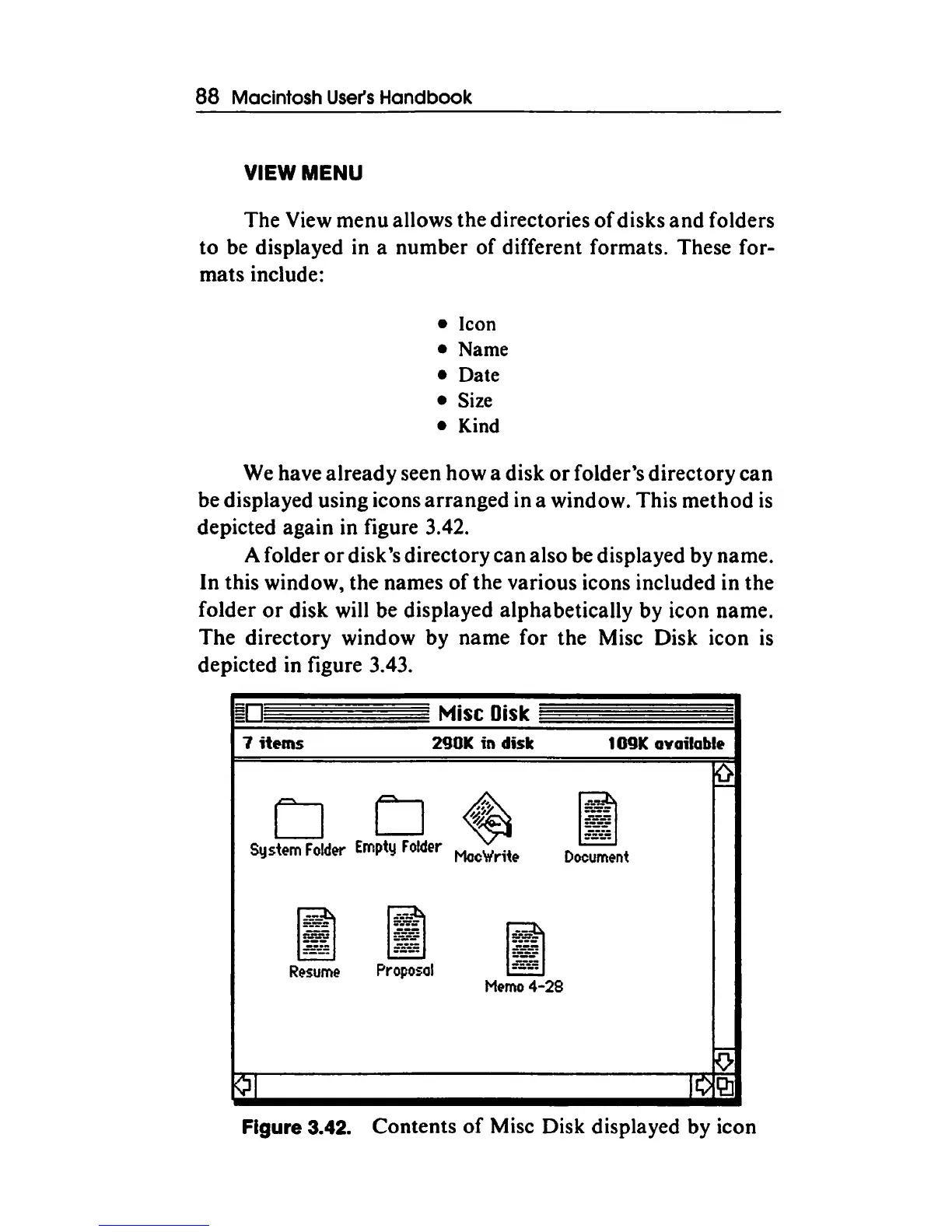
be displayed using icons arranged in a window. This method
is
depicted again in figure 3.42.
A folder
or
disk•s directory can also be displayed by name.
In this window, the names
of
the various icons included in the
folder
or
disk will be displayed alphabetically by icon name.
The directory window by name for the Mise Disk icon
is
depicted in figure 3.43.
Mise Disk
1
items
290K in disk
1 09K available
CJ CJ
~
System
Fold~r
Empty
Folder
MocW'r;te
Document
~
J!ol
~
Memo
4-28
¢1
10£21
Figure 3.42. Contents
of
Mise Disk displayed by icon



 To Next Page