92 Macintosh
User's
Handbook
SCRAPBOOK
The Scrapbook accessory provides an area in which fre-
quently used text
or
pictures can
be
stored. Pictures and text
which have been stored in the Scrapbook can later be copied
back into a document. The procedure for storing pictures and
text in the Scrapbook
is
provided in chapters 5 and
6.
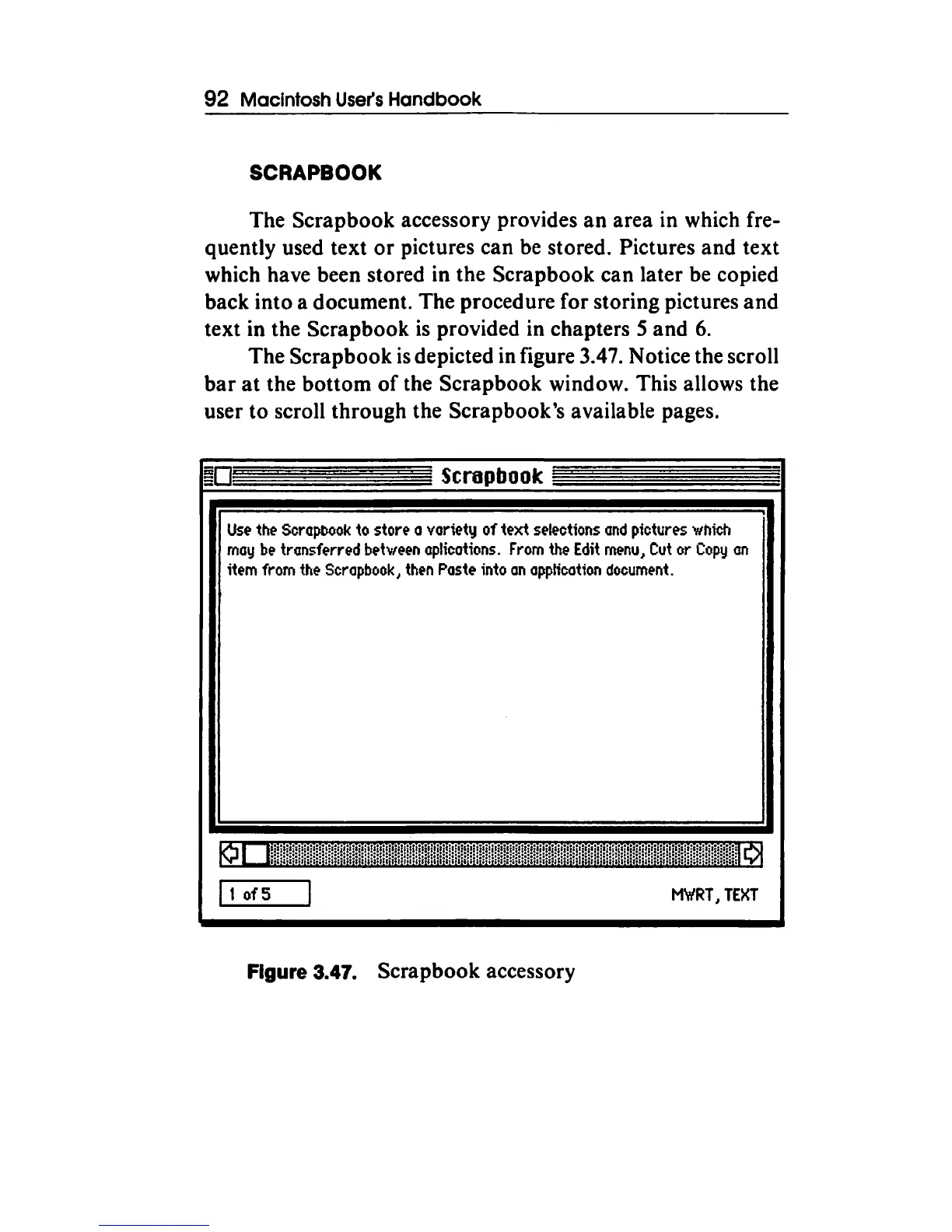
The Scrapbook
is
depicted in figure 3.47. Notice the scroll
bar
at
the bottom
of
the Scrapbook window. This allows the
user to scroll through the Scrapbook's available pages.
Scrapbook
Use
the
Scrapbook
to
store a variety of text
selections
and
pictures
which
may
be
transferred
between
aplicotions.
From
the
Edit
rnenu
1
Cut
or
Copy
an
item
from
the
Scrapbook
1
then
Paste
into
on
application
document.
It
of5
M\t/RT,
TEXT
Figure 3.47. Scrapbook accessory



 To Next Page